Ring Sizer, the ring size app for iPhone and iPad
Measure Finger & Size Chart
Ring Sizer measures a ring you already own, or your finger, directly on the iPhone or iPad screen and shows the size in US, UK, EU and Japanese standards as you adjust. Calibrate the screen first and expect to land within about a quarter size, close enough to order online without a trip to a shop.

Ring Sizer
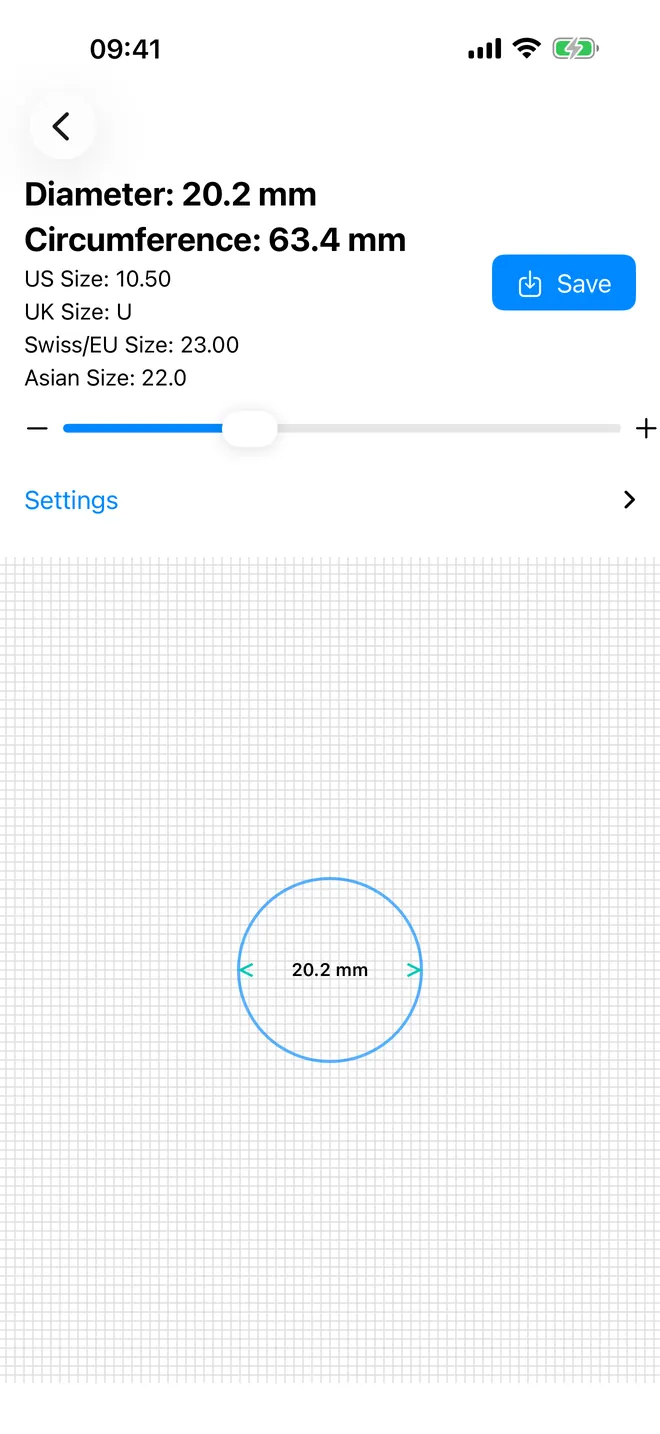
Match the circle
Diameter, circumference and every size standard at once
Finger Sizer
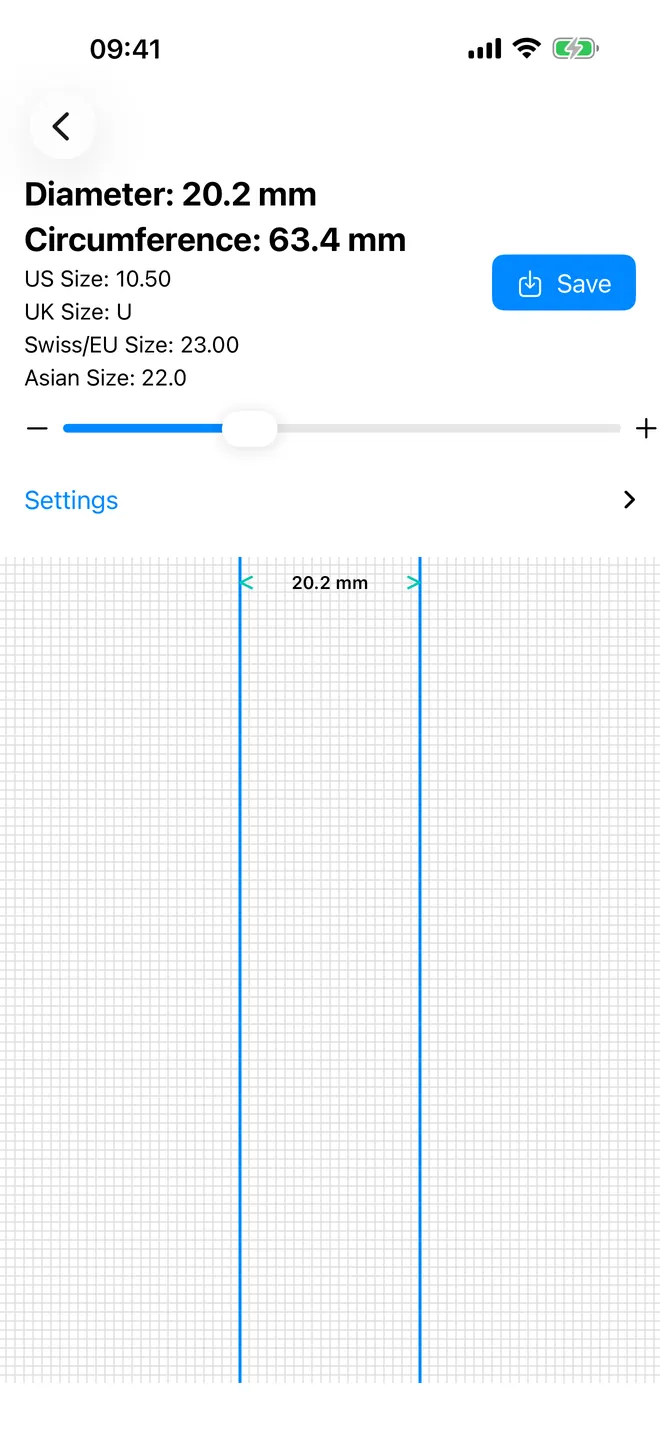
Or measure your finger
Two lines, a slider, and the same instant conversion
Size chart
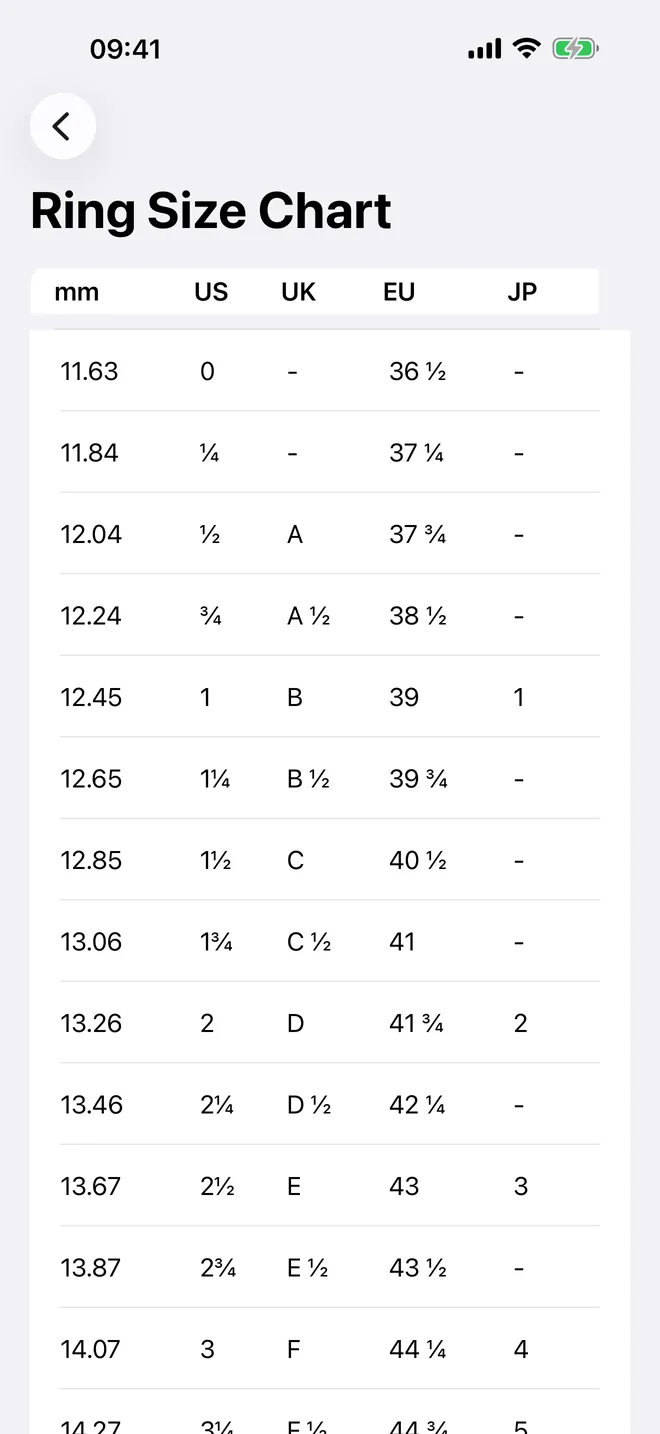
Every size, side by side
mm, US, UK, EU and Japan in one table
System converter
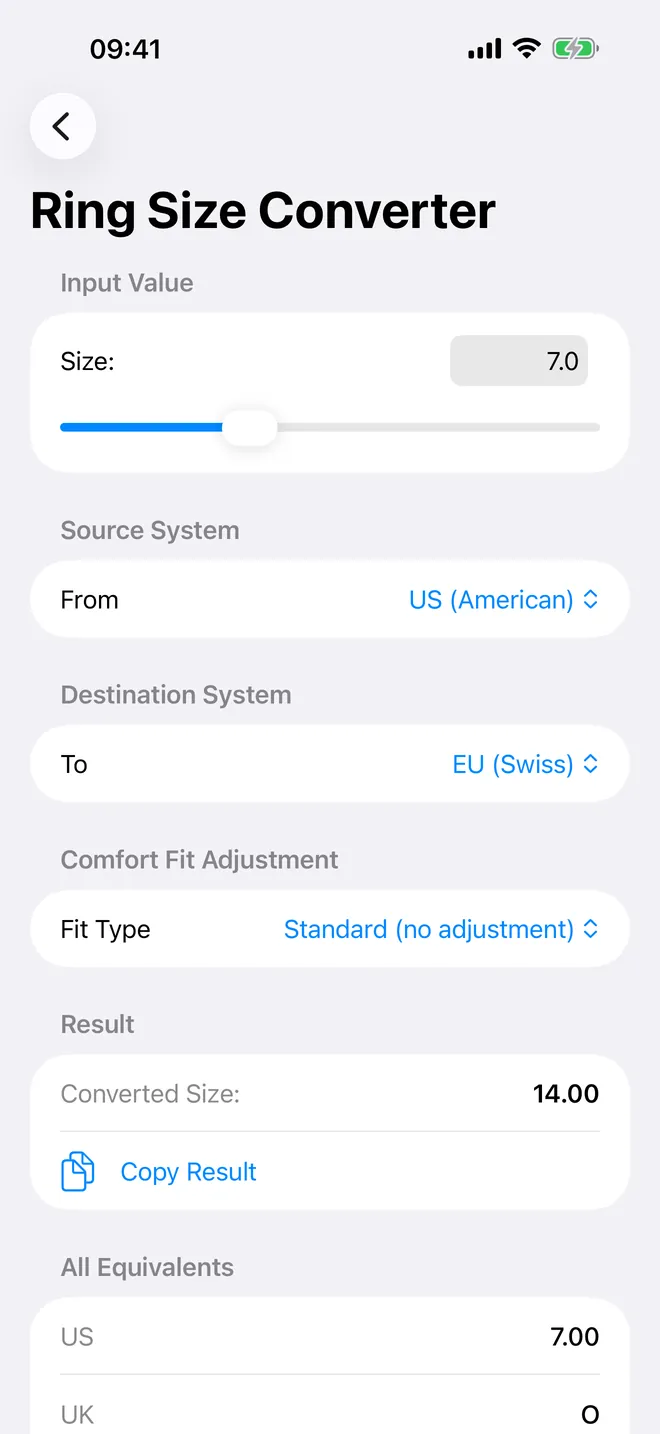
Convert between systems
US, UK, EU and Japan, with comfort-fit adjustment
What can you do with Ring Sizer?
Nine cards sit on the home screen, and you probably only need two of them.
- Ring Sizer: lay a ring on the screen and resize an on-screen circle until it matches the inside edge. Diameter, circumference and US, UK, Swiss/EU and Asian sizes update as you drag.
- Finger Sizer: no ring at hand? Widen two bars until they touch the sides of your finger. Same live readout.
- Calibration: match an on-screen ruler to a real ruler once, so every millimetre the app draws is a real millimetre on your screen.
- System Converter and Size Chart: turn a known size from one system into the others, or scroll a 61-row chart from 11.63 to 24.64 mm.
- Find My Size: a five-step quiz that gives a rough estimate when you cannot measure. The app itself labels it an estimate.
- Finger Guide, Ring Anatomy, Metal Guide, Gemstones, Ring Styles and Ring Care: reference pages on fingers, ring parts, metals, stones, birthstones and cleaning.
Quick start: your size in two minutes
- Open Calibration, place a physical ruler on the screen and move the Factor slider until the on-screen marks line up with the real ones. You do this once per device.
- Go back and open Ring Sizer. Place a ring that fits you flat on the screen.
- Drag the slider until the drawn circle sits exactly on the inside edge of the ring, not the outside.
- Read the diameter and the size in each system at the top of the screen. For example, an 18.5 mm inside diameter reads as US 8.50, UK R, Swiss/EU 18.00 and Asian 17.0.
- Tap Save Measurement to keep it in History.
Free, and what Premium adds
Ring Sizer is free to download. The free version includes both sizers, calibration, the converter, the full size chart, the quiz, the Finger Guide and Ring Anatomy, plus a preview of the reference guides: 4 of 16 ring styles, 3 of 12 metals, 5 of 21 gemstones and 3 of 9 care guides. It shows ads.
Free users keep one saved measurement. When you try to save another, you can watch a short ad to save one extra measurement for that day (up to twice a day) or upgrade.
Premium removes all ads and adds unlimited saved measurements with client name, notes, finger, metal, band width, fit and tags, CSV export, the Size Comparator, Jeweler Mode and the rest of the reference guides. If you only need your own size once, skip it; if you're sizing rings for other people, the saved history earns its price fast.
Privacy, offline use and permissions
There is no account and no sign-up. Measuring, converting, the chart, the guides and your saved history work offline, and measurements stay on your device with no cloud sync.
No camera, no photo access, anywhere. The one permission prompt you'll see is App Tracking Transparency, and it's only for ad targeting on the free tier. Tap decline and the ads stay, just generic ones. Turn on Airplane Mode and the ads simply fail to load; everything else keeps working.
Limits: what Ring Sizer cannot do
- It does not measure with the camera, AR or any sensor. Every result is you matching a circle or bars to a real ring or finger by eye.
- Accuracy depends on calibrating honestly. Once calibrated, expect to be within about half a size.
- The quiz does not measure anything; it estimates from gender, body frame, height and finger.
- It runs on iPhone and iPad only. There is no Apple Watch, Mac or Android version and no widgets.
How-to guides for Ring Sizer
Questions people ask about Ring Sizer
Is Ring Sizer free?
Does it use the camera?
Can I use it on iPad?
Which size systems does it show?
Do I need to create an account?
Free and Pro
Free
- Ring Sizer (circle match) and Finger Sizer (slider) with live US/UK/EU/JP conversion
- Screen calibration
- full read-only Size Chart and System Converter for all sizes
- Size Finder Quiz
- Finger Guide and Ring Anatomy
- 1 saved measurement (view/edit); a preview of the Ring Style, Metal, Gemstone and Ring Care guides (4 of 16 styles, 3 of 12 metals, 5 of 21 gemstones, 3 of 9 care guides)
Pro
- unlimited saved measurements with client name, notes, finger, metal, band width, fit type and tags
- CSV export and a formatted share report for every saved measurement
- Size Comparator (side-by-side of two saved measurements)
- Jeweler Mode (searchable, copyable reference table of every size system)
- the rest of the Ring Style, Metal, Gemstone and Ring Care guides
- no ads anywhere in the app
Pro is optional. Everything in the free list works without it.
What's new in 1.4.0
• The upgrade screen now shows every plan with its real price, period and renewal terms • Fixed the Save button on the Ring Sizer and Finger Sizer screens • Faster launch: the opening animation no longer holds you up • Fewer and better timed ads while you measure • Translation fixes across all supported languages
Privacy and support
Ring Sizer does not require an account. Read the privacy policy and the terms for this app, or write to us if something is wrong.
Made by a small independent developer. Questions? Write to us from the support page.