PipeMaster, the conduit bending calculator app for electricians
EMT Pipe Bending Calculator
PipeMaster works next to the tape measure, not instead of it. Type the stub height, offset or obstruction the way you read it off the tape — whole inches, a fraction, whatever — and it hands back the mark. The 90°, offset and bend reference calculators cost nothing; PipeMaster Pro adds the harder bends and four NEC electrical calculators.

Bends, Done Right
90° / stub-up with take-up and gain
Bends, Done Right
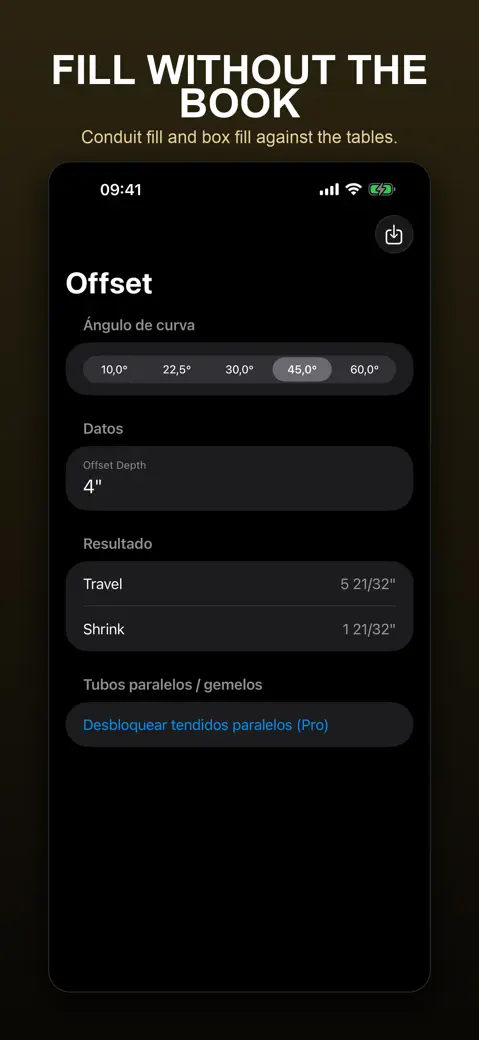
Rolling offset
combine vertical and horizontal in one bend
Bends, Done Right
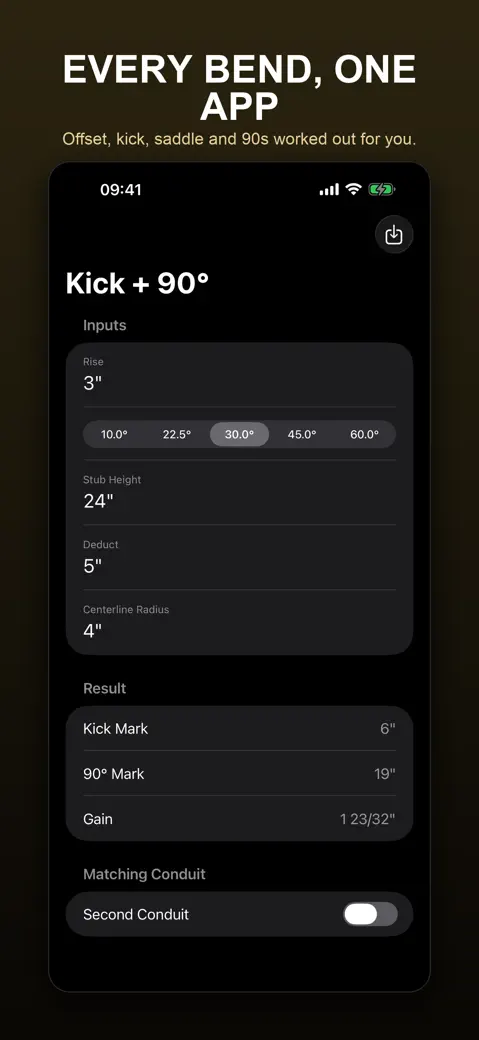
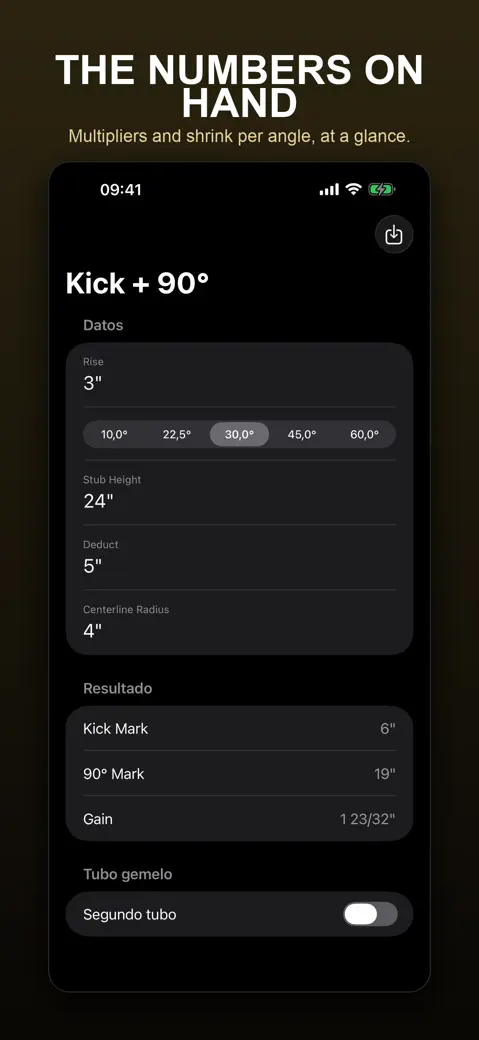
Kick and kick-with-90°
Bends, Done Right
3-point and 4-point saddles
What can you calculate?
- Free, under Calculators: 90° / Stub-Up (stub height minus your deduct, plus gain), Offset (distance between bends and shrink) and Bend Reference, a multiplier and shrink card with a custom angle from 1° to 89°.
- Pro, under Pro Calculators: Rolling Offset, Kick, Kick + 90°, 3-Point Saddle, 4-Point Saddle and Segmented 90°.
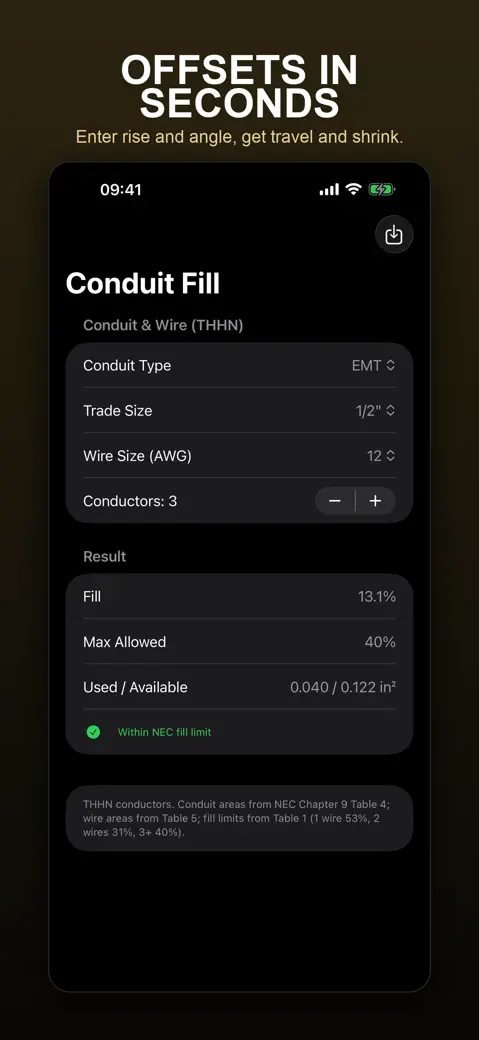
- Pro, under Electrical (Pro): Voltage Drop, Box Fill, Conduit Fill and Ampacity, built on NEC tables and AWG sizes.
- Job tools: History for saved results, Projects for notes and a hand-typed material list, and Bender Profiles for each bender's take-up and radius (adding your own needs Pro).
Quick start: your first offset
- Open Offset from Calculators.
- Pick an angle under Bend Angle, for example 30.0°.
- Tap the Offset Depth value and type whole inches, a numerator and a denominator: 5 3/16" is 5, 3 and 16.
- Read Distance Between Bends and Shrink: a 6" offset at 30° gives 12" and 1 19/32".
- Tap Save to keep the result in History.
Free version and PipeMaster Pro
Free gets you the three calculators above, History, one project and six generic EMT bender profiles — with ads between taps. PipeMaster Pro adds the rest: the Pro bends, the four electrical calculators, your own bender profiles, unlimited projects, PDF export and no ads, as a weekly or yearly subscription, or a one-time lifetime buy if you'd rather pay once and be done with it.
Offline, no account, one permission
Every calculation runs on the phone, so a basement with zero bars doesn't matter — the internet is only there for ads and for buying or checking Pro. No sign-up, no account, and your numbers stay on the iPhone with no sync to lose track of. The one prompt you'll see is App Tracking Transparency, and it's only for ads in the free version.
Inches or millimetres
Set Settings > Units to Inches or Millimeters. Bend results round to the nearest 1/32" in imperial, or to whole millimetres in metric — the electrical calculators don't follow that switch, though; they stay in AWG, amps, feet, volts and cubic or square inches regardless.
What PipeMaster does not do
- Offsets, rolling offsets, kicks and saddles are locked to five angles: 10°, 22.5°, 30°, 45° and 60° — no custom angle for those.
- The calculators do not read your bender profiles: you type the deduct yourself.
- No bend diagrams, camera or AR measuring, and no springback correction.
- iPhone only: no iPad layout, Apple Watch, Mac or Android version.
- The electrical calculators follow the US NEC, not the Canadian CEC or IEC rules.
How-to guides for PipeMaster
Questions people ask about PipeMaster
Is PipeMaster free?
How accurate are the marks?
Can I use it in millimetres?
Why does PipeMaster ask to track me?
Is there an iPad or Android version?
Free and Pro
Free
- 90° / Stub-Up calculator (mark = stub height - deduct, plus gain)
- Offset calculator at 10°, 22.5°, 30°, 45° or 60° (distance between bends and shrink)
- Bend Reference card (multiplier and shrink per inch for the five standard angles plus one custom angle from 1° to 89°)
- Save any result to History (Save button on every calculator)
- One project with notes and a material list
- Viewing the six built-in generic EMT bender profiles
- Global Units setting (Inches / Millimeters)
- Bend Level (phone as an angle gauge)
Pro
- Rolling Offset calculator
- Kick and Kick + 90° calculators
- 3-Point Saddle and 4-Point Saddle calculators
- Segmented 90° calculator
- Parallel / Matching Conduit section on the Offset screen
- Electrical calculators: Voltage Drop, Box Fill, Conduit Fill, Ampacity
- Adding your own bender profiles (the + button in Bender Profiles)
- Unlimited projects (free allows one)
Pro is optional. Everything in the free list works without it.
What's new in 1.2.0
• Millimeters everywhere: pick your units once and every result follows — inputs, history and PDF reports • Every calculator screen now reads in your language — the input labels were still in English • Trade wording checked by hand: kick, saddle, shrink, take-up and offset • Pro stays unlocked when the job site has no signal • Fewer, better-spaced ads and an ad privacy option in Settings
Privacy and support
PipeMaster does not require an account. Read the privacy policy and the terms for this app, or write to us if something is wrong.
Made by a small independent developer. Questions? Write to us from the support page.