PoolDose, the pool chemical calculator for iPhone and iPad
Chemical Calculator & Test Log
PoolDose turns a test strip reading into an amount of product: millilitres or grams for the chlorine, acid, alkalinity booster or salt you actually have, for the volume of your pool. It also works out the pool volume, checks whether the water will corrode or scale, and keeps a log. It is free to download, has no ads and needs no account.

What can you do with it?
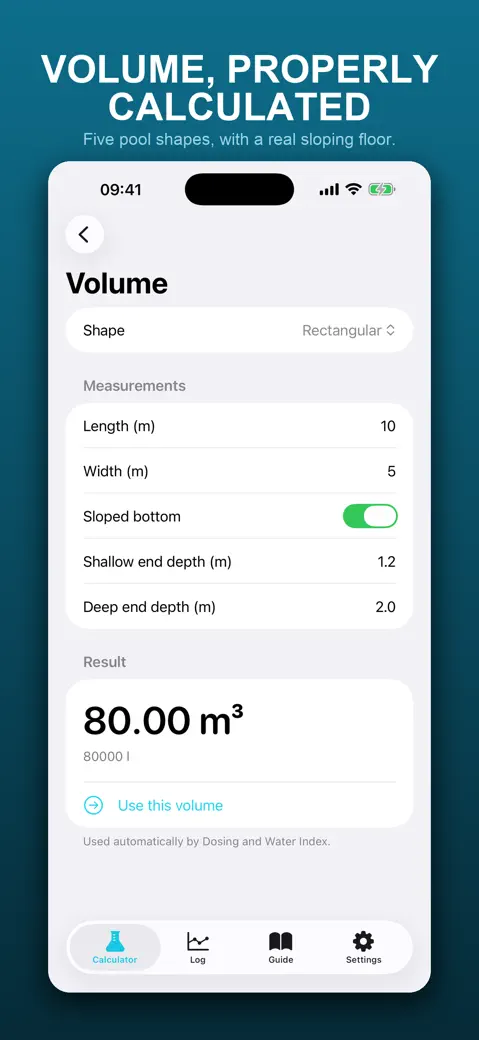
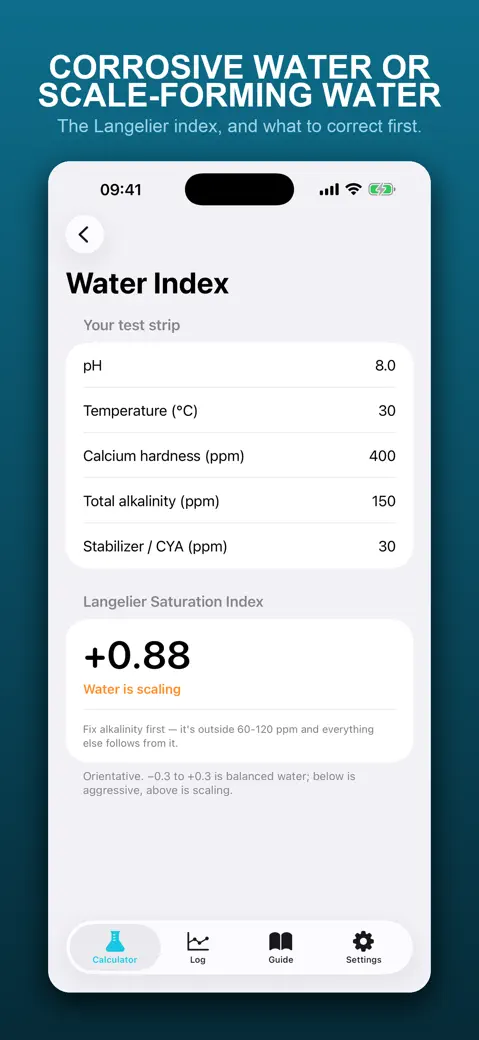
- Under the Calculator tab: Volume for rectangular, oval, round, kidney and stepped-bottom pools, with an optional Sloped bottom; Dosing for nine products; Water Index for the Langelier Saturation Index; and Assistant, which lists what to fix in order.
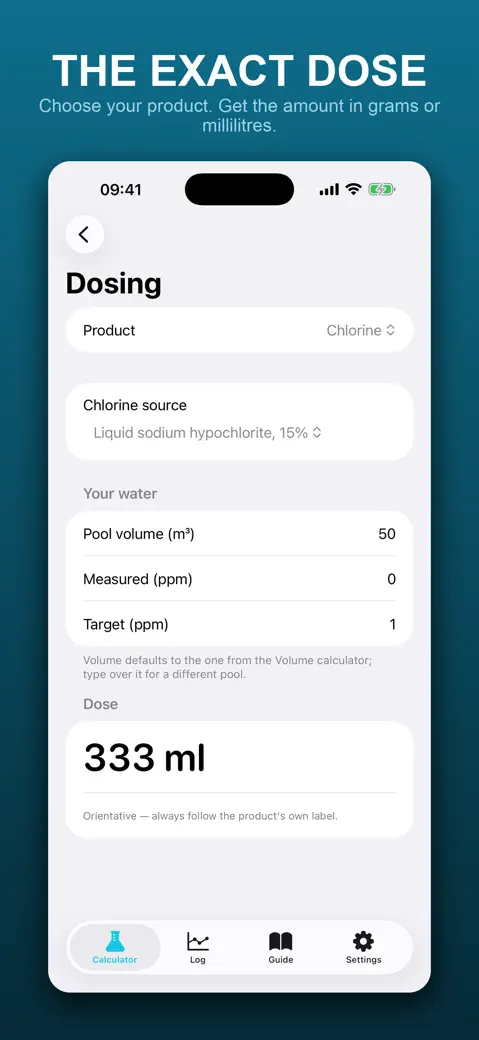
- Dosing covers Chlorine, pH down, pH up, Alkalinity, Calcium hardness, Stabilizer (CYA), Salt (salt chlorinator), Flocculant and Algaecide.
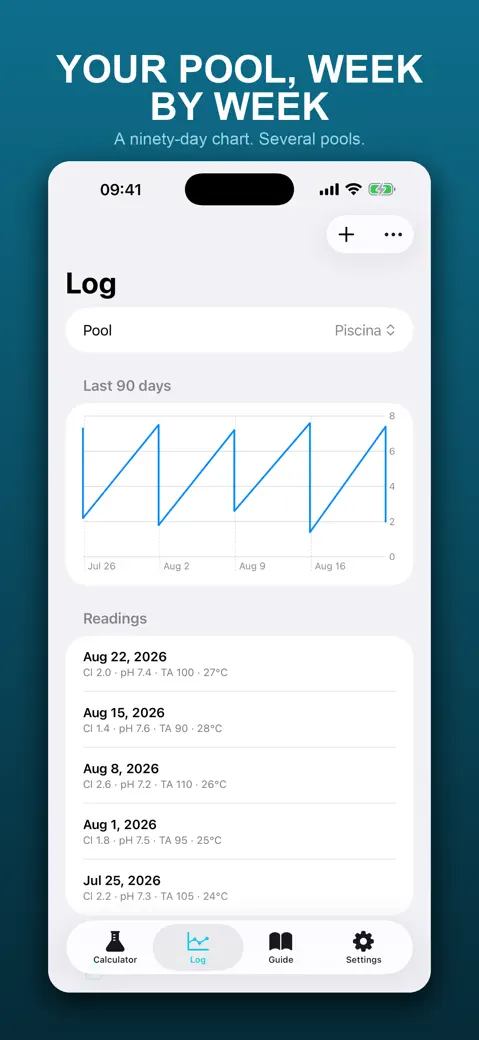
- Under the Log tab: pool readings by date, two 90-day charts (free chlorine and pH), Scan test strip to fill a reading from a photo, and Export CSV and Export PDF.
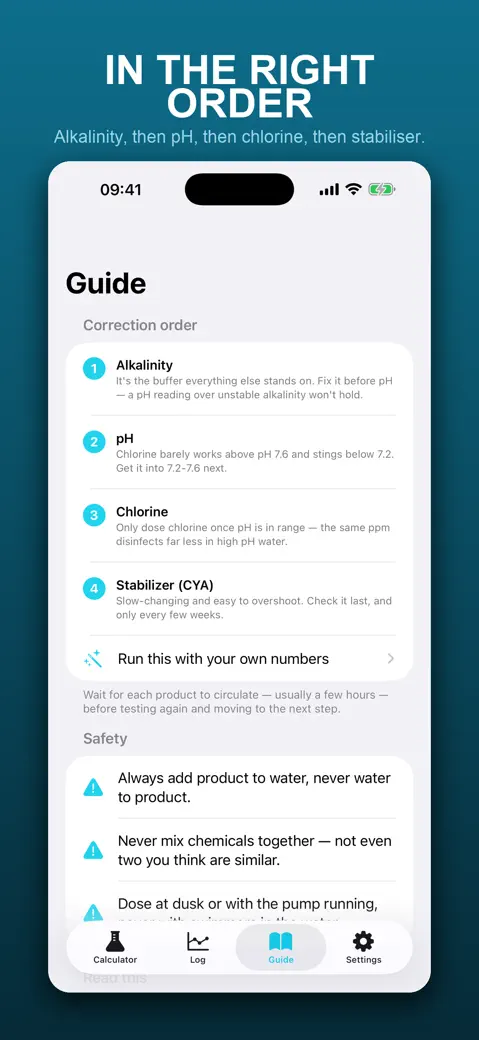
- The Guide tab holds the correction order and a short safety list. Settings has the metric or US switch and the reminders.
Quick start: your first chlorine dose
- Open Calculator > Volume, pick your Shape, type the measurements and tap Use this volume.
- Go back and open Dosing. Chlorine is already selected.
- Under Chlorine source, choose what is in your shed, for example Liquid sodium hypochlorite, 15%.
- Type what the strip says in Measured (ppm) and where you want to be in Target (ppm).
- Read the amount under Dose. For a 50 m³ pool going from 0 to 1 ppm with 15% liquid chlorine, that is 333 ml.
What is free
Everything in this version: all calculators, the log, the charts, the reminders and the export. There are no ads, no account and no in-app purchases. The app shows no paywall or upsell, and we make no promises about future versions.
Offline, camera and notifications
Every calculation runs on the phone, so a pump room with no signal is fine. Readings stay on the device, with no sync and no sign-up. The camera and photo library are only asked for when you use Scan test strip, and notifications only if you turn on Weekly + seasonal reminders.
Limits you should know about
- The doses are flat trade rates, not a titration. They do not see your alkalinity when you lower pH, for example.
- There is no dose for lowering alkalinity, calcium hardness or stabilizer. Those need dilution.
- The strip reader picks the nearest of six reference colours per pad and is not calibrated to any strip brand.
- No hot tub mode, no shock mode, no iCloud sync, no Apple Watch app.
How-to guides for PoolDose
Questions people ask about PoolDose
Is PoolDose free?
Does it need internet?
Which chlorine can I choose?
Does it work for a salt water pool?
Can I use US units?
Can I trust the numbers blindly?
Privacy and support
PoolDose works offline and does not require an account. Read the privacy policy and the terms for this app, or write to us if something is wrong.