E6B Calc, a digital E6B flight computer for iPhone and iPad
Aviation calculator, crosswind
E6B Calc does the preflight-planning and knowledge-test arithmetic a mechanical E6B does, without the wheel spinning off the card in a crosswind. It is an E6B calculator app for student, private and instrument pilots: it solves flight computer problems on your iPhone or iPad, offline and without ads. Every calculation is free. An optional one-time purchase adds a few extras, unlimited METAR decoding among them.

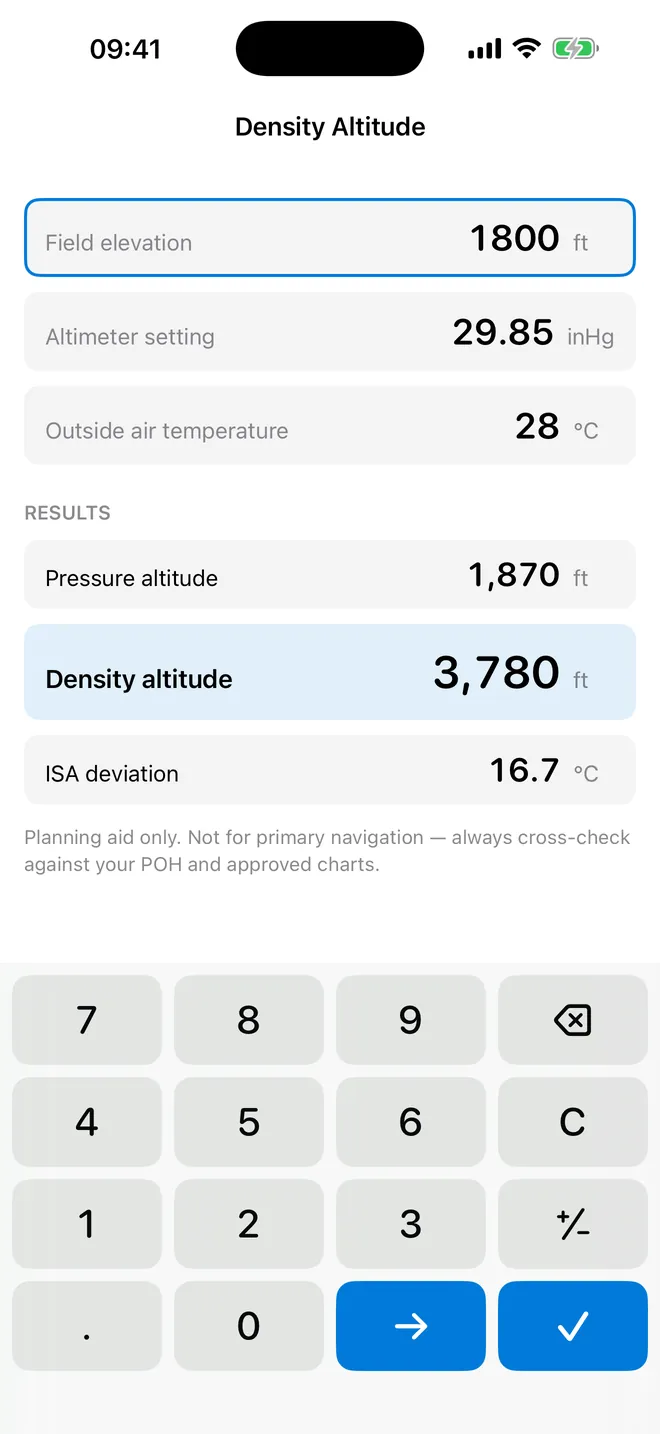
Density altitude
A keypad built for the cockpit
Big keys, and a minus sign that actually works
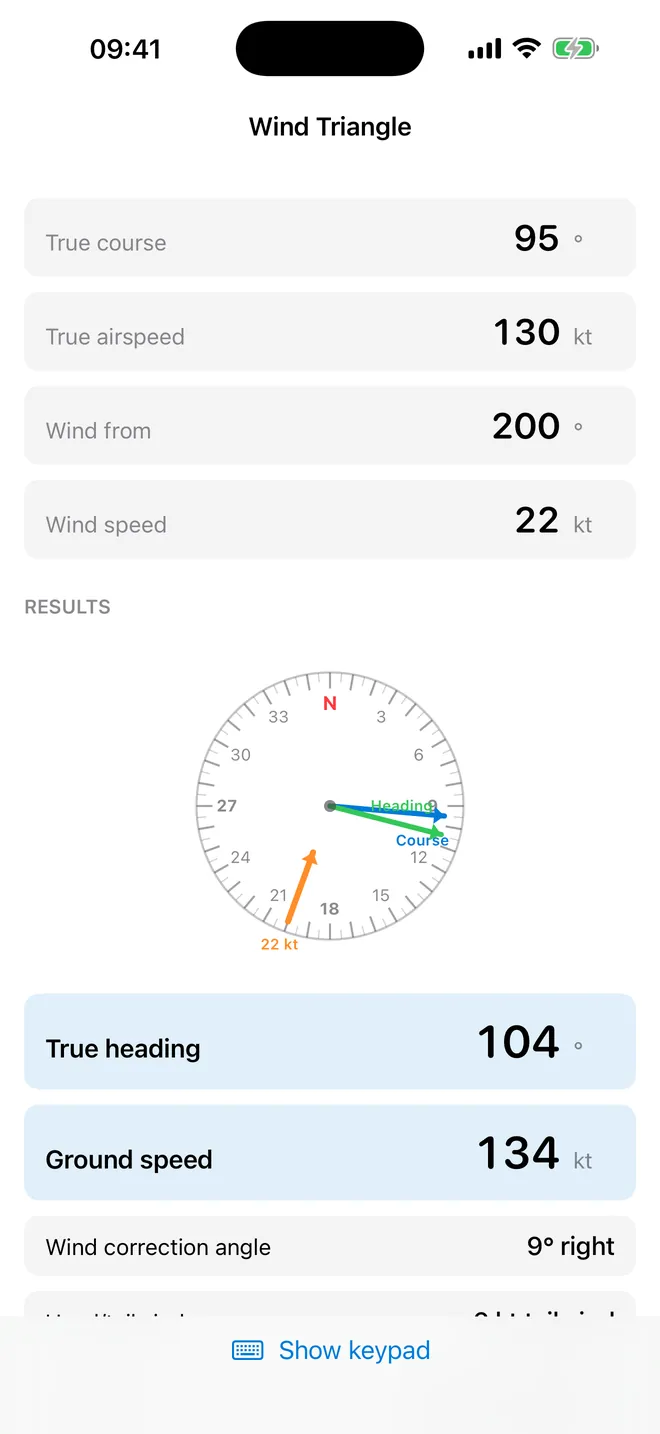
Wind triangle
The whole wind triangle
Heading, correction angle and ground speed at once
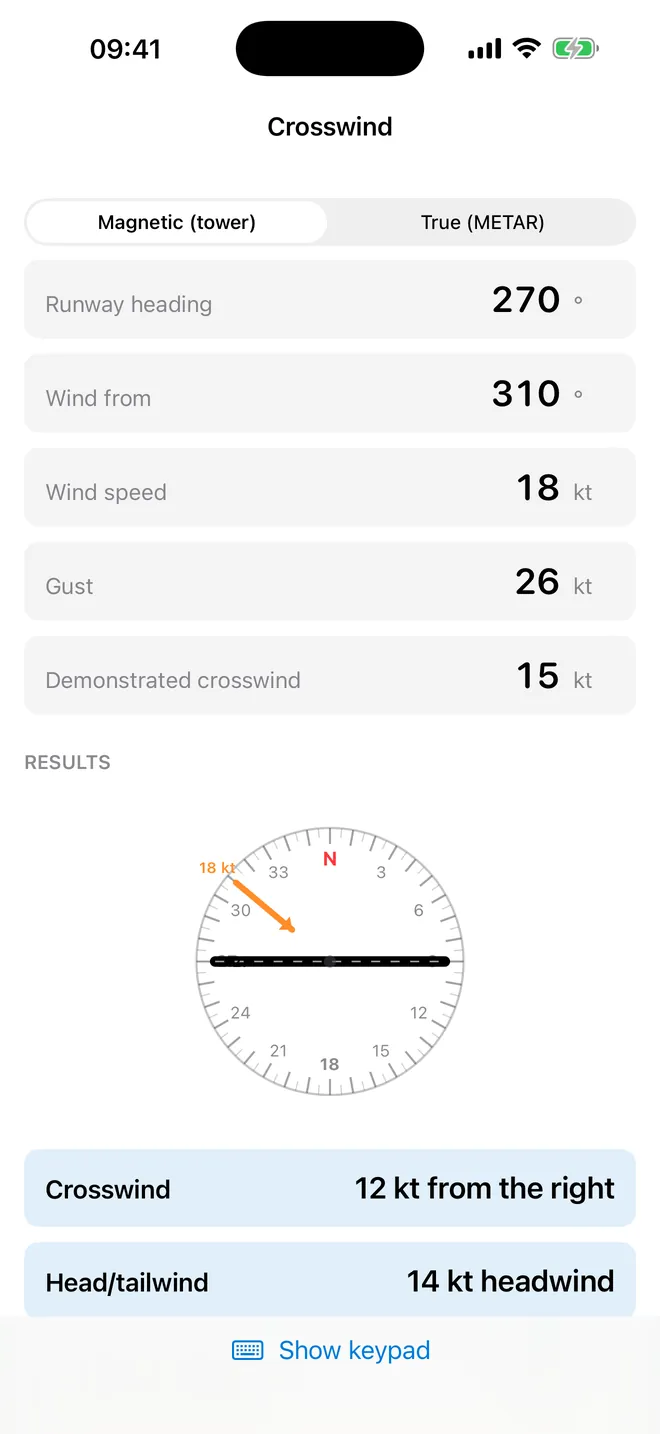
Crosswind
Crosswind, with the gust
Checked against your own demonstrated limit
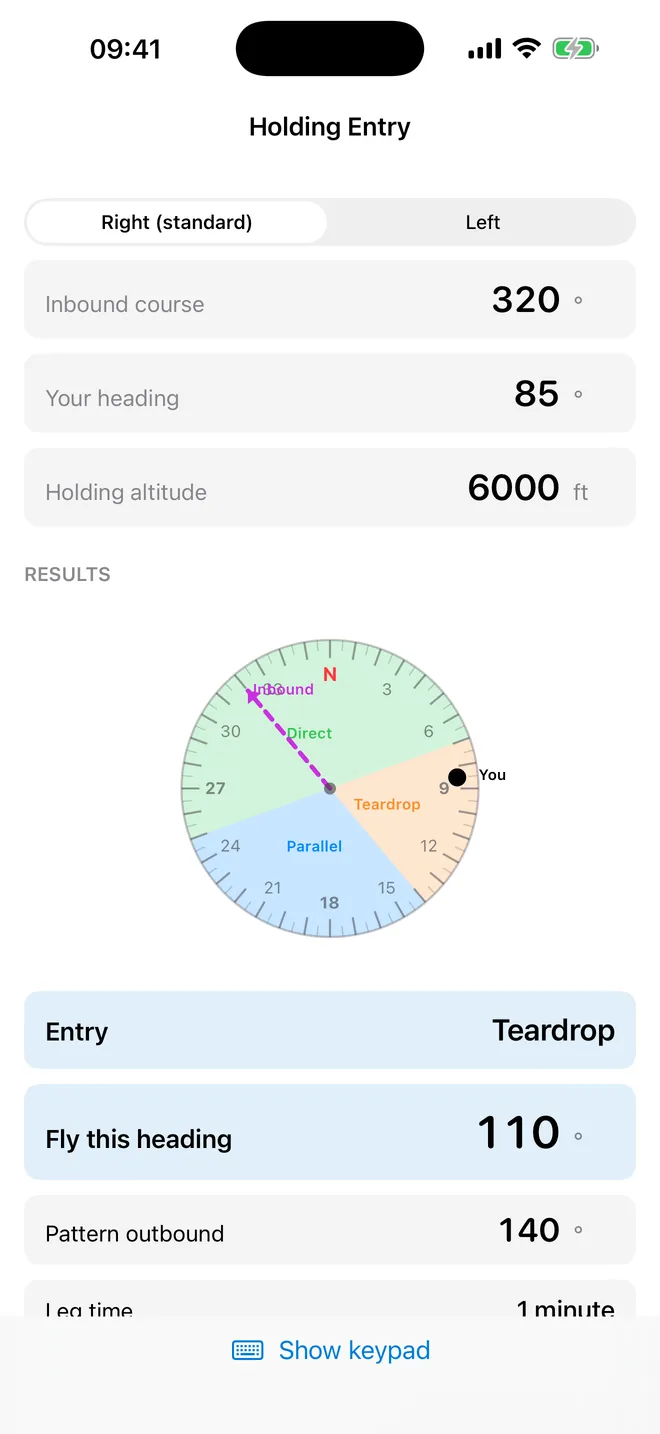
Holding entry
Which holding entry?
Direct, parallel or teardrop, and the heading to fly
Clocks
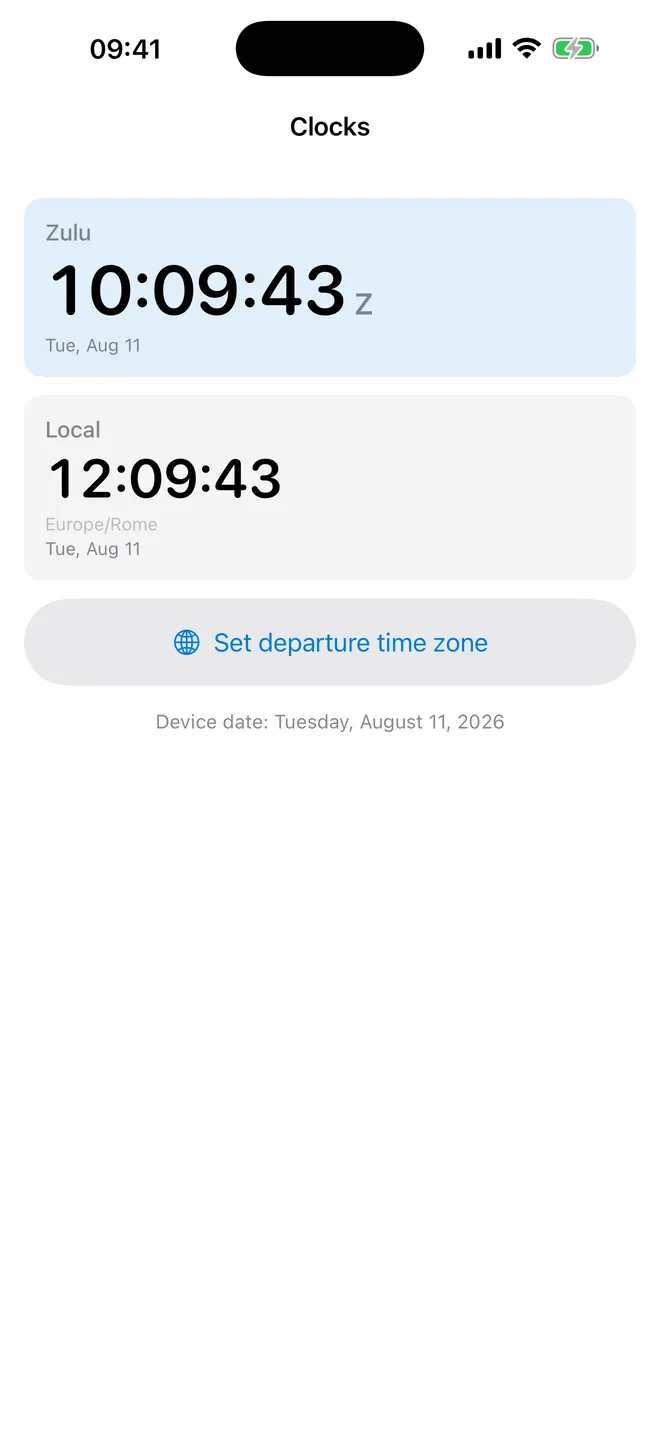
Zulu and local, together
Nothing left to convert in your head
What can you work out with it?
The home screen, E6B, groups the calculators in the rough order a pilot reaches for them before and during a flight, not alphabetically.
- Flight: Density Altitude, True Airspeed (with Mach), True Altitude for cold days, Wind Triangle, runway Crosswind with gusts, and the Analogue E6B wind wheel.
- Planning: Time · Speed · Distance, Fuel with reserve, and PNR & Equal Time Point.
- Performance: climb and descent gradients with an obstacle check, turn rate and radius, and engine-out glide range.
- Navigation: great-circle distance, Magnetic & Compass (true to magnetic to compass) and Holding Entry.
- Weather: Cloud Base & Freezing Level and the METAR & TAF Decoder.
- Weight & Balance with your own aircraft profile, CG envelope chart and limits check.
- Time and Tools: Zulu and local clocks, sun and twilight times, a Flight Timer that shows on the Lock Screen, a Countdown, Conversions and History.
Quick start: density altitude in four steps
- Open E6B and tap Density Altitude under Flight.
- Type the Field elevation in feet with the app's own keypad, for example 5000.
- Check the Altimeter setting (it starts at standard pressure) and type the Outside air temperature, for example 30 °C.
- Read Pressure altitude 5,000 ft, Density altitude 7,800 ft and ISA deviation +24.9 °C. The calculation is saved to History when you leave the screen.
The keypad has large keys and a plus/minus key for negative temperatures and variation. It also has Next field and Done, so the iOS keyboard almost never pops up. If it disappears after rotating the iPad mid-entry, tap Show keypad and it comes straight back.
Free, with an optional E6B Pro
The app is free and shows no ads. Every calculator, conversion, clock, timer and the keypad are free and unlimited. E6B Pro is one payment, not a subscription. It adds:
- unlimited METAR and TAF decoding (3 free decoding visits first);
- unlimited use of the Analogue E6B wheel (3 free opens first);
- unlimited Exam mode sessions (2 free);
- more than one aircraft in Weight & Balance and your whole History visible (free shows the 10 newest);
- the Crosswind and Density Altitude widgets. The Zulu Clock widget is free.
Offline, no account, no permissions
All the maths runs on the device. That matters more than it sounds: it works the same with the phone in airplane mode at 9,000 ft. The METAR decoder is offline too, because you paste the report in rather than fetching it. No sign-up, no permissions asked — not location, not camera, not tracking. If your device is signed in to iCloud, calculations and aircraft sync to your iPhone, iPad and the Apple Watch app. Off iCloud, they just stay on the one device.
Units for pilots everywhere
Settings > Units of measurement covers the altimeter setting (inHg or hPa), speed (kt, km/h or mph), distance (nm, km or sm), temperature (°C or °F) and fuel (US gallons, litres or imperial gallons). Altitude stays in feet and heading in degrees regardless, same as the cockpit.
Apple Watch and widgets
The companion Apple Watch app works out runway crosswind, density altitude and time-distance-speed on the watch itself, no phone nearby required. On the iPhone, Home Screen and Lock Screen widgets read a Home Field observation you type in yourself — they never go fetch weather, which is worth knowing before you trust one at a glance. No watch complications, for now.
What it does not do
- It does not download METARs, TAFs, winds aloft or NOTAMs, and it has no airport database or GPS.
- True Airspeed starts from calibrated airspeed; there is no IAS table for your aircraft.
- Density altitude assumes dry air: humidity is not an input.
- No aircraft library: you type your own weight and balance data.
- No Mac or Android app, and no export or printing of results.
How-to guides for E6B Flight Computer Calc
Questions people ask about E6B Flight Computer Calc
Does E6B Calc show ads?
Do I need to create an account?
Which devices does it run on?
Can a student learn the mechanical E6B with it?
Do the widgets show live weather?
Free and Pro
Free
- Every calculation screen, unlimited: True Airspeed, Density Altitude, True Altitude, Wind Triangle, Crosswind, Time · Speed · Distance, Fuel, PNR & Equal Time Point, Climb & Descent, Turn, Glide, Great Circle, Magnetic & Compass, Holding Entry, Cloud Base & Freezing Level
- Weight & Balance with 1 saved aircraft profile (full load sheet, CG, %MAC, envelope chart, limits check)
- Conversions (including fuel volume to weight for Avgas 100LL, Jet A, Mogas)
- Clocks (Zulu, local, departure field), Sun & Twilight, Flight Timer with Lock Screen Live Activity, Countdown
- The custom keypad and the Units of measurement setting
- History: every calculation is saved, the 10 most recent are visible (older ones are kept and synced but hidden until unlock)
- Zulu Clock widget (not gated)
- Apple Watch app (not gated)
Pro
- Unlimited METAR and TAF decoding
- Unlimited use of the Analogue E6B wind wheel
- Exam mode for every test (unlimited sessions)
- Unlimited aircraft profiles in Weight & Balance (free: 1)
- All saved calculations visible in History (free: last 10 visible)
- The Crosswind and Density Altitude widgets (Home Screen and Lock Screen); the Zulu Clock widget is free
Pro is optional. Everything in the free list works without it.
What's new in 1.1.0
You asked for units you can change. Here they are. • Altimeter setting in hPa or inHg. Speed in kt, km/h or mph. Distance in nm, km or sm. Temperature in °C or °F. Fuel in litres, US gallons or imperial gallons. Settings › Units of measurement. • Every screen follows, the input fields included: type 1013 and the app reads it as a QNH, not as 1013 inches of mercury. • The widgets, the Watch app and the METAR decoder use the same choice — a US report now reads out in hPa if that is what you fly with. • Outside the United States the app now starts in hPa and litres. • 33 languages now actually ship inside the app. Until this update most of those translations were finished but never loaded. Every calculation still free, still offline, still no ads.
Privacy and support
E6B Flight Computer Calc does not require an account. Read the privacy policy and the terms for this app, or write to us if something is wrong.
Made by a small independent developer. Questions? Write to us from the support page.