FitterMaster, the pipe fitter calculator for your iPhone
Rolling Offsets & Takeouts
FitterMaster is a calculator and pocket reference for pipe fitters, steamfitters and welders running butt-weld carbon-steel pipe, NPS 1/2 to 24, on an iPhone. Free, it turns a measured set and roll into a cut length at 45°. With the optional Pro purchase it also does elbow cuts, miters, wrap-around templates, flange bolt-up and every pipe schedule we have data for — we built it so the number you need on a rack is three taps away, not a search.

Pocket reference
Every tool, one tap
Offset, pipe data and tape math in your pocket
Offset
Takeout and cut length, done
True offset, travel, run and the weld gap
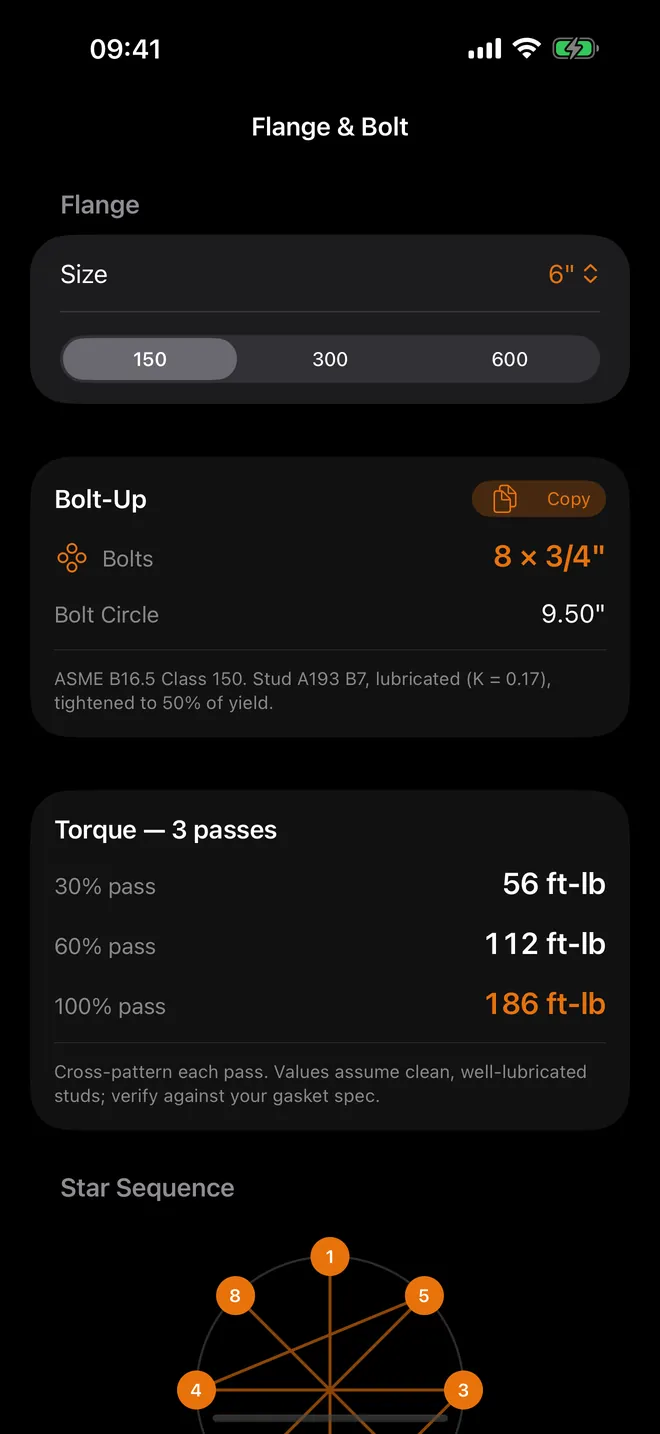
Flange & bolt
Torque passes in order
Bolt count, bolt circle and star sequence · Pro
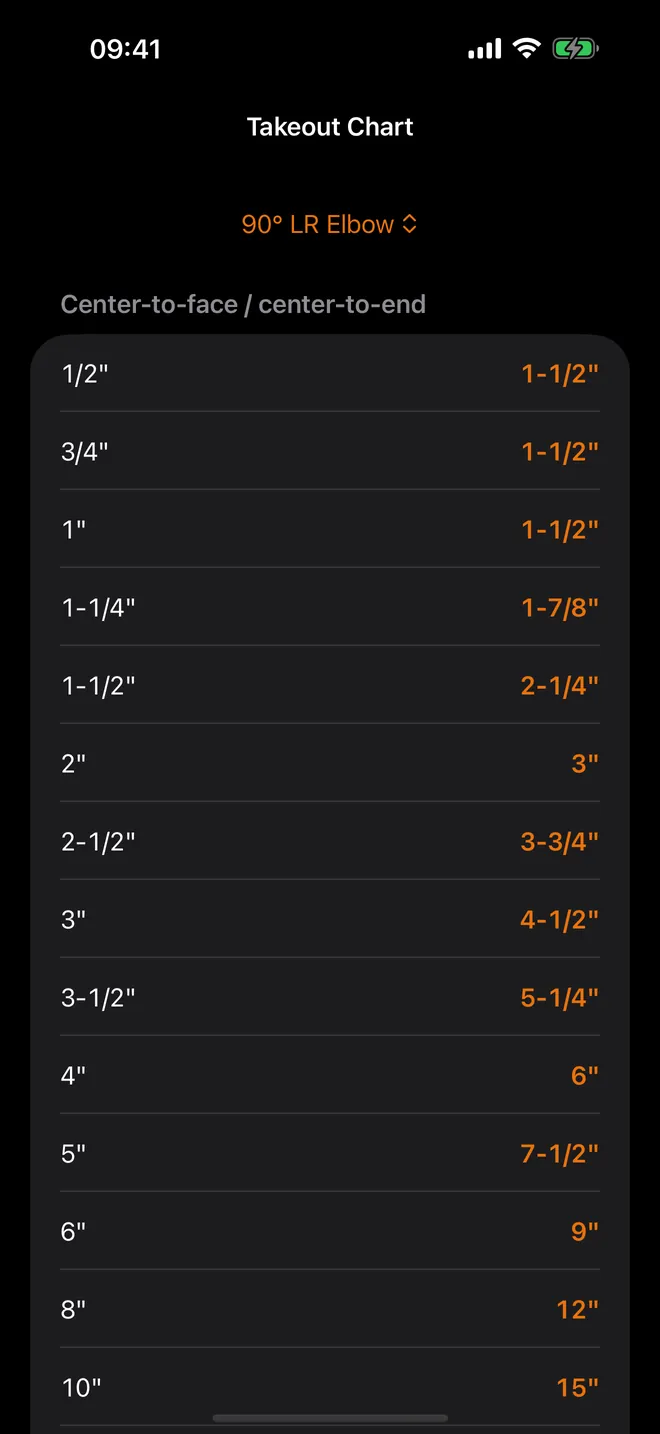
Takeout chart
The B16.9 chart, on you
Butt-weld fittings from NPS 1/2 to 24 · Pro
What can you work out with it?
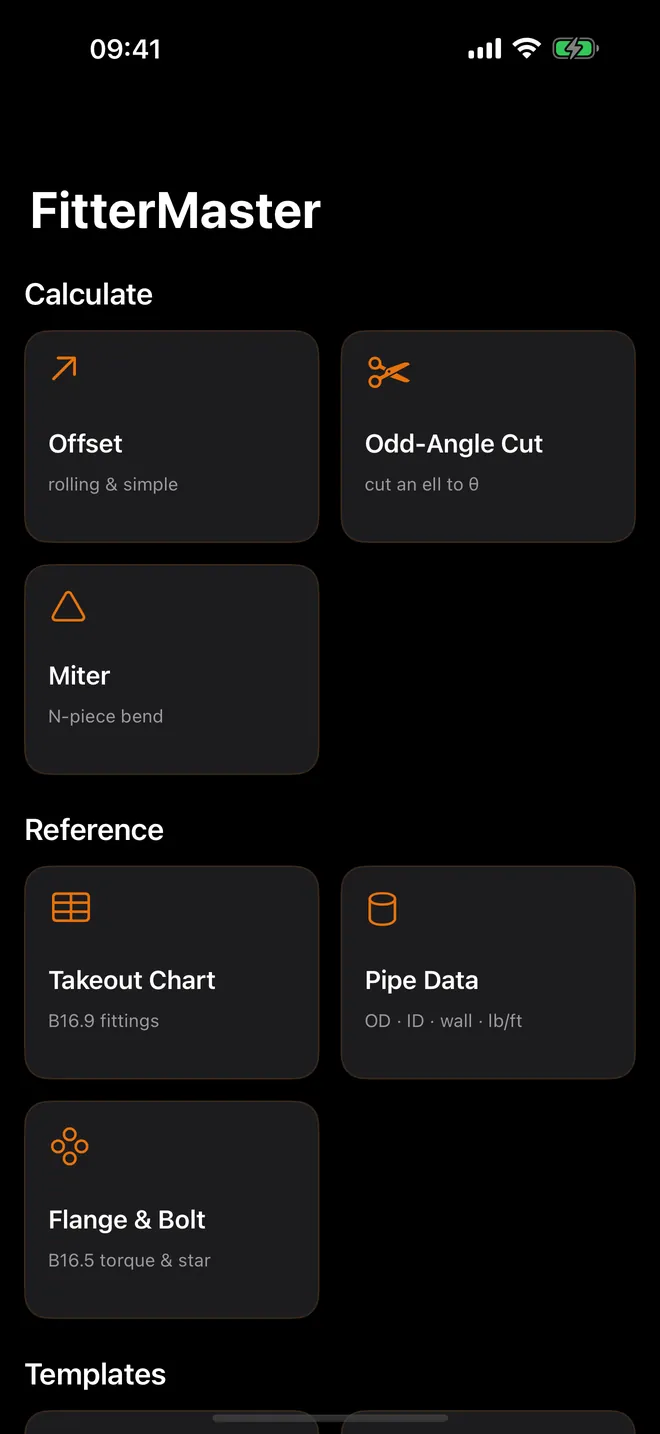
The main screen sorts into four groups. You find a calculator by the job, not by hunting a menu for the right name.
- Calculate: Offset for rolling and simple offsets (true offset, travel, run, takeout and cut length), Odd-Angle Cut for cutting a 90° ell down to any angle from 5° to 89°, and Miter for 2- to 8-piece segmented bends.
- Reference: the Takeout Chart with B16.9 butt-weld fittings, Pipe Data with OD, ID and weight per foot, and Flange & Bolt for B16.5 Class 150, 300 and 600 bolting.
- Templates: Saddle & Lateral for branch fish-mouths and laterals from 30° to 90°, and Dummy Leg for a support coped onto a straight header or the back of a 90° elbow.
- Tools: Tape Math for adding feet-inches-sixteenths and converting decimals or millimetres to fractions, My Spools for saved offsets, and Settings.
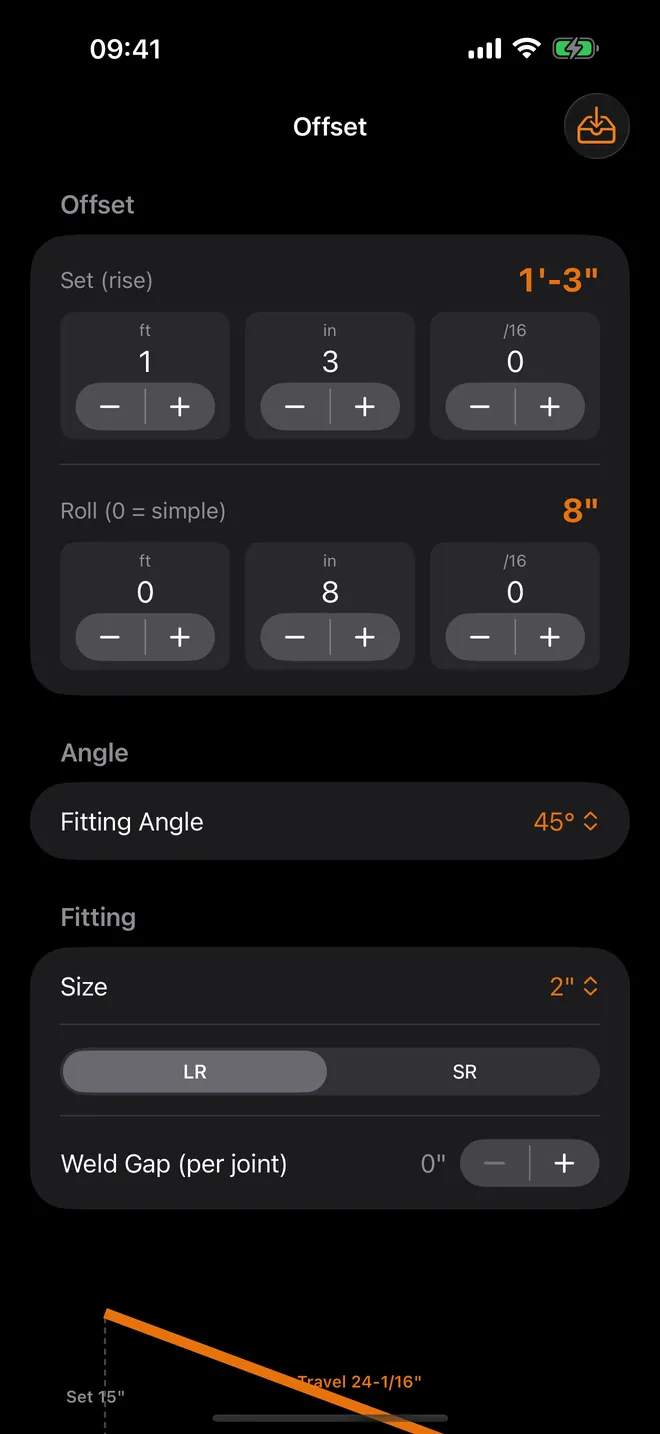
Results read like a tape, in feet, inches and sixteenths, or thirty-seconds if that's your habit. Punch in a 15" set with an 8" roll at 45° on 2" long-radius ells and the Cut Length comes back 1'-9-5/16" with no weld gap — that's the number you write on the pipe before it goes to the saw.
Quick start
- Open Offset from the Calculate group.
- Set Set (rise) and Roll (0 = simple) with the feet, inch and sixteenth steppers. Leave the roll at 0 for a simple offset.
- Pick the Size and the Series (LR or SR) of your elbows and the Weld Gap (per joint).
- Read the Cut List: True Offset, Travel (c-to-c), Run, Takeout (each) and Cut Length. The offset triangle is drawn above it.
- Tap Copy or Share to send the numbers to your foreman or your own notes.
What's free, and what Pro adds
Download is free, full stop. Offset at the 45° fitting angle with the complete cut length, Pipe Data for STD and Sch 40, Tape Math and Settings all stay free, ads and all.
FitterMaster Pro is one optional purchase, paid once, not a subscription, and there's no trial to decide on first. Buy it and the other fitting angles open up (5.625°, 11.25°, 22.5°, 30°, 60° and 90°), along with Odd-Angle Cut, Miter, the Takeout Chart, Flange & Bolt, both template screens, the Sch 10, XS, Sch 80, Sch 160 and XXS tables, My Spools, millimetre mode, and the ads go away too.
Offline, private, no account
Every calculation and table runs on the phone itself. It works just as well in a basement plant room with zero bars. There's no account to make, nothing gets uploaded, and your saved spools and settings stay on the device you're holding.
The internet gets used for three things only: ads in the free version, buying or restoring Pro, and the App Store check when the app opens. Already bought Pro? It stays yours offline too. The one permission prompt you'll see is App Tracking Transparency, for ads; tap no and nothing in any calculator changes.
Where it stops, and who shouldn't bother
- iPhone only, in portrait. No iPad layout, no Android, no Mac, no Apple Watch version.
- Butt-weld carbon-steel data only: no threaded or socket-weld takeouts, no copper, PVC or stainless tables, nothing from Class 900 up.
- Templates are 16 station cutbacks on screen, and that's it — there's no print option, so the wrap-around is still on you.
- Pipe sizes are NPS, in inches or metric. It never switches to DN.
Bending EMT or rigid conduit? Wrong app. FitterMaster is built for welded pipe and fittings, nothing else.
How-to guides for FitterMaster
Questions people ask about FitterMaster
Is FitterMaster free?
Does it need signal on the job?
Which pipe and fittings does it cover?
Can I use it on an iPad or an Android phone?
Does it work in millimetres?
Free and Pro
Free
- Offset calculator (rolling and simple) at the 45° fitting angle, with true offset, travel, run, takeout and cut length, the offset diagram, weld gap, Copy and Share
- Pipe Data for STD and Sch 40 (OD, ID, weight per foot, NPS 1/8 to 24)
- Tape Math: add/subtract feet-inches-sixteenths and the decimal-inch / mm / fraction converter
- Settings: 1/16 or 1/32 fraction display, default weld gap
Pro
- All other fitting angles in Offset: 5.625°, 11.25°, 22.5°, 30°, 60°, 90°
- Odd-Angle Cut (cut a 90° ell down to any angle 5°-89°)
- Miter (2- to 8-piece miter bends with 16-station wrap template)
- Takeout Chart (ASME B16.9 butt-weld fittings, NPS 1/2-24)
- Flange & Bolt (ASME B16.5 Class 150/300/600 bolt count, stud size, bolt circle, 3 torque passes, star sequence)
- Saddle & Lateral wrap templates
- Dummy Leg cope templates (on a straight header or on the back of a 90° elbow)
- Pipe Data schedules Sch 10, XS, Sch 80, Sch 160, XXS
Pro is optional. Everything in the free list works without it.
What's new in 1.3.0
The rating prompt was counting a result card every time it scrolled back into view. iOS only lets an app ask three times per user per year, so that quota was being spent on somebody who had scrolled up and down, not on somebody who had actually finished three calculations. A card now counts once.
Privacy and support
FitterMaster does not require an account. Read the privacy policy and the terms for this app, or write to us if something is wrong.
Made by a small independent developer. Questions? Write to us from the support page.