
DuctCalc, the ductulator app for HVAC installers
Duct Sizing, Friction Rate
DuctCalc is a ductulator you can keep in your pocket. Type the airflow and a friction rate, and it gives the round duct, the stock size above it and the rectangular pairs that fit. Everything that sizes or checks a duct is free, with no ads.

What can you do with it?
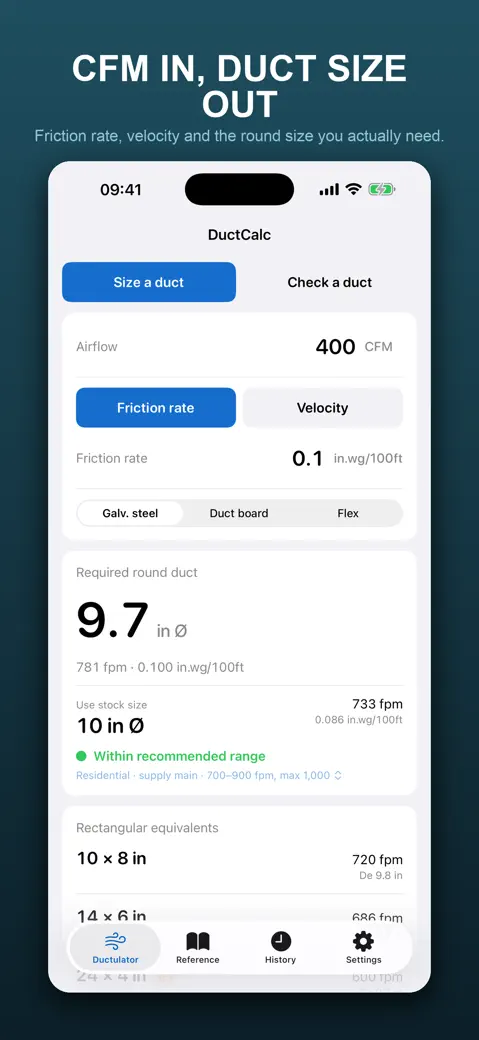
- Size a duct: enter Airflow plus either a Friction rate or a Target velocity. You get the Required round duct, the Use stock duct size line with its real velocity and friction, and a list of Rectangular equivalents.
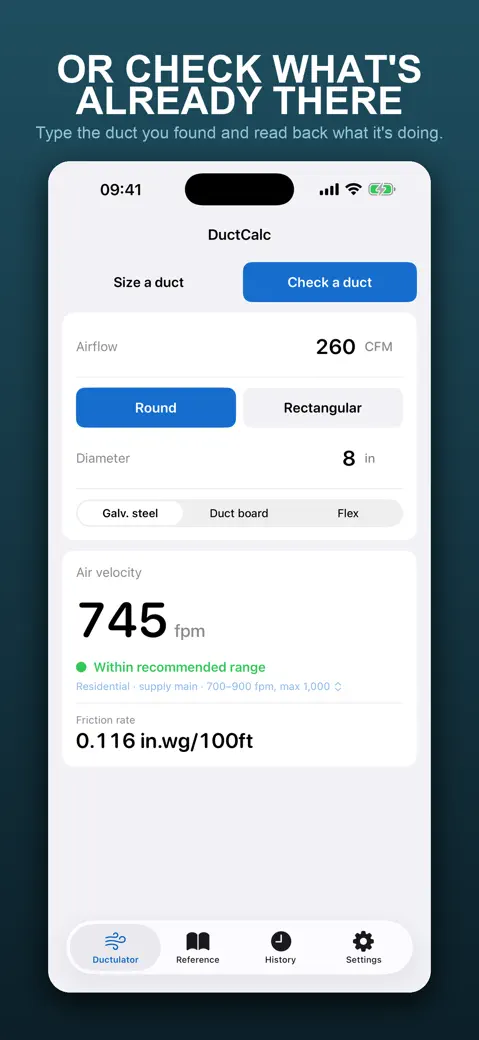
- Check a duct: enter the airflow and a Round duct diameter, or the Width and Height of a Rectangular duct, and read the Air velocity and Friction rate it runs at.
- Pick the Material: Galv. steel, Duct board or Flex duct. The roughness differs, so the friction rate and the size change.
- A velocity badge under every answer rates the air speed against six applications, for example Residential · supply-air branch.
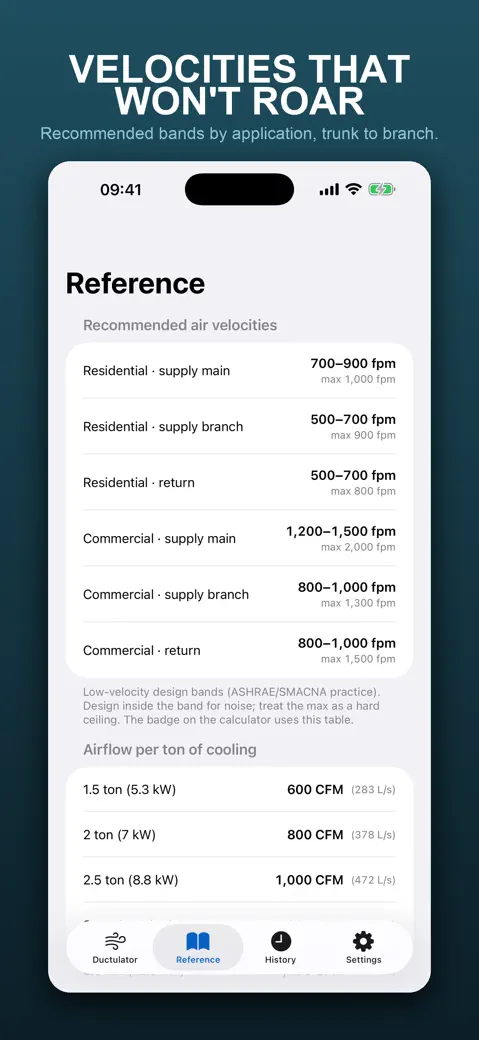
- The Reference tab holds the velocity bands, an airflow-per-ton table, round-to-rectangular pairs and the material roughness values.
Quick start: size your first duct
- Open the Ductulator tab and keep Size a duct selected.
- Type 400 in Airflow. The Friction rate field already holds 0.1 in.wg/100ft.
- Read Required round duct: 9.7 in. Below it, Use stock duct size says 10 in, at 733 fpm and 0.086 in.wg/100ft.
- Scroll to Rectangular equivalents for 10 x 8, 14 x 6 and 24 x 4.
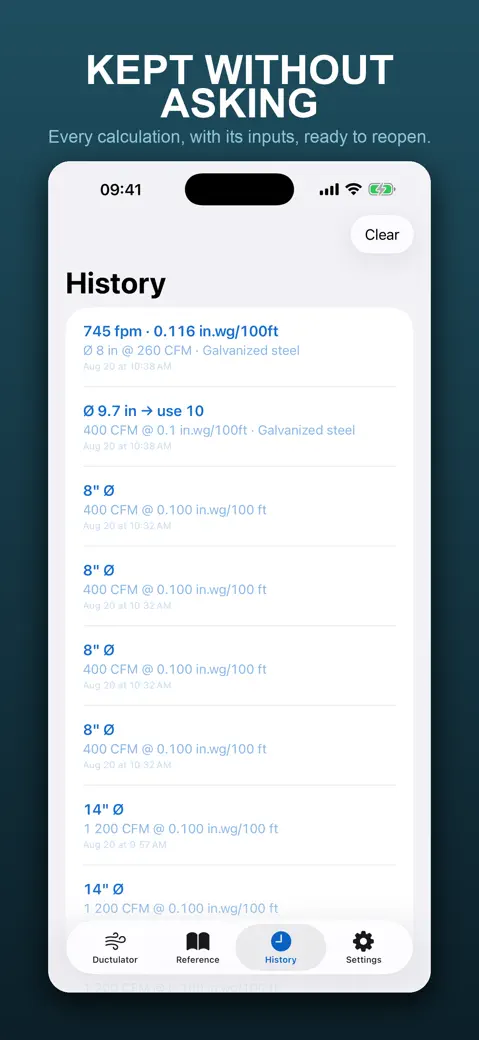
- Tap Copy result to paste the answer into a message. The calculation also lands in History on its own.
What is free and what needs Pro
Free to download and to use: both directions, stock sizes, rectangular equivalents, all three materials, the velocity badge, the Reference tab, imperial and metric, and the last ten calculations. There are no ads. DuctCalc Pro is a single purchase, not a subscription, and it does two things: History keeps every calculation instead of the last ten, and Share duct schedule sends the whole history as one plain-text list, with the names you gave each run.
Offline, no account
Every calculation runs on the phone, so a mechanical room with no signal is fine. There is no sign-up, no account and no tracking prompt. The only thing that touches the network is the App Store, for buying or restoring Pro. History stays on the device.
Inches or millimetres
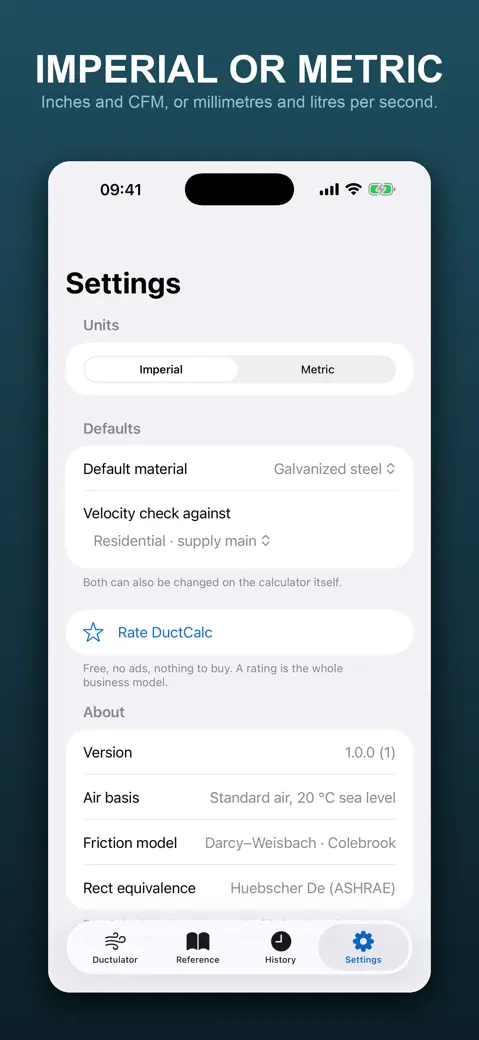
Under Settings > Units choose Imperial (CFM, inches, fpm, in.wg/100ft) or Metric (mm, m/s, Pa/m, with the airflow in L/s or m³/h through Airflow unit). The numbers already typed convert when you switch.
What it does not do
- Standard air only, 20 °C at sea level. No altitude or temperature correction.
- Straight duct at a friction rate: no fittings, no equivalent lengths, no total static pressure, no fan selection.
- No flat oval, no PDF export, no iCloud, no widgets, no Apple Watch app.
- Size mode solves a diameter from an airflow. It has no field that solves airflow from a diameter; use Check a duct and adjust the airflow.
How-to guides for DuctCalc
Questions people ask about DuctCalc
Is DuctCalc free?
Does it work without internet?
Does it work on iPad?
Can I use metric?
Is it as accurate as a ductulator wheel?
Privacy and support
DuctCalc works offline and does not require an account. Read the privacy policy and the terms for this app, or write to us if something is wrong.