Countdown, the days-until app for iPhone and iPad
Birthday, Wedding & Reminders
Countdown shows how many days, hours, minutes and seconds are left until a date you care about, inside the app and in Home Screen and Lock Screen widgets, and it works for anything you're waiting on: a trip, a birthday, an exam, a due date, retirement.

Next up
The next big day, first
Pin, favorite and search all your countdowns
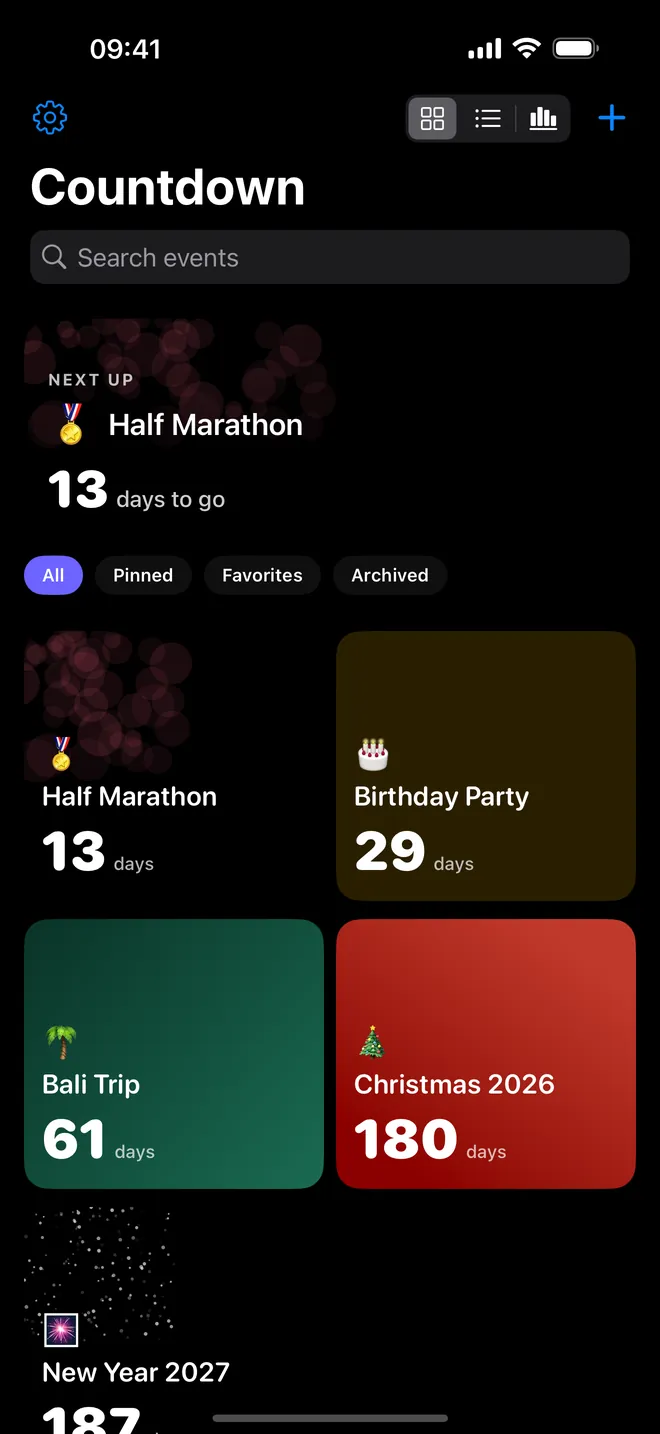
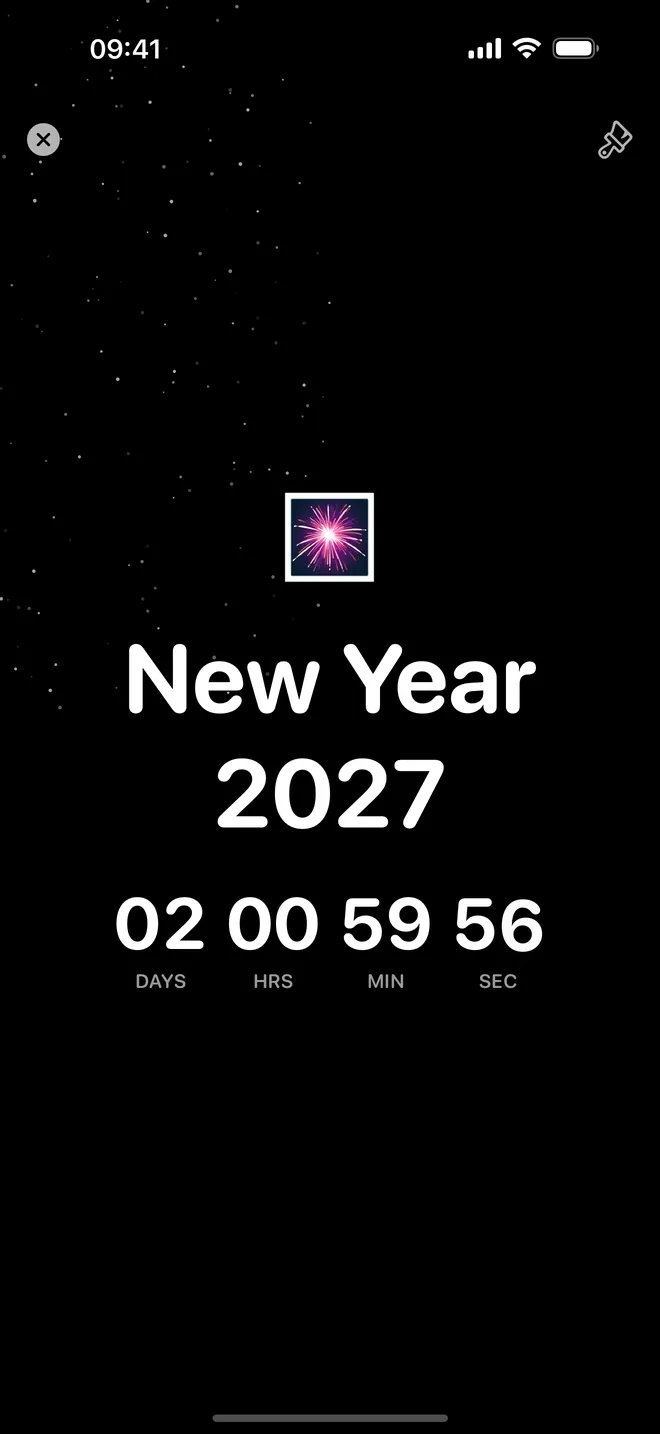
Full screen
Watch every second tick
Days, hours, minutes and seconds, big and bold
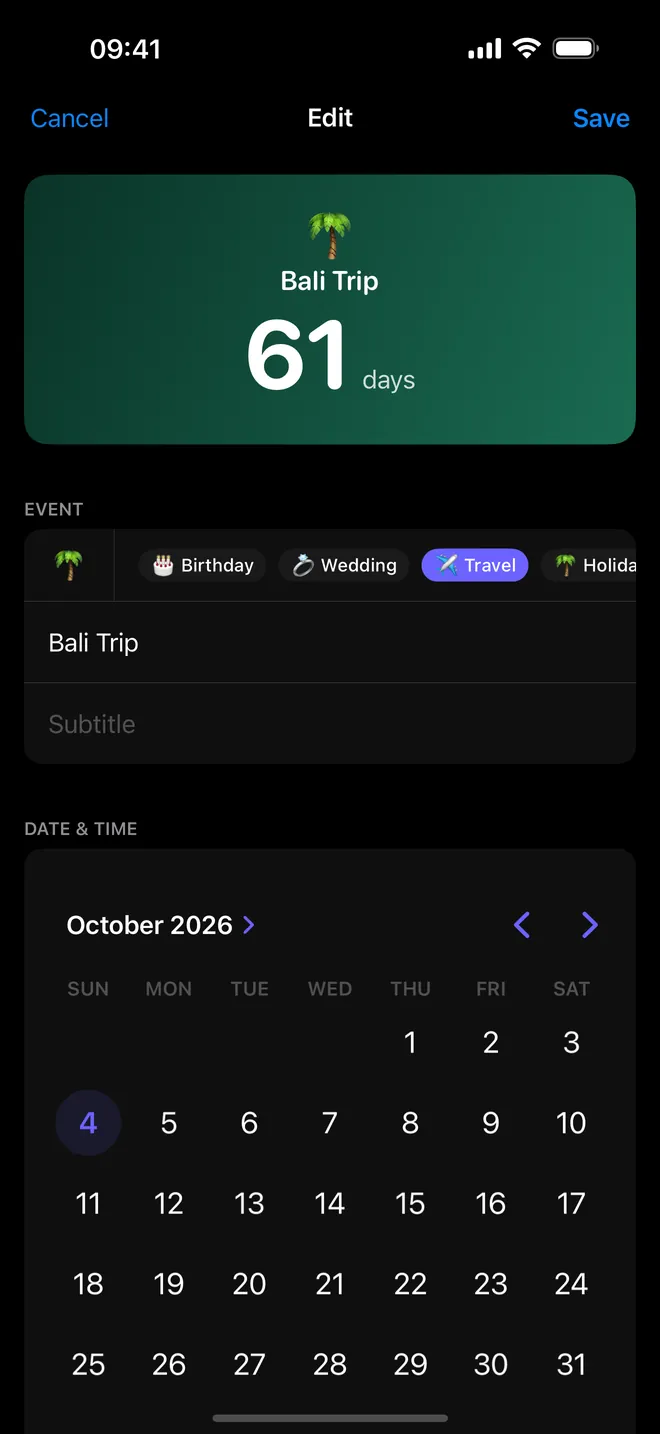
New countdown
Name it, pick a date
Emoji, optional time and a reminder
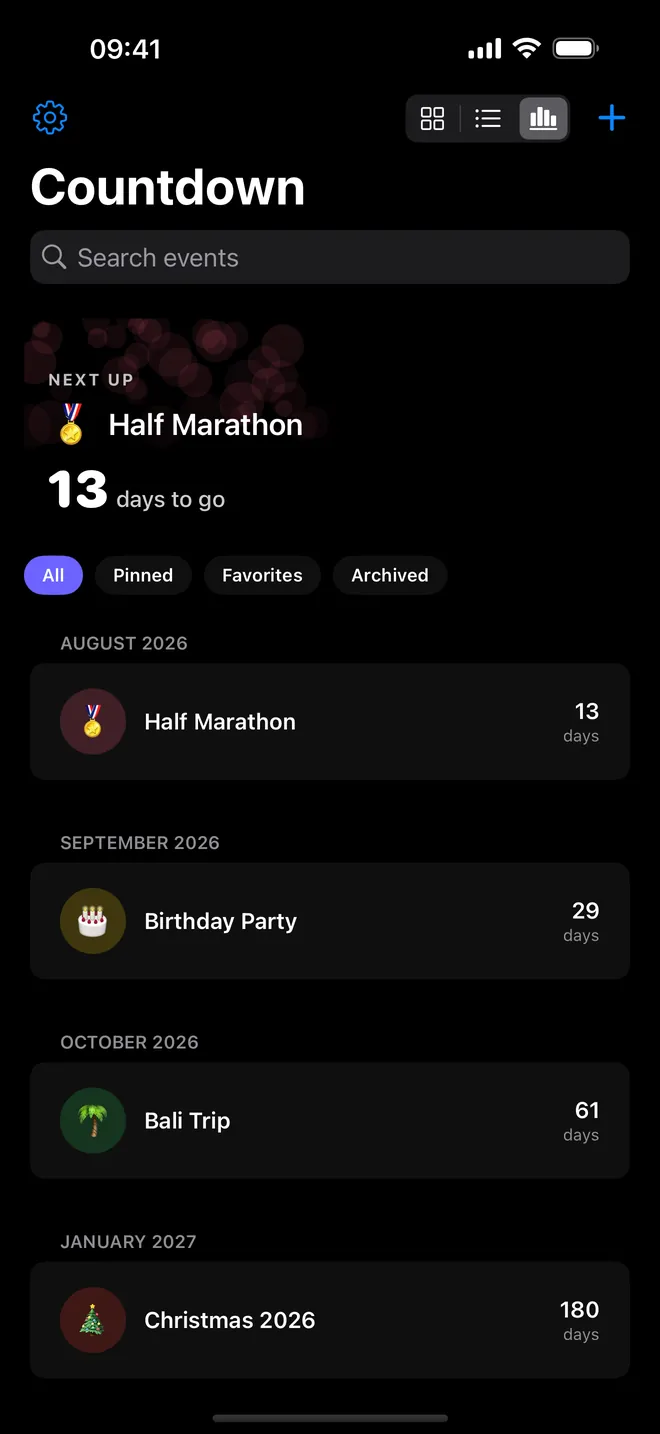
Timeline
Everything coming up, in order
Switch between grid, list and timeline views
What can you do with Countdown?
Each countdown is an event: a title, an optional subtitle, an emoji, a date. The app counts down to that exact moment, and the moment it passes the event flips to Completed.
- Track the wait: the Home screen lists your events, and tapping one opens a full-screen display that ticks every second.
- Put it where you look: small, medium and large Home Screen widgets, plus circular, rectangular and inline Lock Screen widgets, all on the free plan.
- Get nudged before the day: turn on Reminders and pick an offset such as 7 days or 1 day before the event.
- Make it look like the occasion: pick an Accent Color, a Background and a Display Style for each event.
- Keep the list tidy: Pin an event to the top, mark it as a Favorite, Archive it without deleting it, search by title, or switch to a timeline grouped by month.
Quick start: your first countdown in a minute
- Open Countdown and tap the + button at the top of the Home screen. The New Countdown sheet opens.
- Pick a category such as Wedding, Birthday or Travel to get a matching emoji, or type your own in the Emoji field.
- Type a Title and, if you like, a Subtitle.
- Choose the day in the calendar. Turn on Include Time if the exact hour matters, for example a ceremony or a flight.
- Optionally turn on Reminders and tap an offset chip.
- Tap Save. The event appears on the Home screen and in your widgets.
Free plan and Countdown Pro
The free plan isn't a stripped demo. Up to 3 events, one reminder each, the Large and Minimal display styles, the Solid, Gradient and Glass backgrounds, 8 preset accent colors, every widget size, plus pin, favorite, archive and search. You do get ads for it.
Countdown Pro is a weekly or yearly subscription, or a one-time Lifetime purchase — all three give you the same things: unlimited events, up to 8 reminders per event, the other 6 display styles, the Animated, Stars and Particles backgrounds, a custom color wheel, repeating events (Every Year, Every Month, Every Week) and no full-screen ads.
Privacy, offline use and permissions
No account, no sign-up screen to click past. Your events sit on the device, and a copy of each one's title, emoji and date is handed to the widget so it can draw without opening the app. Switch to airplane mode and the counting still runs fine; the network only gets used for ads on the free plan and for App Store purchases.
Two permission prompts. Notifications, the first time you save an event with reminders on — used only for those reminders, nothing else. And the tracking prompt, which is about ad personalization. Decline it and nothing breaks; ads just stop being targeted.
What Countdown does not do
- No counting up from a past date. Anything already gone by just reads Completed.
- Days, hours, minutes and seconds — never years or months.
- No sync between devices, no iCloud backup, no export of your events.
- iPhone and iPad only (iOS 17.4 or later). Nothing for Apple Watch, Mac or Android.
How-to guides for Countdown
Questions people ask about Countdown
Is Countdown free?
Can I see my countdown without opening the app?
Does it work offline?
Do my events move to my new phone?
What happens when the date arrives?
Free and Pro
Free
- Up to 3 events, each with one reminder
- 2 of the 8 display styles: Large and Minimal
- 3 of the 6 backgrounds: Solid, Gradient and Glass
- All Home Screen and Lock Screen widgets
- Pin, favorite, archive, search and the timeline (grid/list/timeline) view
- 8 preset accent colors
- Editor: a 'Days from today' stepper that sets the date; the full-screen view spells out years, months and weeks (system-formatted, so it follows the device language) once the date is 7 or more days away; past dates count up as 'N days ago'
Pro
- Unlimited events
- The other 6 display styles: Flip Clock, Circular, Progress Ring, Progress Bar, Digital, Elegant
- Animated backgrounds: Animated (moving gradient), Stars, Particles
- A custom color wheel (system ColorPicker) instead of the 8 presets
- Up to 8 reminders per event instead of 1
- No app-open and interstitial ads
Pro is optional. Everything in the free list works without it.
What's new in 1.2.0
Reminders were competing for a limited slot. iOS only holds 64 pending notifications per app and, past that, extra ones are dropped with no warning — and which ones got dropped depended on the order the events happened to load, so a birthday next week could lose its reminder to an anniversary three years away. The app now plans them nearest-first and rebuilds the whole list every launch. The color wheel did nothing once you had paid for Pro: tapping it opened the paywall for free users and had no effect at all for subscribers. It now opens the real color picker. The Pro screen also listed widgets and repeating events as paid features. Both are free, and always were, so they are no longer sold as Pro.
Privacy and support
Countdown does not require an account. Read the privacy policy and the terms for this app, or write to us if something is wrong.
Made by a small independent developer. Questions? Write to us from the support page.