Periphery, a Bluetooth Low Energy scanner and GATT inspector
BLE Inspector & Device Finder
We built Periphery to do three things on one screen: list every Bluetooth Low Energy device advertising nearby, open its services and characteristics so you can read, write and subscribe to them, and point you toward a lost tag or earbuds by signal strength. Developers and hardware tinkerers get the most out of it. It is also just what you want the day your earbuds vanish into a sofa.

Features
Full GATT inspector
browse services, characteristics, and descriptors
Features
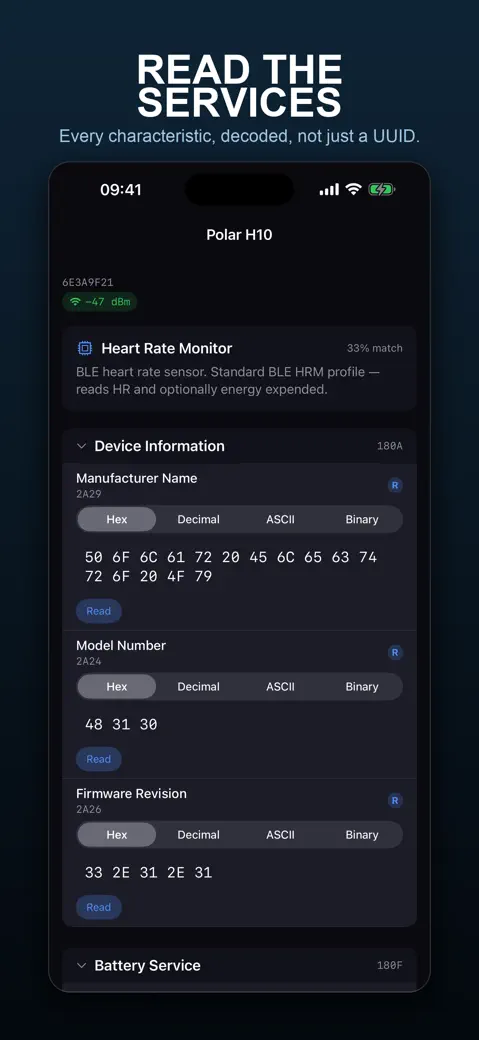
Automatic UUID identification for known devices
Features
Device fingerprinting
identify chips from Nordic, ESP32, Xiaomi, Shelly
Features
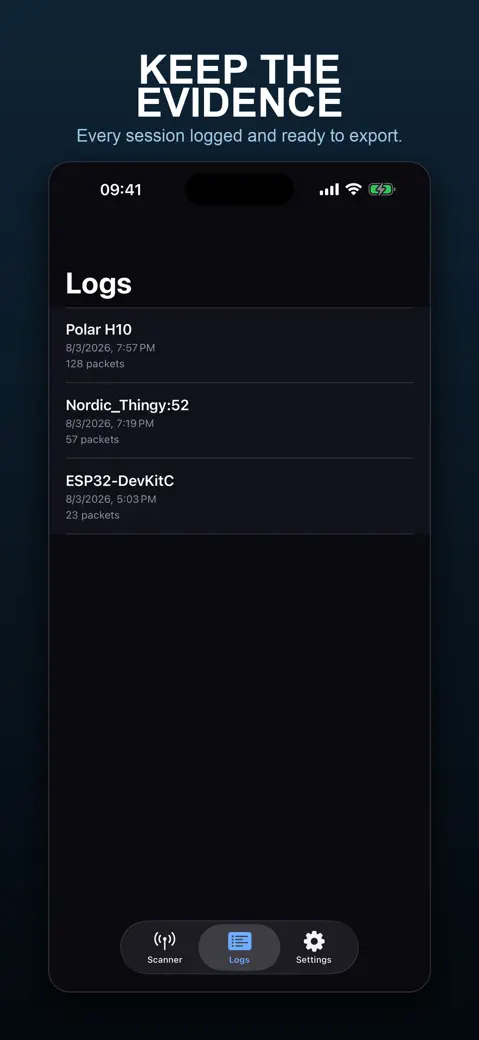
Export scan logs for documentation and debugging
Features
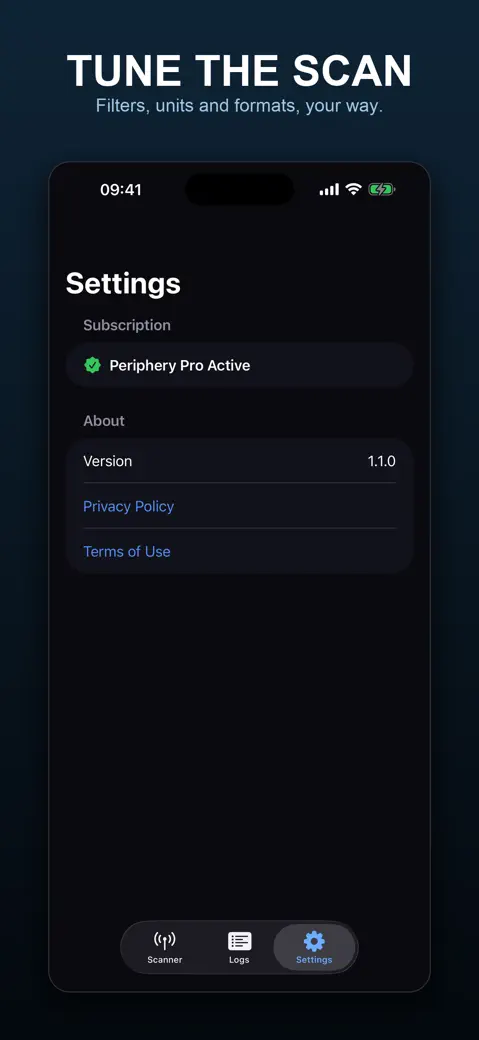
Offline UUID database
no internet required
What you can do with it
See what is advertising around you
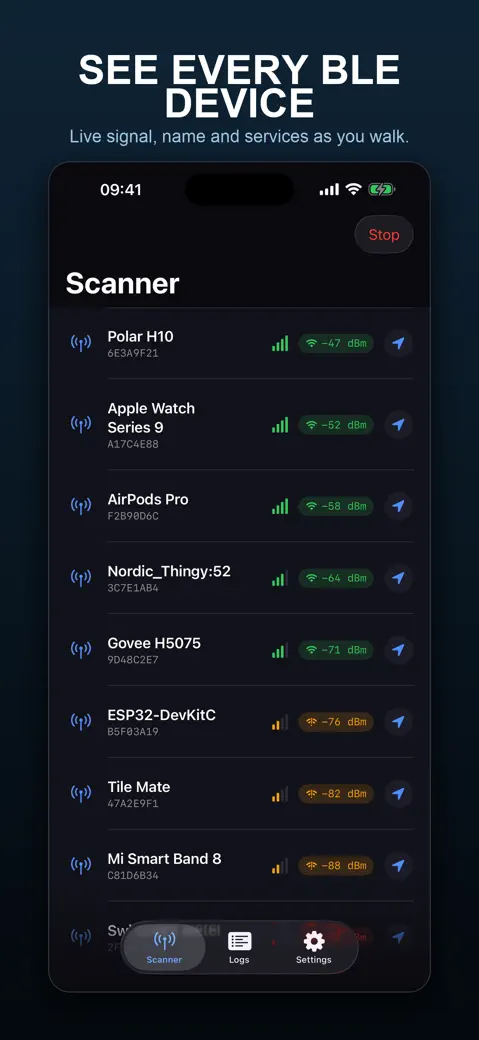
Open the Scanner tab and devices fill the list as they are heard: name, a short identifier, signal strength in dBm. Sort by switches between Discovery order, Strongest signal and Name; Strongest signal is usually the more useful choice, since discovery order is mostly noise. Filter by name or UUID narrows it when the room gets crowded.
Inspect a device's GATT tree
Tap a device and the app connects, then lists its services and characteristics. Each one carries R, W and N tags for read, write and notify, with a matching Read, Write or Notify button. Switch the value between Hex, Decimal, ASCII and Binary, whatever makes sense for what you are looking at.
Put a name to what you found
A small built-in list turns known UUIDs into names instead of hex strings. A card at the top of the inspector guesses the device type from its services too, say Nordic UART Device, ESP32 Device or Heart Rate Monitor, with a percentage match attached.
Walk toward a lost device
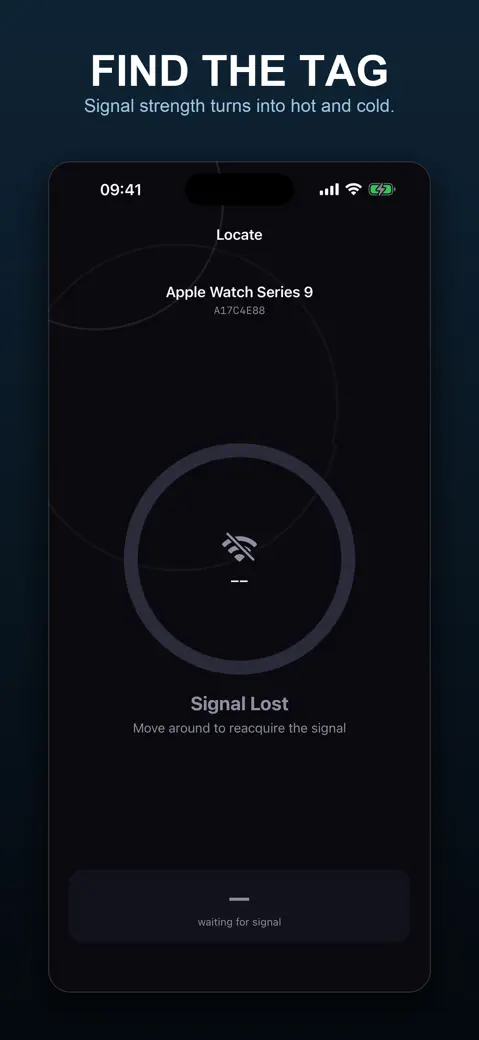
Swipe a row and tap Locate. You get a full-screen gauge: live dBm, a rough distance, a status that climbs from Freezing to Very Hot!, and haptic pulses that speed up the closer you get. This is the screen to open when earbuds have gone missing under a cushion.
Quick start
- Open Periphery and tap Scan (or Start Scan on the empty list). Allow Bluetooth when iOS asks.
- Watch devices appear. Set Sort by to Strongest signal to put the closest ones on top.
- Tap a device to open the inspector. It connects automatically; if it does not, tap Connect.
- Tap Read on a characteristic to see its value, then pick Hex, Decimal, ASCII or Binary under Format.
- Back in the list, swipe a device left and tap Locate to track it by signal strength.
Free version and Periphery Pro
Periphery is free to download. The free tier shows ads and caps you at 3 scans total, for the life of the app, not per day, and that count never resets on its own. A banner on the Scanner tab keeps track of how many you have left. Start a fourth and tapping anything opens the upgrade screen instead, though you can trade a short ad for one more scan if you are not ready to pay yet.
Pro comes as a subscription or a one-time lifetime purchase; either way it removes the scan cap and every ad. It also switches on session logging, so every read, write and notification lands in the Logs tab and exports as plain text with Export. Skip Pro and the Logs tab just stays empty, because nothing gets recorded without it.
Privacy, offline use and permissions
- No account. Scanning, the inspector, the UUID names and Locate all work over Bluetooth with no internet connection.
- Bluetooth permission is requested the first time you tap Scan, not at launch, because the app cannot scan without it.
- Location permission is never requested. Distance comes from Bluetooth signal strength only, not GPS.
- The free version asks once whether ads may use tracking. If you decline, ads still appear but are not personalised.
- Pro logs are stored on your device only. There is no sync and no cloud copy.
Limits and who it is not for
Periphery only sees Bluetooth Low Energy. iOS keeps classic Bluetooth off-limits to every app, so older car kits and some headsets never show up here, full stop. The distance on Locate is an estimate from signal strength, nothing more; there is no map and no arrow. The address in the list is an identifier iOS makes up, not the hardware MAC. It runs on iPhone and iPad with iOS 17 or later, and if you were hoping for a Mac, Apple Watch or Android build, there is not one.
How-to guides for Periphery
Questions people ask about Periphery
Is Periphery free?
Does Periphery work offline?
Can Periphery see classic Bluetooth devices?
Does Periphery work on iPad?
Why does Periphery ask for Bluetooth permission?
Free and Pro
Free
- Scan and discover nearby BLE devices in real time, sorted by discovery order, strongest signal, or name, with a name/UUID filter
- 3 total scan sessions (lifetime session counter, not per day) before the paywall blocks starting a new scan or opening a device's inspector
- Full GATT inspector once inside a scan you still have left: browse services/characteristics/descriptors, read, write and subscribe to notifications, view bytes as Hex/Decimal/ASCII/Binary
- Automatic device fingerprinting (Nordic UART, ESP32, Xiaomi, Shelly, and standard BLE SIG profiles) and offline UUID name lookup
- The Locate screen: live RSSI gauge, warmer/colder haptics and an approximate distance estimate for one device
Pro
- Unlimited scan sessions (the 3-session lifetime cap is removed) and unlimited device connections
- Session logging: every read, write and notification is saved to a session in the Logs tab (Features/Logs) — with Pro off, no log is ever created, so Logs stays permanently empty
- Exporting a logged session as a plain-text share sheet (timestamp, direction, operation, characteristic UUID, hex bytes)
- Removes all ads (banner, native card, interstitial, App Open)
Pro is optional. Everything in the free list works without it.
What's new in 1.2.0
The App Store page carried a second, duplicate set of terms and privacy links pointing at a personal file host. Gone. The description now answers the two things people write in about: iOS only lets apps see Bluetooth Low Energy, so classic Bluetooth car kits are invisible to every app on the store; and BLE gives signal strength, not a bearing, so there is no arrow pointing at your lost earbuds — only warmer and colder.
Privacy and support
Periphery does not require an account. Read the privacy policy and the terms for this app, or write to us if something is wrong.
Made by a small independent developer. Questions? Write to us from the support page.