Chess Clock, a chess timer for iPhone and iPad
Blitz, Bullet & Tournament
Chess Clock turns an iPhone or iPad into a two-sided clock for games played over a real board. It works just as well for club players, parents and coaches, or anyone who needs a separate time bank for each of two players.

Game
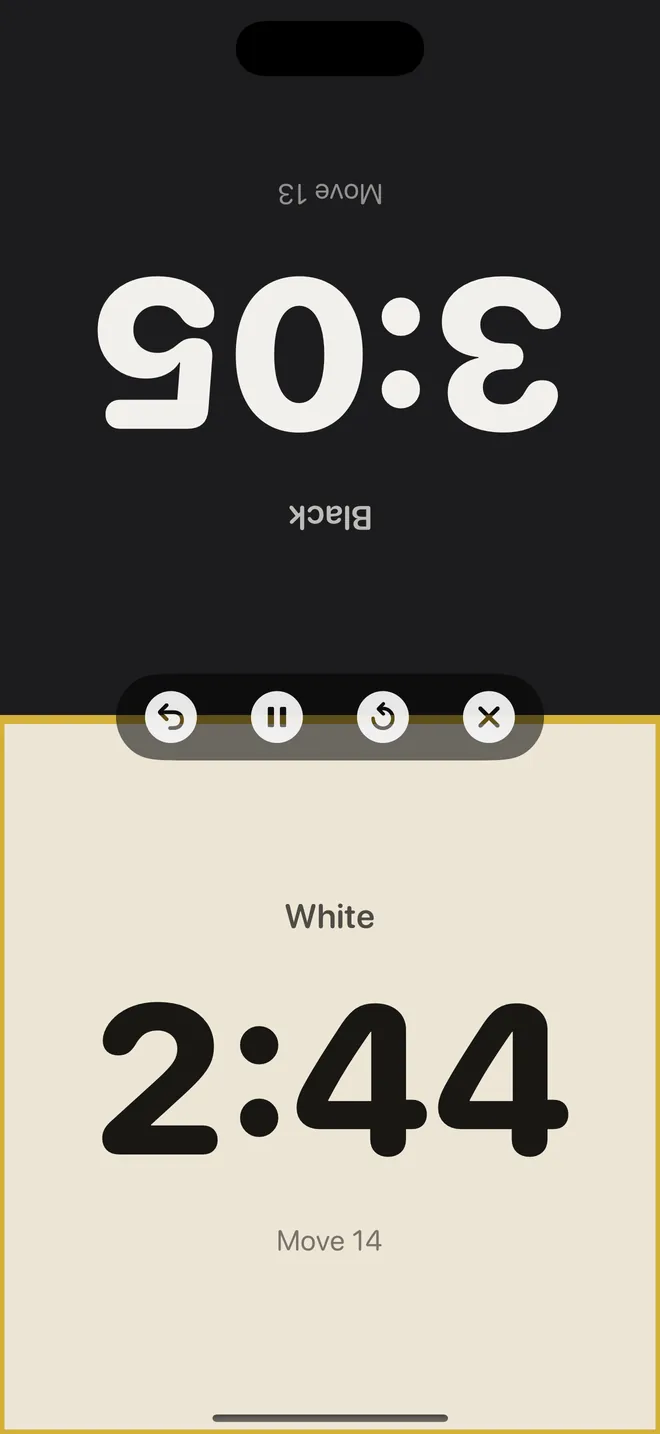
Each side faces its player
Move counters, undo and pause in the middle
Time controls
Blitz to classical
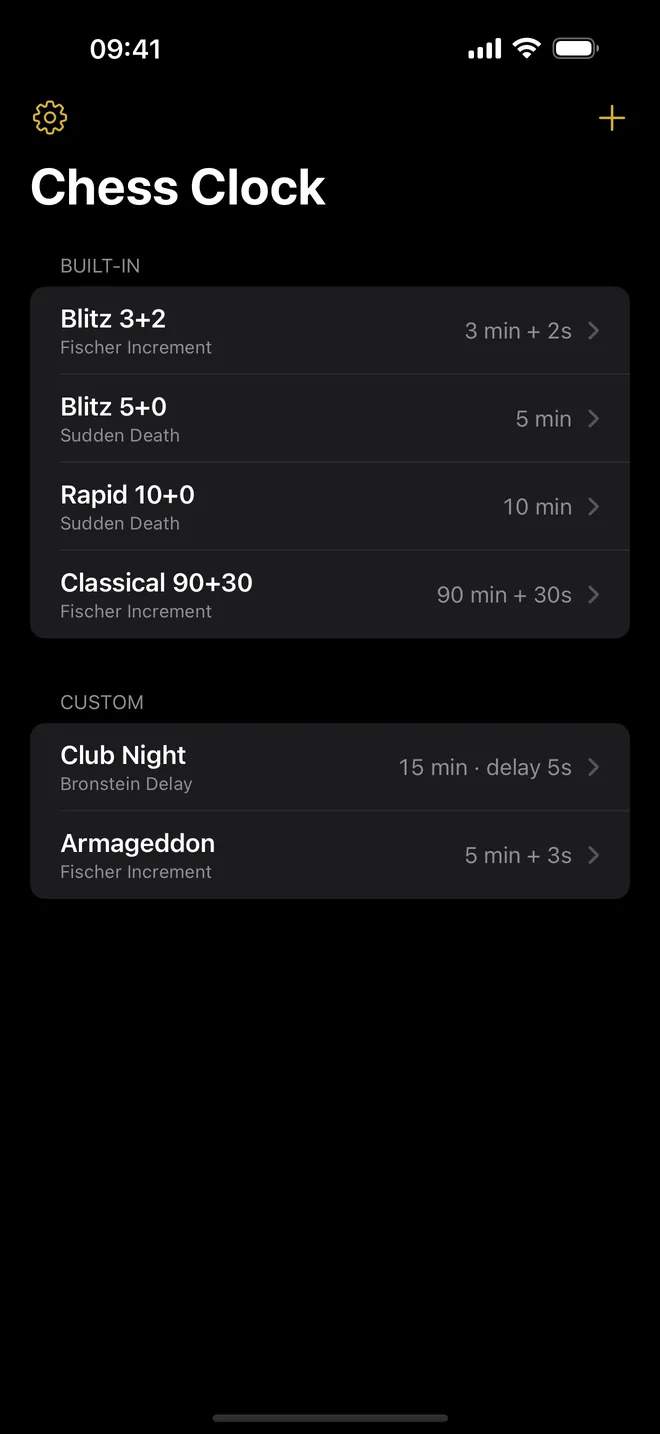
Four built-in controls, plus your own
Custom
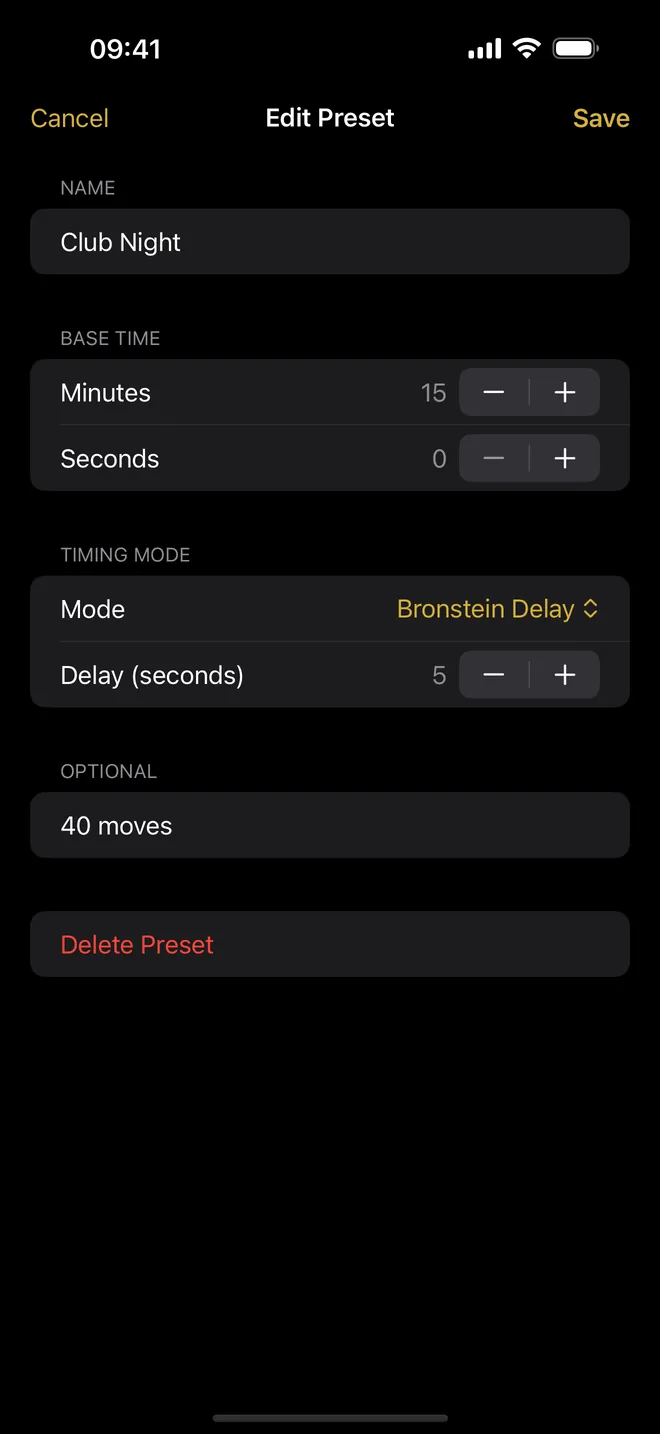
Build your own control
Base time, timing mode and delay
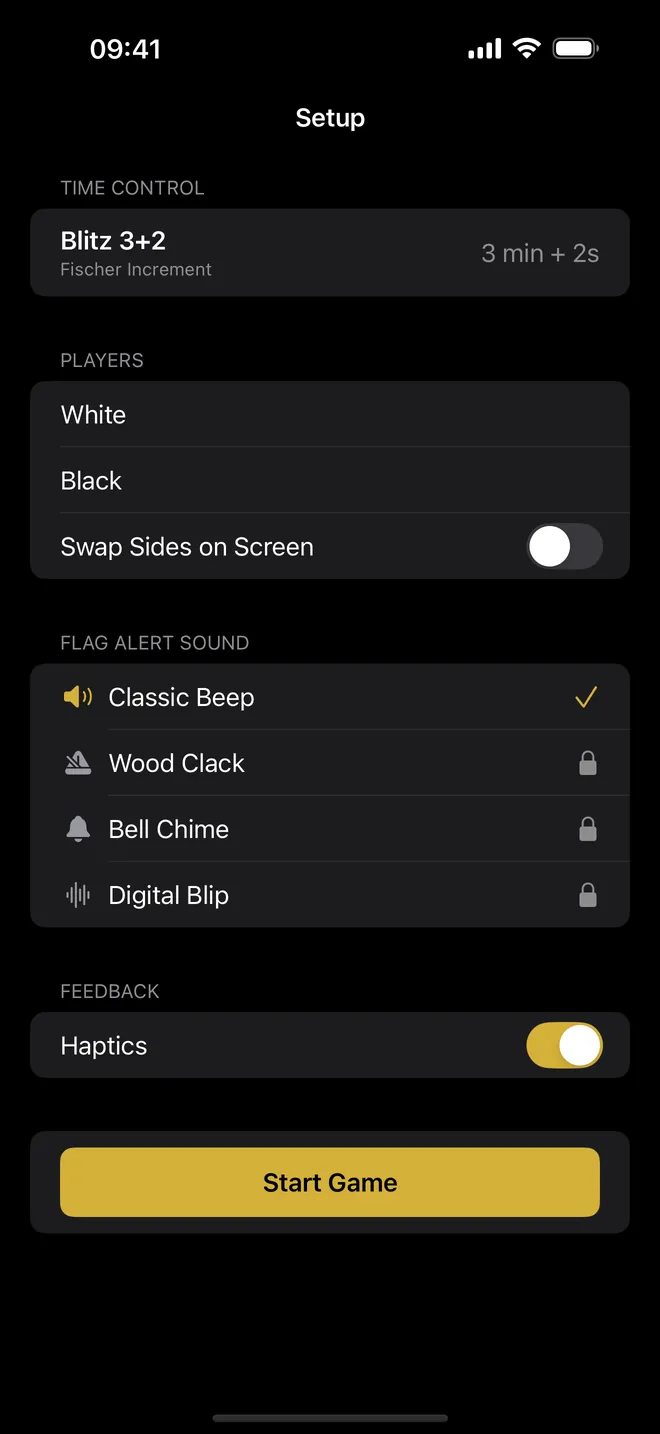
Setup
Name the players
Pick the flag alert and haptics, then start
What you can do with it
Time a game from either side of the table
Lay the phone flat between the players. The screen splits into two halves, and the far half is rotated 180 degrees so both of you read your own time the right way up. Each half shows the name, the remaining time and a Move counter.
You end your move by tapping your own half. A tap on the half whose clock is not running does nothing, so a stray finger cannot hand the move to the wrong player.
Play any common time control
Four timing modes cover what most clubs use: Sudden Death, Fischer Increment, Bronstein Delay and Simple Delay (the US delay). Four presets are ready under Built-in: Blitz 3+2, Blitz 5+0, Rapid 10+0 and Classical 90+30. Under Custom you save as many of your own as you like, such as 15+10 for club night.
Fix mistakes and pause
The icon bar in the middle of the clock has undo, pause, reset and leave. Undo takes back the last accepted tap, including its time and move count. Pause freezes both clocks without gaining or losing a second.
See where the time went
Finished games go to History with the time every move took. For each player you get Time Used, Average and Longest, and you can add notes, a location and photos of the scoresheet.
Quick start
- Open the app and tap a preset, for example Blitz 5+0. The Setup screen opens.
- Under Players, type names in White and Black, or leave them empty.
- Tap Start Game and put the device flat between the players. The screen says Tap either side to start.
- The first tap on either half starts White's clock. From then on, each player taps their own half after moving.
- Digits turn amber at one minute left and red at ten seconds. At zero that half shows FLAG and the other player wins on time.
Free, and what Pro adds
Chess Clock is free to download. Every timing mode, the four presets, unlimited custom time controls, the full clock and the game history are free, with ads. Ads never appear on the clock screen or while a game is on screen.
The optional Chess Clock Pro (weekly, monthly or yearly subscription, or a one-time lifetime purchase) adds three board themes (Walnut, Marble, Neon) and three flag sounds (Wood Clack, Bell Chime, Digital Blip) and removes all ads. Classic and Classic Beep stay free. You can also try one locked theme or sound by watching an ad, until you close the app.
Privacy, offline use and permissions
There is no account and no server of ours. The clock, the presets and the history work offline and stay on the device. Internet is used only for ads in the free version, App Store purchases, and the map and place name if you tag a game with a location.
Location is asked for only when you tap Add Location on a saved game, never during play. Photos go through the system picker, so only the pictures you choose are copied into the app. The tracking prompt at the end of onboarding is for ads; decline it and ads are simply not personalised.
What it does not do
- It is a clock only: it does not see the board, check moves, detect checkmate or record notation.
- One stage per time control. Controls like 90 minutes for 40 moves plus extra time are not supported; the Move limit label is display only.
- By default both players get the same time; a custom control can give Black a different base time (time odds). There is no hourglass mode or byo-yomi.
- Two players only, and White always starts.
- No iCloud sync, Apple Watch, widgets, Mac or Android version. A saved game can be exported as a CSV of move times, but there is no PGN. Dark appearance only.
If you need a clock for a rated tournament, use the one your organiser provides and follow the arbiter.
How-to guides for Chess Clock & Game Timer
Questions people ask about Chess Clock & Game Timer
Is Chess Clock free?
Does it need internet or an account?
Can a wrong tap be fixed?
Will the screen lock in the middle of a game?
Does it work on iPad?
Free and Pro
Free
- All four timing modes: Sudden Death, Fischer Increment, Bronstein Delay, Simple Delay
- The four built-in presets: Blitz 3+2, Blitz 5+0, Rapid 10+0, Classical 90+30
- Unlimited custom time controls (create, edit, delete)
- The full clock: mirrored halves, move counters, undo last tap, pause/resume, reset, low-time colours, flag alert, keep-awake, resume an interrupted game
- Game history with per-move times, statistics, notes, location tag and photos
- Classic board theme and Classic Beep alert sound
- Haptics and Sound toggles
- Time odds: give Black a different base time than White in a custom time control (editor: 'Give Black Different Time')
Pro
- The three extra board themes: Walnut, Marble, Neon
- The three extra flag alert sounds: Wood Clack, Bell Chime, Digital Blip
- Removes all ads (banner, interstitial, App Open; rewarded ads are no longer needed)
- Board Game Timer: 4 to 8 players and saved player names (2 and 3 players are included)
Pro is optional. Everything in the free list works without it.
What's new in 1.1
• The clock now waits to be started instead of running the moment it opens: the first tap on either half starts the game, exactly like pressing a real chess clock • Below one minute the digits turn amber, and red in the last ten seconds, so you can see the time running out from across the table • You can now see and hear what Pro unlocks before paying for it: every clock theme is drawn as a small version of the real clock face, and every locked alert sound plays when you tap it • Every timing mode now explains what it does in plain words, on the setup screen and where you choose it • Fixed: the "How it works" page and the purchase screen were still shown in English in every translated language • Fixed: Pro could be lost when the App Store could not be reached • The player name fields start empty instead of pre-filled
Privacy and support
Chess Clock & Game Timer does not require an account. Read the privacy policy and the terms for this app, or write to us if something is wrong.
Made by a small independent developer. Questions? Write to us from the support page.