
RCON: run your game server from your iPhone
SSH, FTP & Game Server Manager
Minecraft and other game servers often need a kick or a whitelist add after the laptop is already closed for the night. RCON puts an RCON console, an SSH terminal, an FTP browser and a few network tools on the phone that is already in hand: an iPhone and iPad app for owners and moderators who would rather not walk back to the PC.

Rcon Console
Syntax highlighting and multi-server support
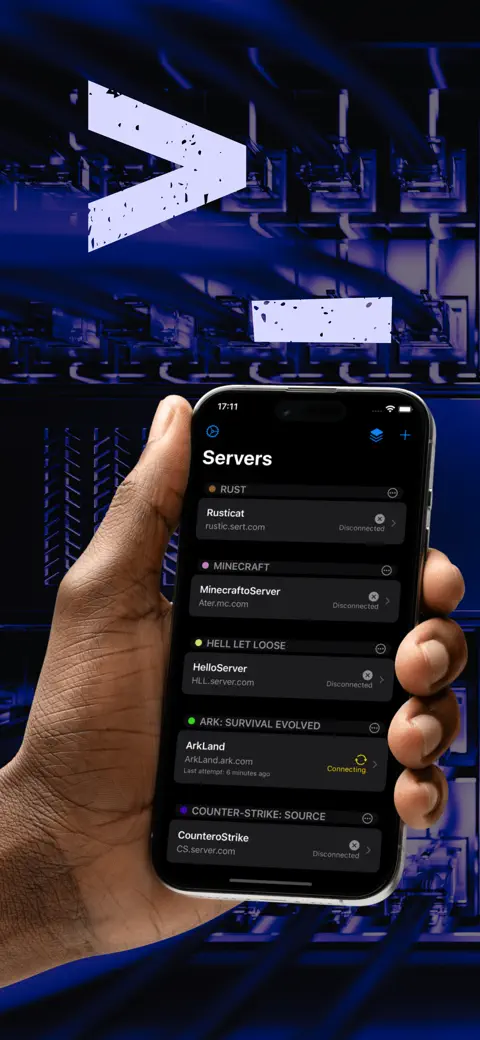
Rcon Console
One-tap reconnection and robust connection management
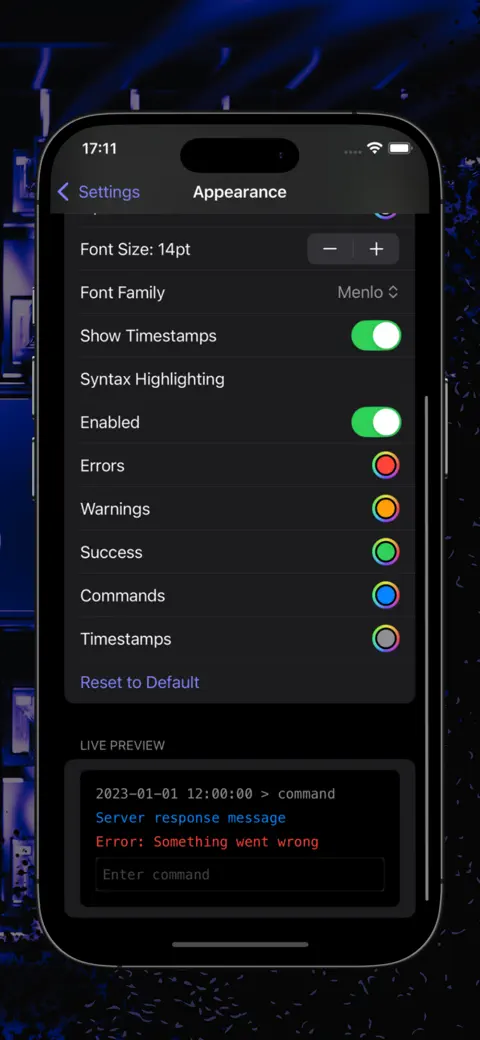
Rcon Console
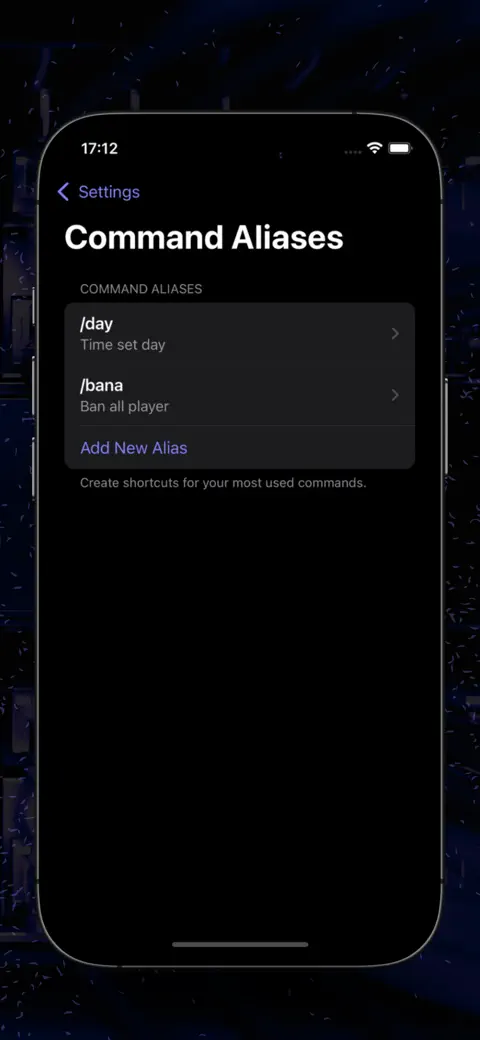
Command aliases for quick actions
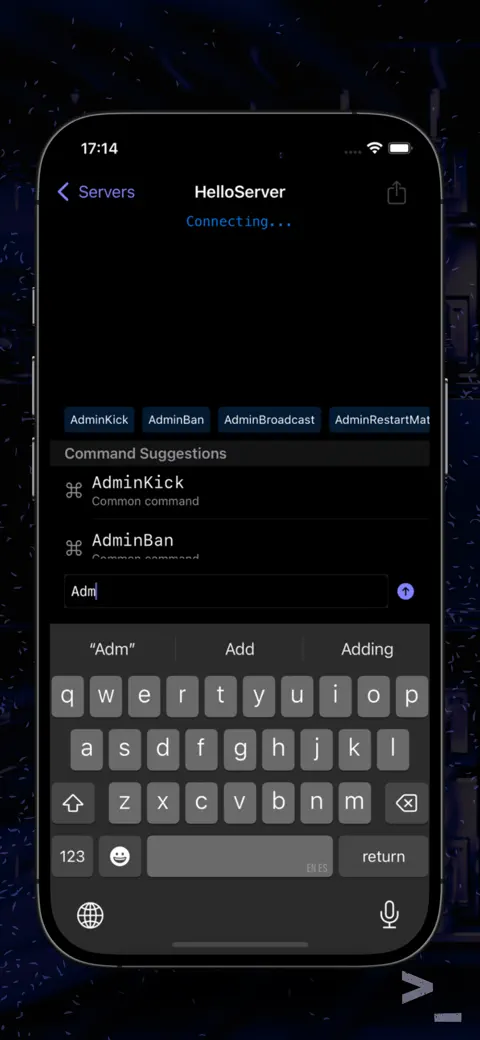
Ssh Terminal
Password authentication with saved host profiles
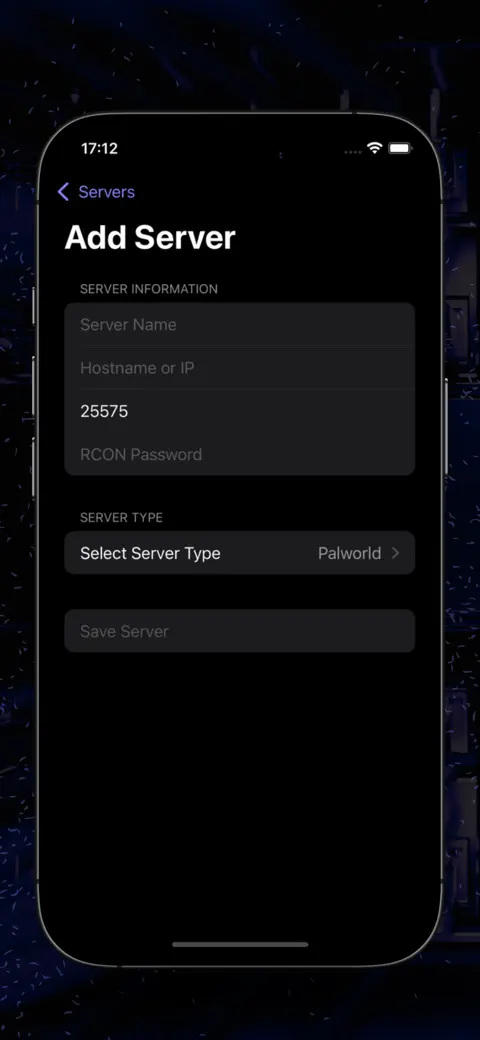
Ssh Terminal
Execute commands directly on your dedicated server
What is actually in the app
Nothing here hosts or installs a game server for you. Every tool just knocks on a door your server already has open, RCON, SSH or FTP, whichever one answers.
- RCON admin commands: pick the game when you add the server and the app sorts out the RCON flavour on its own, Source RCON for most of them (Minecraft, Counter-Strike, ARK and plenty more), WebSocket RCON for Rust, BattlEye RCON for DayZ and Arma. Typing gets suggestions, a history, and one tap for a saved Quick Commands list.
- Command Aliases turn the command you type ten times a day into one short word, Bookmarks keep the ones you reach for daily, and Macros fire off a list of commands in order with a delay between each.
- SSH, for when RCON cannot reach far enough: log in to the Linux box itself with a username and password and run shell commands directly.
- FTP for the files themselves: browse folders, create, rename and delete things, and pull a config or log straight onto the clipboard to read.
- Port Scanner says whether a port is open, closed or filtered, TCP Ping times a connection to a host and port, and Wake-on-LAN switches a sleeping PC back on over the home network.
- And a Raw TCP Terminal underneath all of it, for any line-based protocol none of the above was built to understand.
Quick start
- Turn RCON on at the server first, for Minecraft that is
enable-rcon=trueplus a password inserver.properties, then restart it. - In the app, tap the plus button on the Servers screen to open Add Server.
- Type a Server Name, the Hostname or IP, and the RCON Password. Pick the game under Server Type and the Port fills in with that game's usual RCON port while the Protocol row shows which RCON variant it picked.
- Tap Test Connection, then Save Server.
- Tap the server in the list to open its console and type a command.
listis a good one to try first.
Free and Premium
The app costs nothing to download, and none of the connection tools sit behind a paywall: RCON console, SSH, FTP, Port Scanner, TCP Ping, Wake-on-LAN and the Raw TCP Terminal all work in the free version. It shows ads for that.
What is limited is storage, not function. Free keeps 2 saved servers (a rewarded ad buys a third for 24 hours), 5 command aliases, 8 bookmarks and 3 macros. Premium lifts those caps, drops the ads, adds Scheduled Commands, and throws in 8 more console themes on top of Light, Dark and System. For many, the extra themes are reason enough to upgrade.
Privacy, network and permissions
No account, no sign-in, nothing for a password breach to catch. Servers, aliases, bookmarks and macros sit on the device only, and nothing syncs between phones. Moving to a new one means Export Server Configurations on the old one and Import Server Configurations on the new, and the export skips passwords on purpose.
Offline, none of this does much of anything. Every tool needs a real path to the server, Wi-Fi or internet, and iOS asks for Local Network access because plenty of these servers sit on the same home network as the phone.
Where it falls short
- iPhone and iPad only, no Mac, no Watch, no Android version.
- SSH is password-only. The form has a Public Key option that looks tempting; it does nothing yet, the app logs in with the password every time.
- FTP here means plain old FTP. No SFTP, no FTPS, and no uploading, so it is a read-only tool whichever way you look at it.
- Scheduled Commands fire only while that server's console is open and connected on screen. iOS will not let any app run this kind of thing in the background.
- TCP Ping times a TCP connection, not an ICMP one, so expect a slightly different number than the ping you grew up with.
- RCON only works with games that expose RCON in the first place, and the app itself has no tie to any game studio.
How-to guides for RCON Console Server Admin Tool
Questions people ask about RCON Console Server Admin Tool
Which games does the RCON app work with?
Is the RCON app free?
Does it need my server panel login?
Can I use it on a Mac or Android phone?
Does it keep running commands when I close the app?
Free and Pro
Free
- up to 5 command aliases
- up to 8 command bookmarks
- up to 3 macros
- RCON console, SSH terminal, FTP client, Port Scanner, TCP Ping, Wake-on-LAN, Raw TCP Terminal
- JSON import/export of servers
- ads shown
Pro
- unlimited servers
- unlimited command aliases
- unlimited command bookmarks
- unlimited macros
- Scheduled Commands (free limit is 0 — entirely gated)
- the 9 extra visual themes beyond Light/Dark/System (Hacker, Midnight Blue, Solarized Dark, Dracula, Nord, Monokai, Gruvbox, Cyberpunk) plus console font/appearance customization
- no ads (banner, interstitial, app-open)
Pro is optional. Everything in the free list works without it.
What's new in 1.3.0
• Scheduled commands are here, and they work: repeat a command every few minutes, or fire it once a day at a set time, while the console is open • Set a quiet window and the command will not be sent inside it — useful when your host restarts the server on a schedule and a save during the restart would roll the world back • The purchase screen showed prices in dollars that were not what you are charged, on plans that could not even be bought • The discount badge was a fixed "61%"; it is now worked out from the real price in your own currency • A free trial is only offered to people who can still get one, and it now shows its real length • The close button on the purchase screen was disabled for five seconds • A refund removes Pro instead of quietly switching it back on • The macros sheet in the console never opened
Privacy and support
RCON Console Server Admin Tool does not require an account. Read the privacy policy and the terms for this app, or write to us if something is wrong.
Made by a small independent developer. Questions? Write to us from the support page.