Decibel Sound Meter: measure noise on your iPhone and iPad
Noise Level & Loudness Test
Decibel Sound Meter turns your iPhone or iPad's microphone into an A-weighted sound level meter, with recorded sessions and a free noise-dose mode built on the NIOSH and OSHA formulas. It settles an argument about whether something like an office coffee machine is really as loud as it sounds, or checks a street, workshop or gig properly.

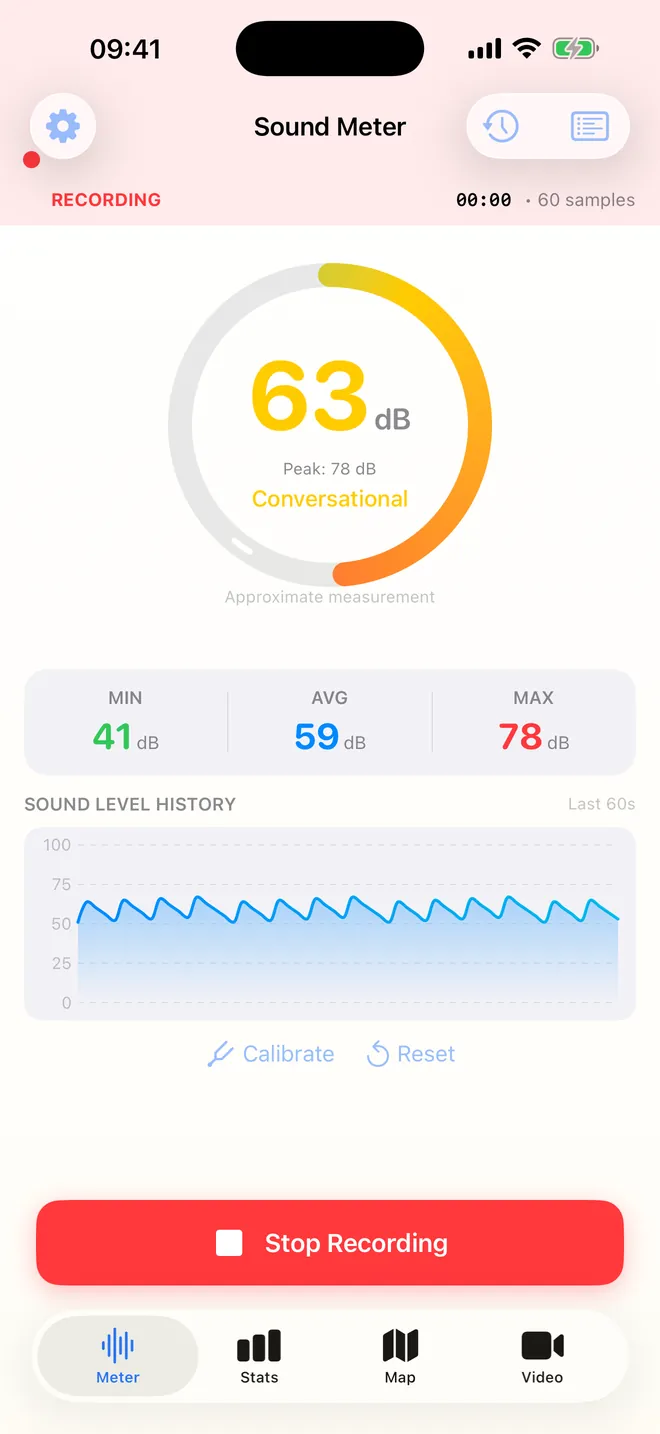
Live meter
See the decibels, instantly
A-weighted level with min, average and max
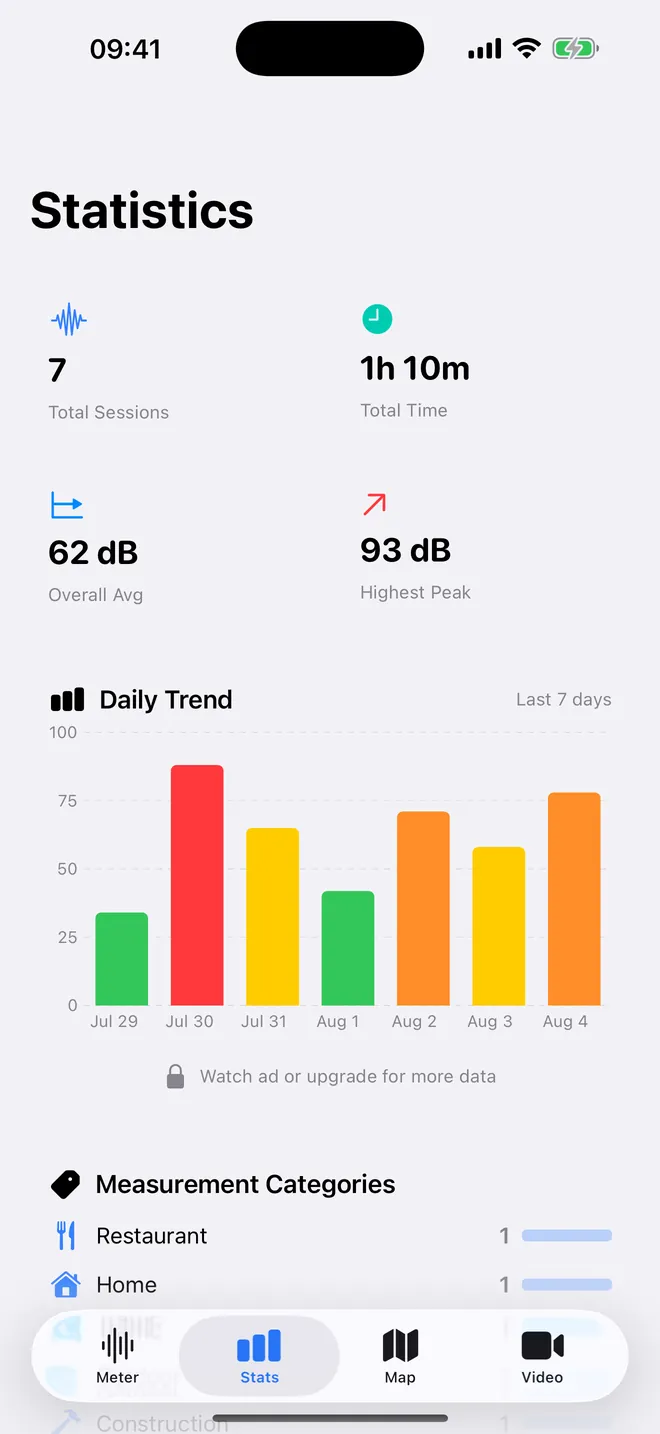
Statistics
A week of noise, charted
Total sessions, time, average and daily trend
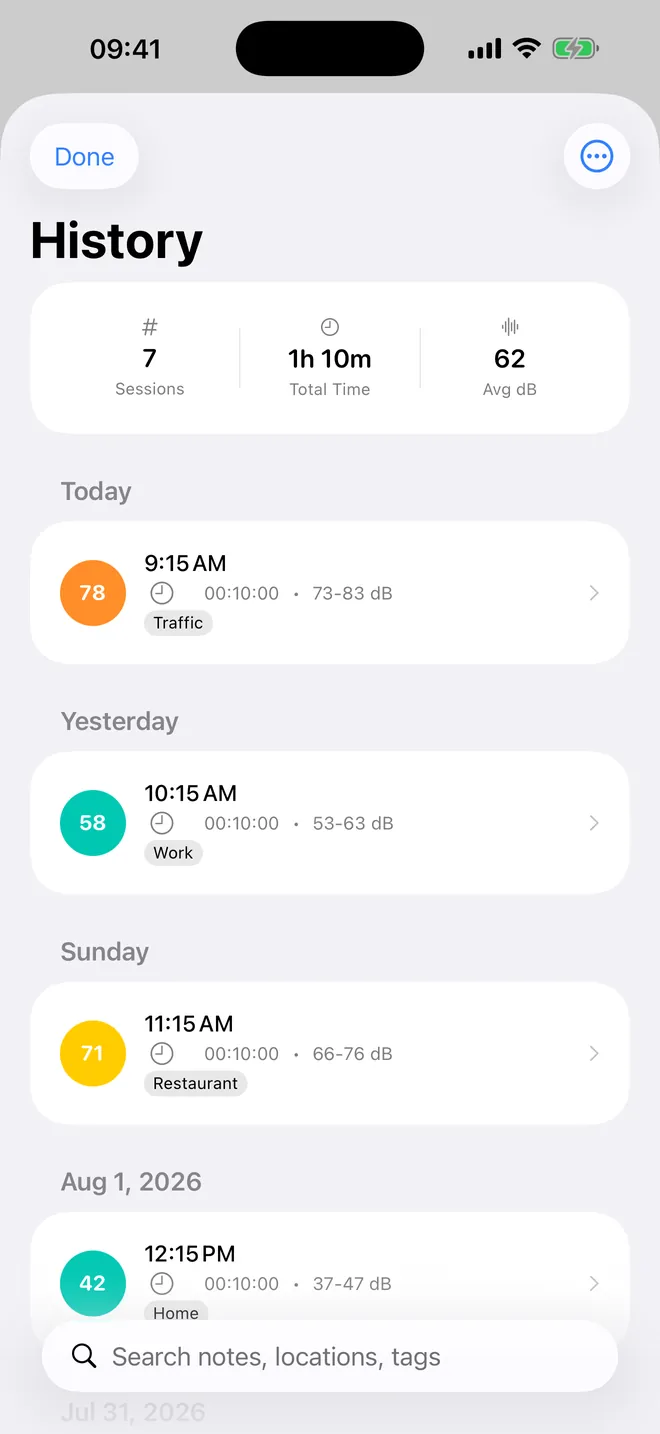
History
Every session, saved
Notes, tags and location, searchable later
What can you do with it?
Measure and record
The Meter tab starts reading the moment you allow the microphone — no setup screen, no tutorial to click through. It shows the current level in whole decibels, a peak held for two seconds, a coloured gauge and a plain word such as Conversational or Very Loud.
Tap Start Recording to track MIN, AVG and MAX with a chart of the last 60 seconds. Saved sessions go to History with a note, tags and, if you allow it, the place where you measured.
Estimate your daily noise dose
The Exposure tab adds up every sample against the NIOSH REL (85 dBA, 3 dB exchange rate) or the OSHA PEL (90 dBA, 5 dB exchange rate). You get the Dose as a percentage, the Projected 8 h dose, the TWA (8 h) and the Time left at current level. The whole tab is free.
Keep a record and share it
A saved session can become a PDF report, a CSV file, an image card or a text summary. The Video tab films a clip with the live dB level burned into the picture, and the Map tab places recordings that have a location on a noise map.
Quick start
- Open the app and allow the microphone. The Meter tab starts reading straight away.
- Hold the phone still, microphone uncovered, and keep your own voice out of it.
- Tap Start Recording and let it run for 30 to 60 seconds so the average settles.
- Tap Stop Recording, then Stop & Save. The session appears in History with its minimum, average and maximum.
- If you need the absolute number, match a reference meter once with the Calibration row in the Exposure tab.
What is free and what Premium adds
The app is free to download. The meter, recording, history, all calibration controls, the full Exposure tab with CSV export of exposure sessions, the noise-level reference, alerts at 85 dB and 7 days of statistics cost nothing. The free version shows ads, and a few extras can be unlocked one at a time by watching an ad.
Premium, sold as a subscription or, where offered, a one-time Lifetime purchase, removes all ads. It adds unlimited PDF, CSV and image exports, the Noise Map, Compare Sessions, the Daily Noise Dose screen, 365 days of statistics, a custom alert threshold from 40 to 120 dB, Background Monitoring, videos up to 10 minutes with a 1080p option and no watermark and five extra colour themes.
Privacy, offline use and permissions
- No account. Recordings, exposure sessions and settings stay on the device, with no cloud sync.
- The meter turns sound into numbers in memory and does not save audio. Only the Video tab stores sound, inside the clip you record.
- Measuring, the Exposure tab, calibration and history work with no connection. You need one for ads (including an ad that unlocks a single export), for purchases and for turning a recording's coordinates into a place name.
- Camera: used by the Video tab alone. Location: optional, attached to recordings. Ad tracking: you can refuse it and the meter works exactly the same.
Limits, and who it is not for
- A phone microphone is not a Class 1 or Class 2 sound level meter or a personal dosimeter, and results vary between phone models.
- Only A-weighting and Fast response: no C or Z weighting, no Slow or Impulse response, no octave or frequency analysis.
- Very loud bangs such as fireworks clip and read low; readings stay between 0 and 140 dB.
- It cannot measure the level inside headphones or earbuds.
- Recordings are a personal log, not legal evidence or a workplace record, and the PDF report is in English.
- iPhone and iPad only, iOS 17 or later. There is no Apple Watch, Mac or Android version and no widget.
How-to guides for Decibel Sound Meter
Questions people ask about Decibel Sound Meter
Is Decibel Sound Meter free?
Which devices does it run on?
Do I need an account?
Should I pick NIOSH or OSHA?
Can it warn me when it gets too loud?
Free and Pro
Free
- live A-weighted dB meter with MIN / AVG / MAX, peak hold and 60-second chart
- unlimited recordings saved to History (last 100 kept), with notes, tags, location, search and tag filter
- auto calibration and manual adjustment (-20 to +20 dB)
- the whole Exposure tab: NIOSH REL / OSHA PEL dose, LAeq, TWA, projected 8 h dose, time left, max/min, calibration offset (-15 to +15 dB), saved exposure sessions and their CSV export
- Common Noise Levels reference with Hearing Safety table
- noise alerts (visual overlay + optional vibration) at the fixed 85 dB threshold
- Share Summary (plain-text summary of a measurement)
- Statistics for the last 7 days (total sessions, total time, overall average, highest peak, daily trend, categories, notable sessions)
Pro
- no ads anywhere
- unlimited PDF report, CSV and image-card exports of recordings without watching an ad
- 365 days of statistics (free: 7; after a rewarded ad: 30 for 24 h)
- Daily Noise Dose screen in Statistics (NIOSH dose of today's saved recordings)
- Noise Map of recordings that have a location
- Compare Sessions (two recordings side by side)
- videos up to 10 minutes, 1080p option, no watermark
- custom noise-alert threshold (40 to 120 dB in 5 dB steps; free is fixed at 85 dB)
Pro is optional. Everything in the free list works without it.
What's new in 1.7.0
• The readings were labelled dBA but the app was measuring without any weighting at all. A-weighting to IEC 61672 is now actually applied, and so is proper Fast time weighting • The session average is now a real LAeq instead of an arithmetic mean of decibels • Daily dose used an 85 dBA threshold instead of the 80 dBA the NIOSH standard asks for: a full shift at 84 dBA showed 0% when it is 79% • A phone call used to stop the meter for good while the screen still said it was measuring • Automatic calibration could hang forever, and a legitimate 0.0 dB offset was thrown away • Two features on the purchase screen were not real: one is free for everyone and the other does not exist • The whole professional mode was in English in every language • The app now says plainly that a phone microphone is not a certified sound level meter
Privacy and support
Decibel Sound Meter does not require an account. Read the privacy policy and the terms for this app, or write to us if something is wrong.
Made by a small independent developer. Questions? Write to us from the support page.