
Text Reader Narrator: listen to any text on your iPhone
Read PDF & Text Aloud
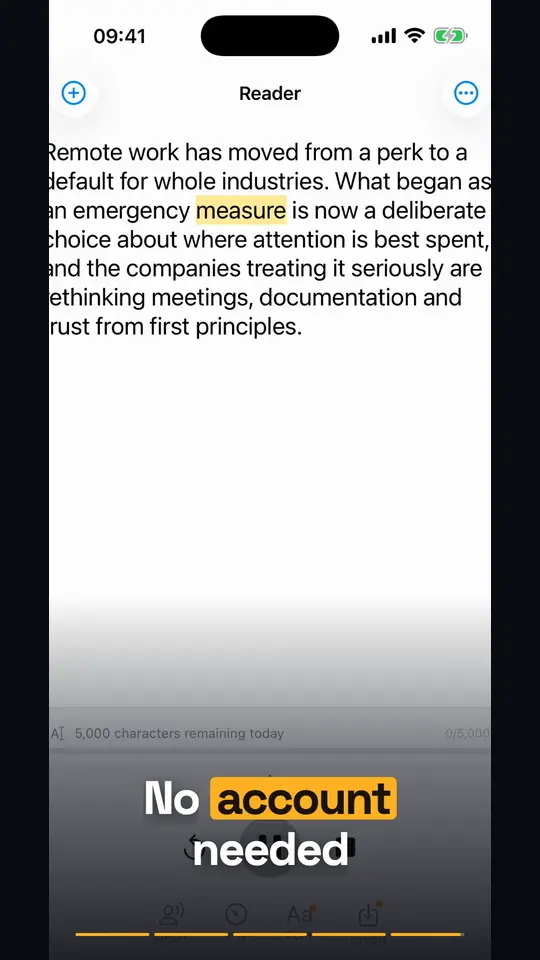
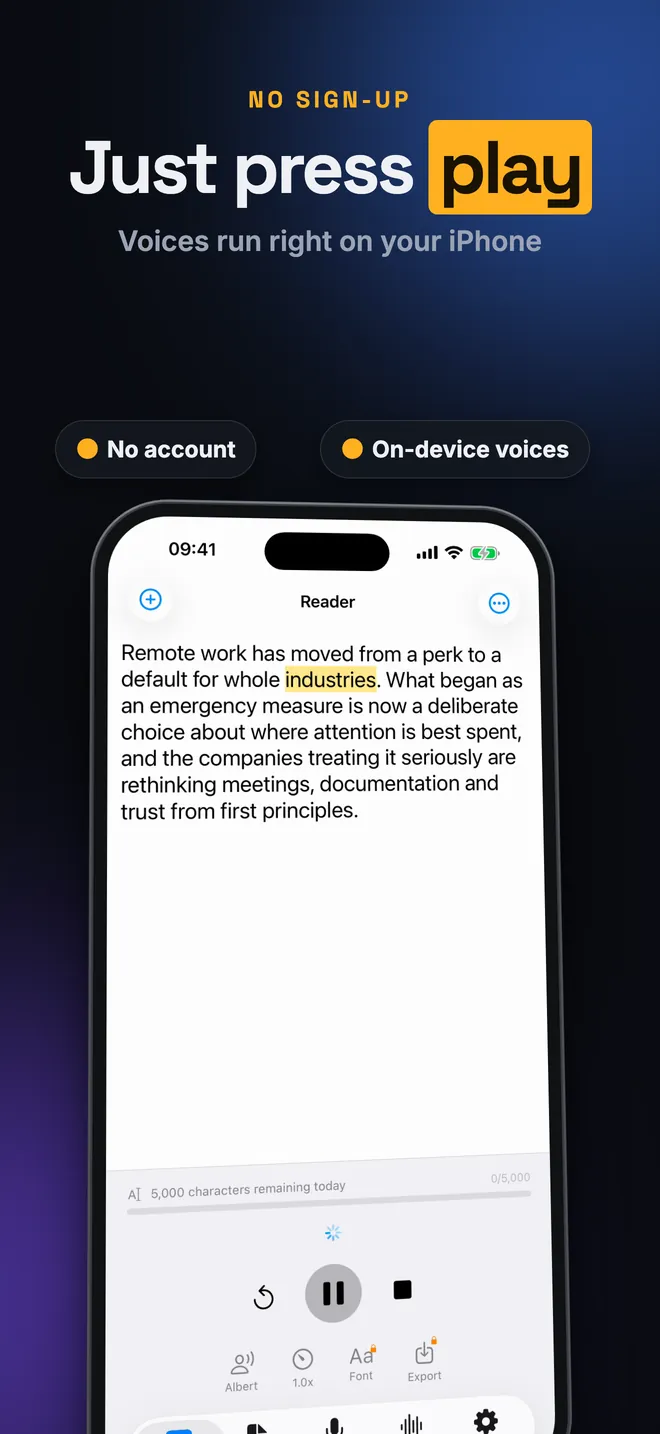
Text Reader Narrator reads any text out loud, highlighting the current word the whole time, using whatever voice is already on the phone rather than some new AI voice. It suits students, commuters and anyone who tires of a screen before the text is finished, and there's a second screen that turns your own voice into text for when the job runs the other way.

Text to speech
Hear any text
Every word lights up as it's spoken
Voices
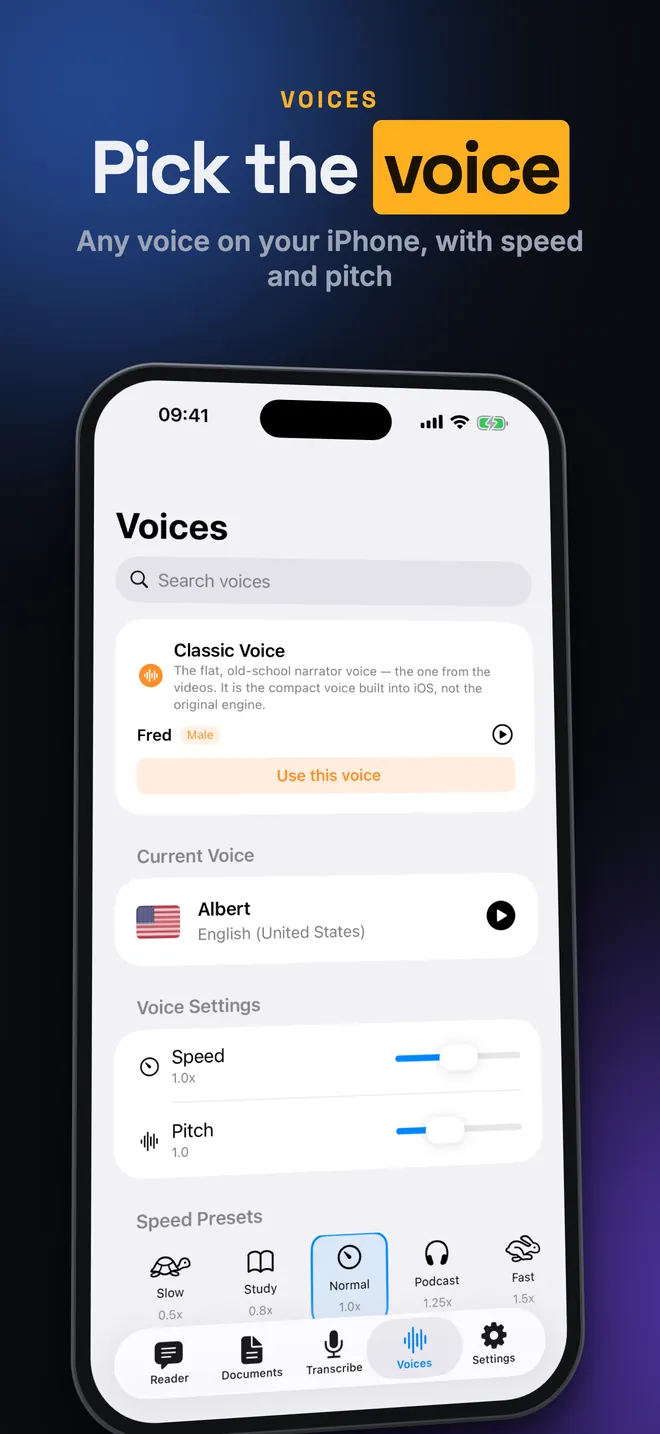
Pick the voice
Any voice on your iPhone, with speed and pitch
Library
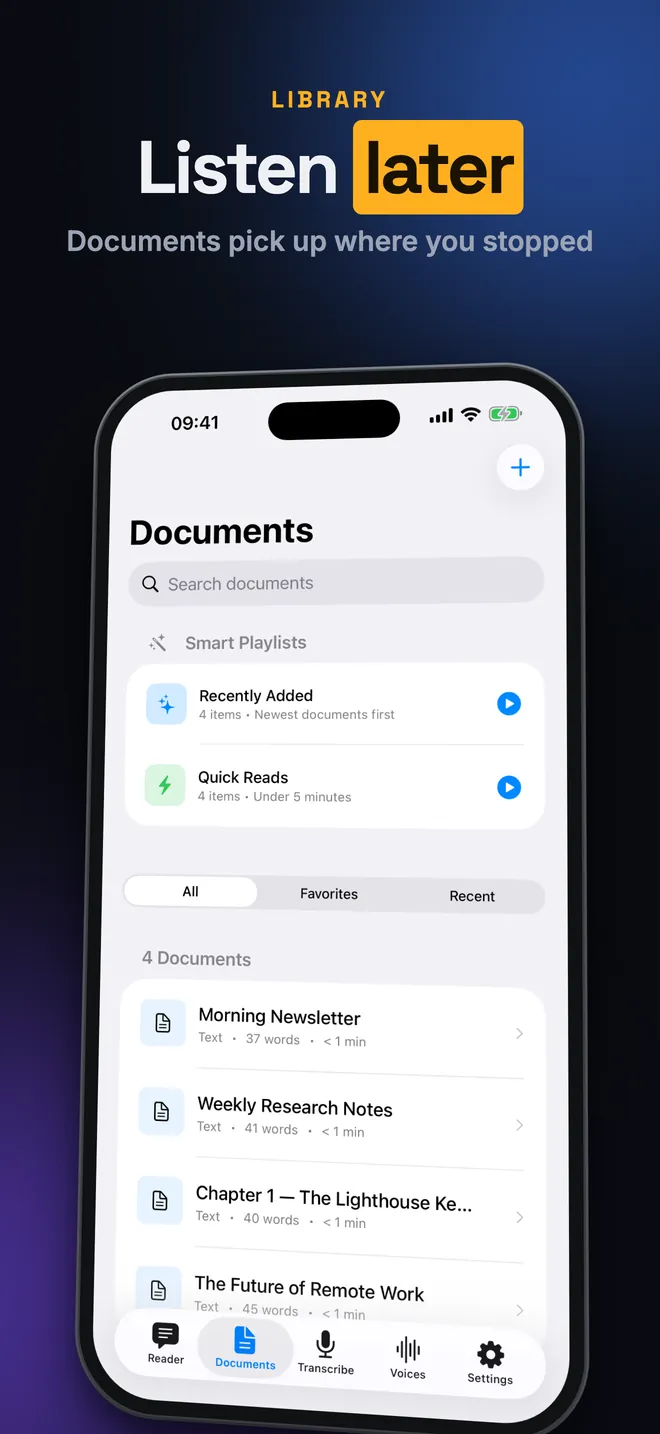
Listen later
Documents pick up where you stopped
Speech to text
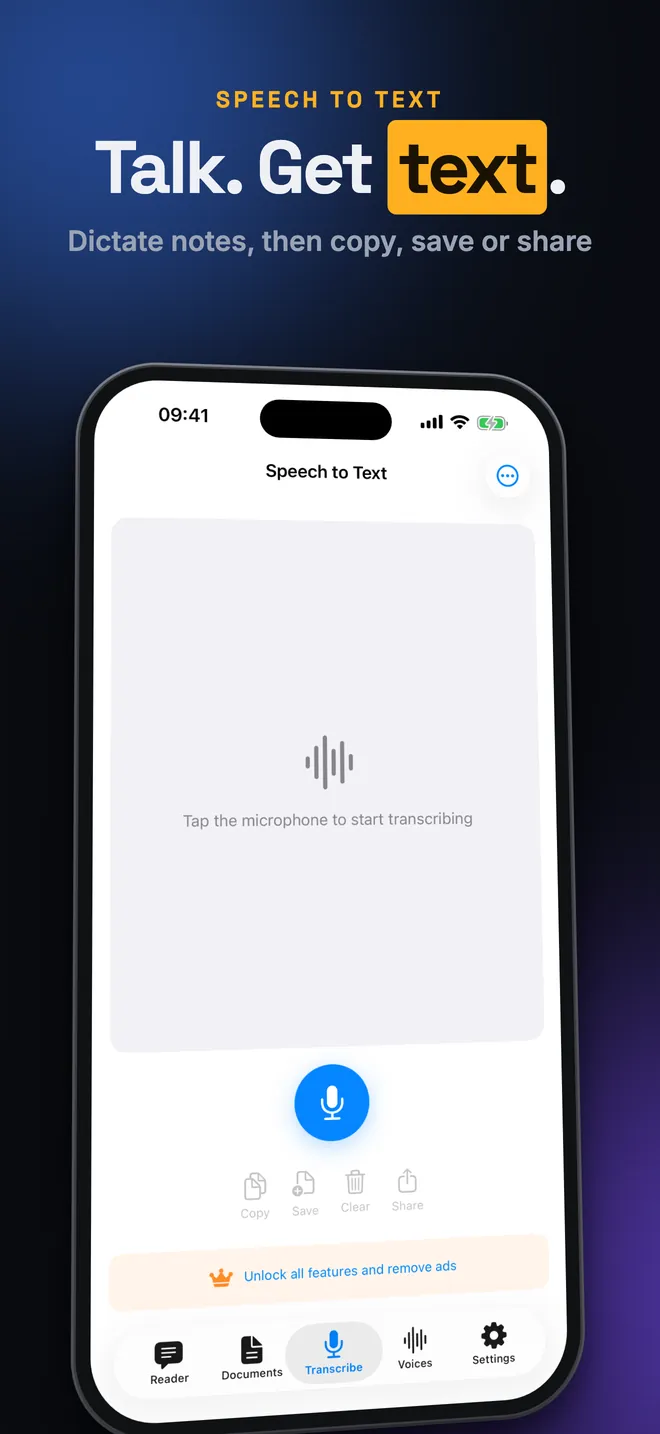
Talk. Get text.
Dictate notes, then copy, save or share
No sign-up
Just press play
Voices run right on your iPhone
What can you do with it?
Listen to text
- Type or paste text into the Reader tab and press Play; the word being spoken is highlighted and the view scrolls to keep up with it.
- Pick any voice on your device, Enhanced and Premium iOS voices included, and set speed and pitch in Speed & Pitch.
- Or skip the choosing: the Classic Voice card in the Voices tab is the flat old narrator sound, one tap away.
Bring text in
- A plain text file imports through Plain Text (.txt), a web page through Import from URL.
- Premium adds PDF Document, Word Document (.docx) and EPUB Book (.epub) import, plus Scan with Camera (OCR) for paper pages.
Keep, export and dictate
- Anything you save lands in Documents, which remembers exactly where you stopped; Continue Reading picks it back up.
- With Premium, Export bakes the Reader text into an M4A audio file for Files or AirDrop.
- The Transcribe tab works the other direction: it turns your voice into text to copy, share or save.
Quick start
- Open the app. The Reader is the first tab you land on.
- Type into the text area, or tap the three-dot menu and choose Paste from Clipboard.
- Tap the voice button to open Select Voice. A dimmed voice with a cloud icon still needs downloading in iOS Settings first.
- Tap the speed button, which shows 1.0x at normal speed, and pick a preset like Study or Fast.
- Press Play and follow the highlighted word.
What is free and what does Premium add?
The app itself costs nothing. Free covers 5,000 characters of Reader playback a day, every voice already on your phone, speed and pitch, importing text files and web pages, the Documents library and Speech to Text. It does show ads, which pay for all of that.
Run out of characters before midnight and you can watch a short ad for +2,000 more, up to five times, which caps the day at 15,000. The count starts over at local midnight.
Premium is a weekly, monthly or yearly subscription, or a one-time lifetime buy. It drops the daily limit and the ads, and adds PDF, Word and ePub import, camera scanning, audio export and custom fonts for reading. Of those, audio export is the one most worth paying for; camera scanning sees the least use.
Privacy, offline use and permissions
There's no account to make. Your texts, where you stopped reading and your usage stats stay on the device, and uninstalling the app wipes them. Nothing syncs to a cloud.
Reading aloud, importing files, scanning and exporting all work with the phone in airplane mode, once the voice itself is downloaded. Importing a web page, Speech to Text, downloading a new voice, ads and buying Premium all need a connection.
- Camera: used only for scanning a page, and the recognition happens on the device, not a server.
- Microphone and Speech Recognition: used only in the Transcribe tab. What you say is processed by Apple's speech recognition, not the app's own servers.
- Tracking: decides only whether free-version ads are personalised. Nothing you write or read ever feeds an ad.
What it can't do
- Only iOS voices: no AI or cloud voice, no cloning, and the app can't fetch new voices itself — that happens in iOS Settings.
- In the Reader, pausing then pressing Play again restarts from the top. A document opened from Documents resumes where you left it, which is the better choice for anything long.
- A scanned PDF is a picture, not text, so it imports nothing. Kindle and Apple Books purchases are locked with DRM and won't open either.
- Exported audio is M4A, never MP3. Speech to Text only hears the live microphone, not a voice memo or an audio file sitting in Files.
- iPhone and iPad, iOS 17 or later — no Watch, no Mac, no Android, no widget, no CarPlay.
How-to guides for Text Reader Narrator
Questions people ask about Text Reader Narrator
Is Text Reader Narrator free?
Which devices does it run on?
How do I make the reading voice sound less robotic?
Does it keep my texts private?
Can I listen with the screen locked?
Free and Pro
Free
- reading aloud typed or pasted text in the Reader, with word-by-word highlighting, up to 5,000 characters a day (resets at local midnight)
- all voices installed on the device (standard, Enhanced and Premium iOS voices) and the Classic Voice card
- speed, pitch and volume sliders and speed presets
- importing plain text (.txt) and web pages (Import from URL); pasting from the clipboard
- Documents library, favourites, search, Continue Reading, Smart Playlists
- Speech to Text tab
- Your Progress statistics and streaks
- Appearance (System/Light/Dark), accent colour, highlight colour, haptics
Pro
- no daily character limit (the counter and limit alert disappear)
- importing PDF, Word (.docx) and ePub files ('PDF Document', 'Word Document (.docx)', 'EPUB Book (.epub)' rows lose their lock)
- 'Scan with Camera (OCR)' — scanning paper pages into text
- 'Export' — saving the Reader text as an M4A audio file
- 'Font' / 'Font Settings' — reading font family, size 10–40 and weight for the Reader
- no ads (banner, native, interstitial, app-open)
- creating more than 2 playlists (but see limitations: user playlists have no screen to open them)
Pro is optional. Everything in the free list works without it.
What's new in 4.5.1
The row that tells you where to download more voices was showing the iOS Settings route in English, with the menu names of an English phone. Now it is written out in your language, with the names Apple actually uses — so the route you read is the route you see on screen. Also: the same route appeared four times in the app with four different wordings. Now there is one.
Privacy and support
Text Reader Narrator does not require an account. Read the privacy policy and the terms for this app, or write to us if something is wrong.
Made by a small independent developer. Questions? Write to us from the support page.