WeldMaster, the welding settings calculator for MIG, TIG and stick
MIG TIG Stick Flux Settings
Pick the process, the material and the thickness, and it gives you a starting range for amperage, voltage, wire feed, gas flow and polarity. The MIG calculator and the gauge chart are free; a one-time Pro purchase adds flux-core, stick, TIG and the shop references.

Shop reference
Starting settings, offline
Amperage, voltage, wire feed, gas flow and polarity
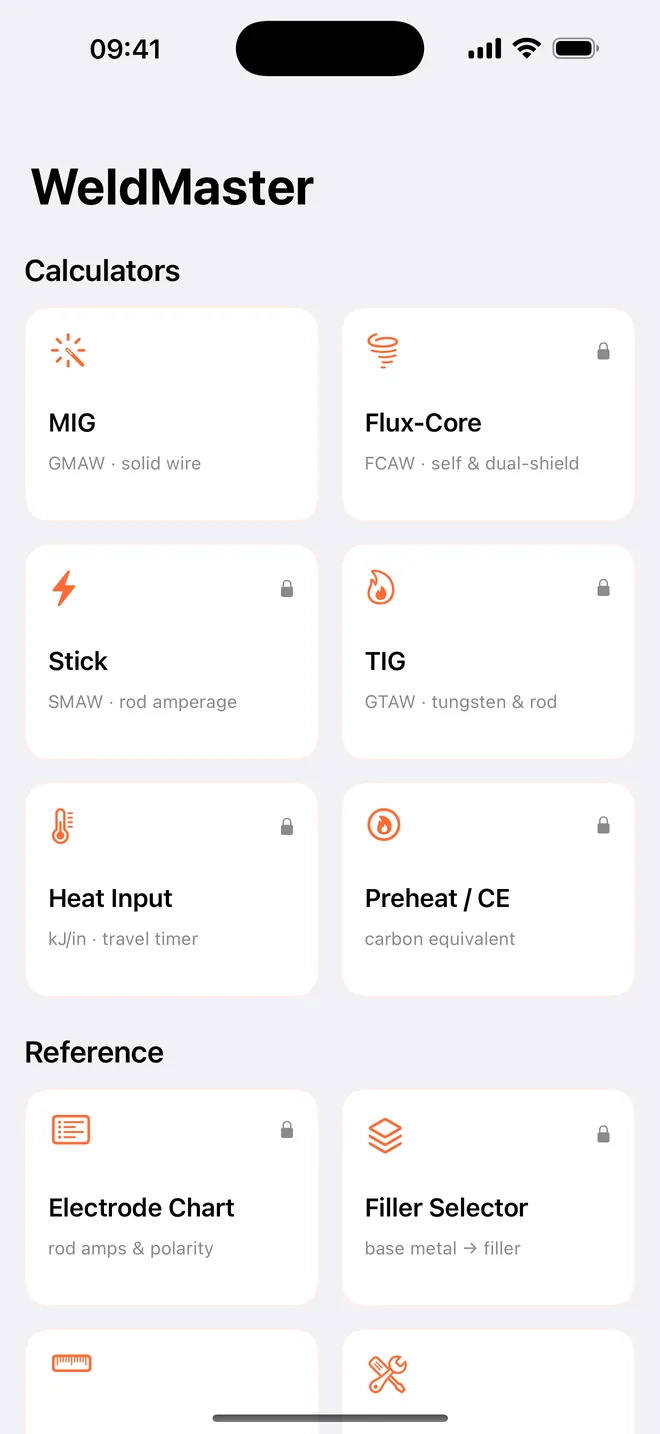
MIG
Mild steel, stainless or aluminum
Every wire size and gas, worked out for you
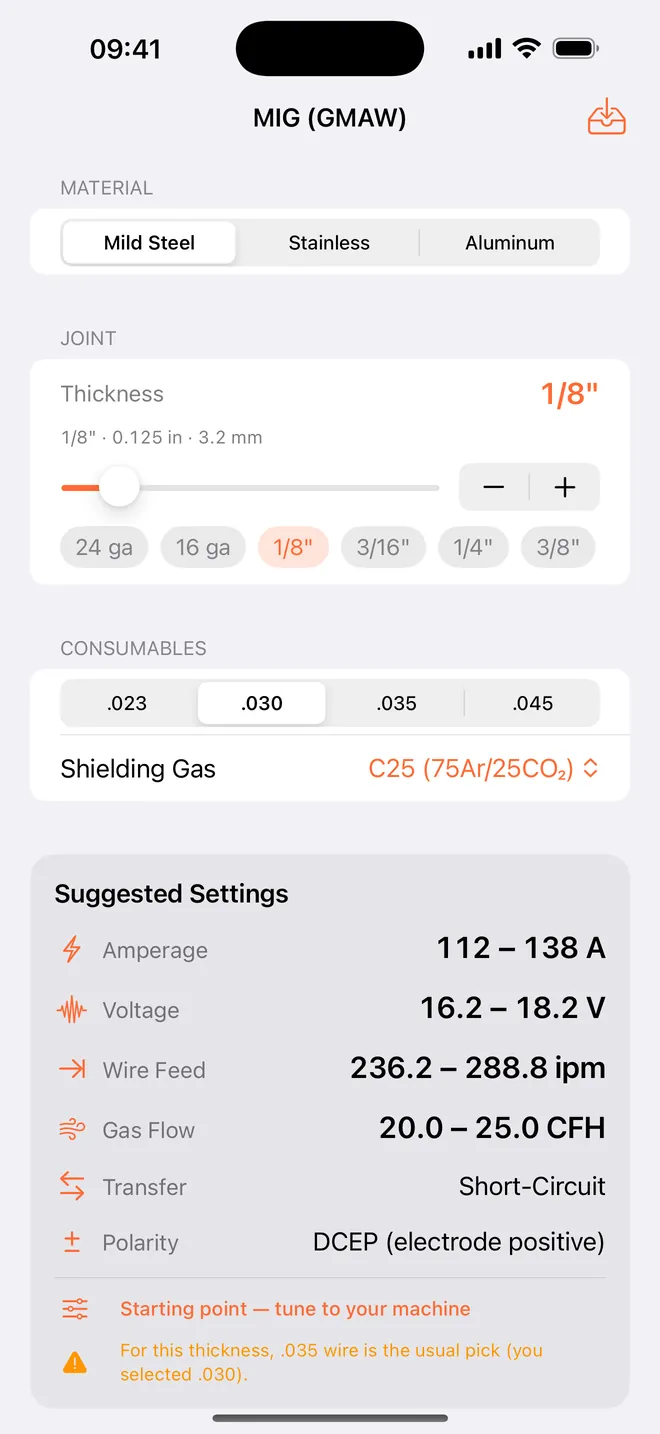
Stick
SMAW settings, ready
Pick material and thickness, get the range · Pro
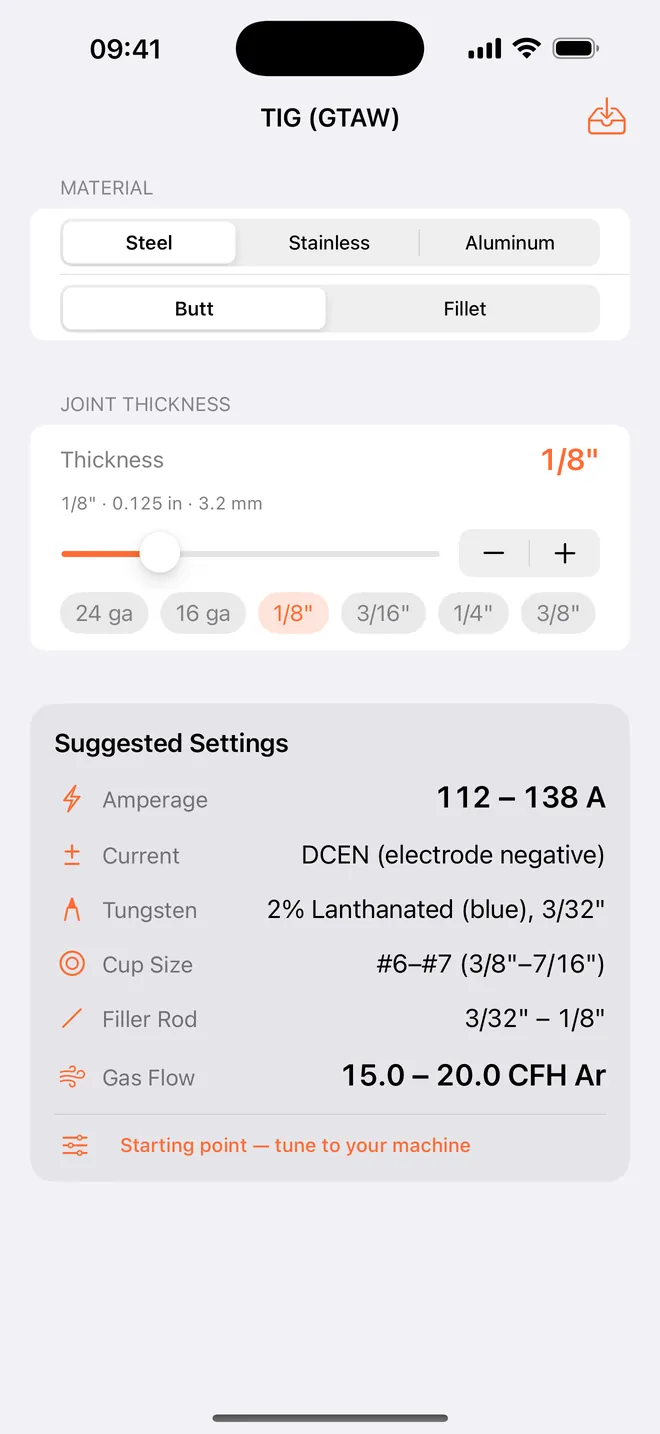
TIG
GTAW, dialed in
Amperage and gas flow for the joint · Pro
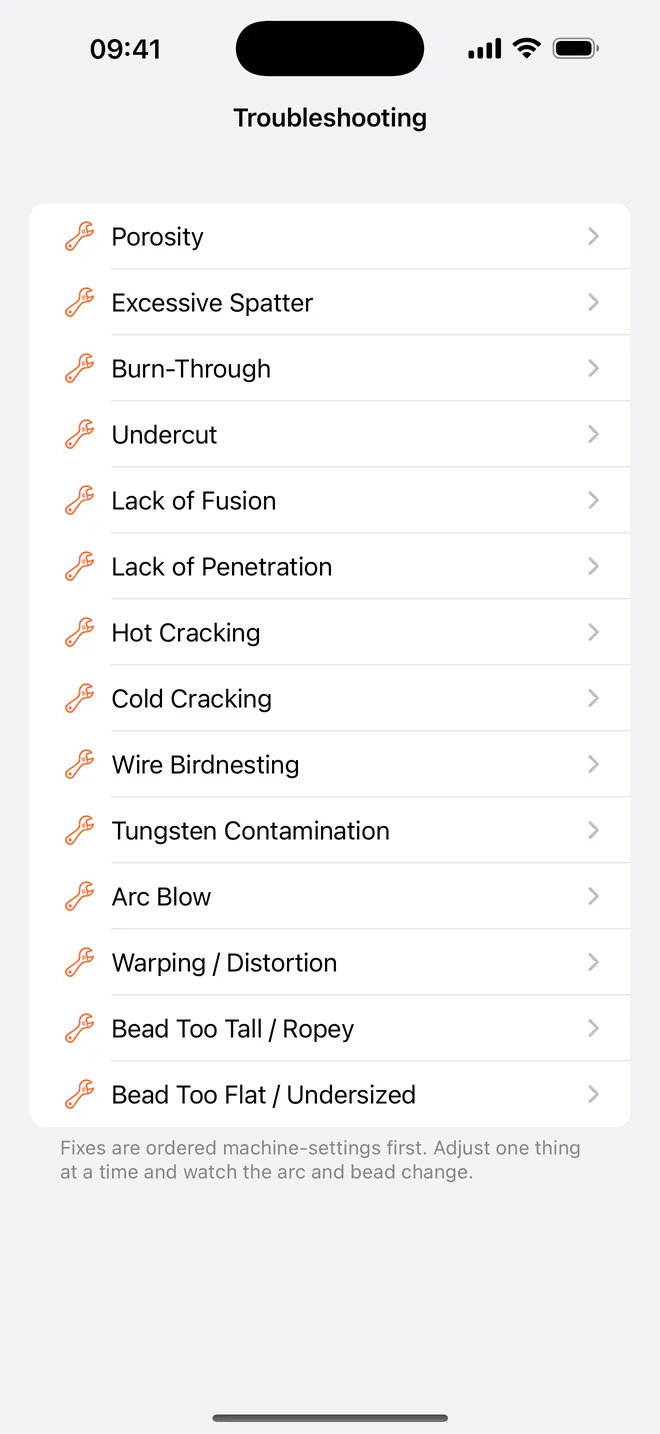
Troubleshooting
Why the weld failed
Porosity, spatter, burn-through and more
What can you calculate?
- Free, under Calculators: MIG for mild steel, stainless and aluminum, with wire size, shielding gas, transfer mode and polarity.
- Pro, under Calculators: Flux-Core (gasless E71T-11 and dual-shield E71T-1), Stick, TIG, Heat Input with a bead timer to measure travel speed, and Preheat / CE from the steel's chemistry.
- Under Reference: the Gauge Chart (free), plus the Electrode Chart, the Filler Selector and Troubleshooting for 14 weld defects, 3 of them free.
- Under Workspace: My Setups (Pro) keeps the settings that worked on your machine, and Settings switches the results between Imperial and Metric.
Quick start: MIG settings for 1/8" mild steel
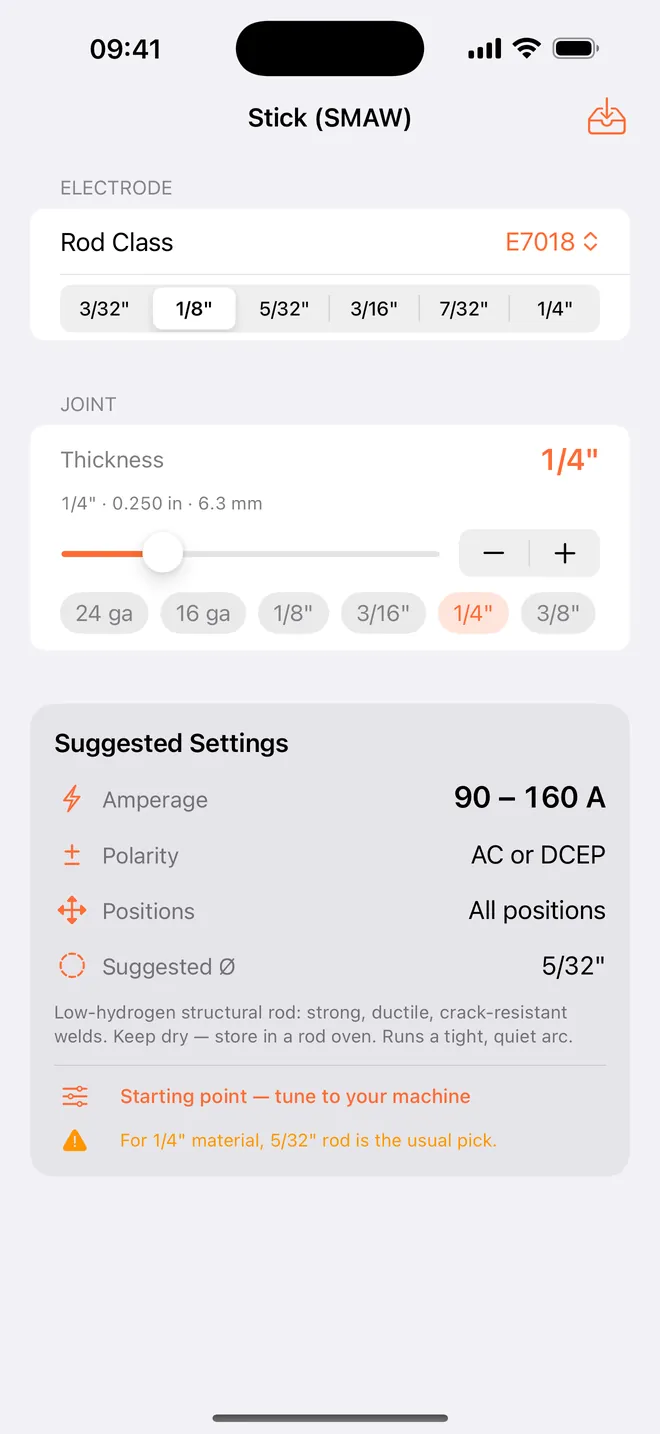
- Open MIG from Calculators on the main screen.
- Under Material, keep Mild Steel. Set Thickness with the 1/8" preset button, the slider or the fine stepper.
- Pick .035 under Wire Size and C25 (75Ar/25CO₂) under Shielding Gas.
- Read Suggested Settings: 112 – 138 A, 16.2 – 18.2 V, 180.0 – 220.0 ipm of wire, 20.0 – 25.0 CFH of gas, Short-Circuit transfer and DCEP polarity.
- Run a bead on scrap and tune from there. The screen says it too: Starting point — tune to your machine.
Free version and WeldMaster Pro
WeldMaster is free to download. The free version gives you the full MIG calculator for all three materials, the Gauge Chart, three defect guides (Porosity, Excessive Spatter and Burn-Through) and the unit setting, with ads.
WeldMaster Pro is a one-time purchase, not a subscription. It adds flux-core, stick, TIG, heat input, preheat, the electrode chart, the filler selector, the other 11 defects and My Setups, and it removes the ads. Restore Purchases is on the upgrade screen and in Settings.
Offline, no account, one permission
Every calculator, chart and saved setup runs on the iPhone. It keeps working in airplane mode with no signal. The internet only gets used for the ads in the free version, buying or restoring Pro, and the web links in Settings.
There is no login and nothing is uploaded: saved setups stay on the phone. The only permission prompt is the iOS tracking question, and it exists for the ads. Answer no and the app works the same; the ads are simply not personalized.
What it will not do
- It gives starting ranges from rules of thumb and fixed rod tables. That is a procedure's cousin, not a procedure.
- It does not know your welder model. You get amps, volts, wire feed and gas, never a tap or dial position for a named machine — no app can know that.
- The MIG amperage assumes about 1 A per 0.001" of thickness in a single pass, so heavy plate asks for more current than most machines have (3/8" mild steel gives 338 – 413 A). Weld thick plate in several passes, as your procedure says.
- Stick covers six rods: E6010, E6011, E6013, E7014, E7018 and E7024. TIG always suggests 2% lanthanated tungsten and has no pulse settings.
- It is an iPhone app, portrait only. There is no iPad layout, Apple Watch or Mac version, and My Setups has no export, sync or backup.
How-to guides for WeldMaster
Questions people ask about WeldMaster
Is WeldMaster free?
Do I need a signal in the shop?
Which welding processes are covered?
Can I see the results in metric?
Is there an iPad or Android version?
Free and Pro
Free
- Gauge Chart (sheet steel gauges 30 ga-3 ga and plate fractions 1/8"-1", inch and mm)
- Troubleshooting: 3 of 14 defects (Porosity, Excessive Spatter, Burn-Through)
- Settings (Imperial/Metric units)
- Filler & Cost (weight and cost of a fillet weld) and the Position choice in MIG/Flux-Core/Stick/TIG
Pro
- Flux-Core (FCAW) calculator: self-shielded E71T-11 and dual-shield E71T-1
- Stick (SMAW) calculator
- TIG (GTAW) calculator
- Heat Input calculator with the weld speed timer
- Preheat / CE calculator
- Electrode Chart
- Filler Selector
- the other 11 troubleshooting entries
Pro is optional. Everything in the free list works without it.
What's new in 1.2.0
The troubleshooting screens talked about the "toe" of a weld, and in several languages the translator had read that as the toe on your foot — Dutch "teen", Polish "palec", Russian "heel", German "Fuß". The six languages this app is sold in now say what a welder says.
Privacy and support
WeldMaster does not require an account. Read the privacy policy and the terms for this app, or write to us if something is wrong.
Made by a small independent developer. Questions? Write to us from the support page.