iSpeaker Cleaner: water eject and speaker test tones for iPhone and iPad
Speaker Cleaning & Water Eject
A splash, a dunk in the pool or a rainy walk can leave a phone speaker sounding muffled or underwater for a while. iSpeaker Cleaner plays low-frequency tones through the iPhone or iPad speaker to shake droplets and loose dust out of the grille, plus a tone generator for checking a speaker for rattles or distortion. It is for a muffled speaker after rain, a pool or a splash, or just for anyone who wants a test tone handy.

Smart Clean
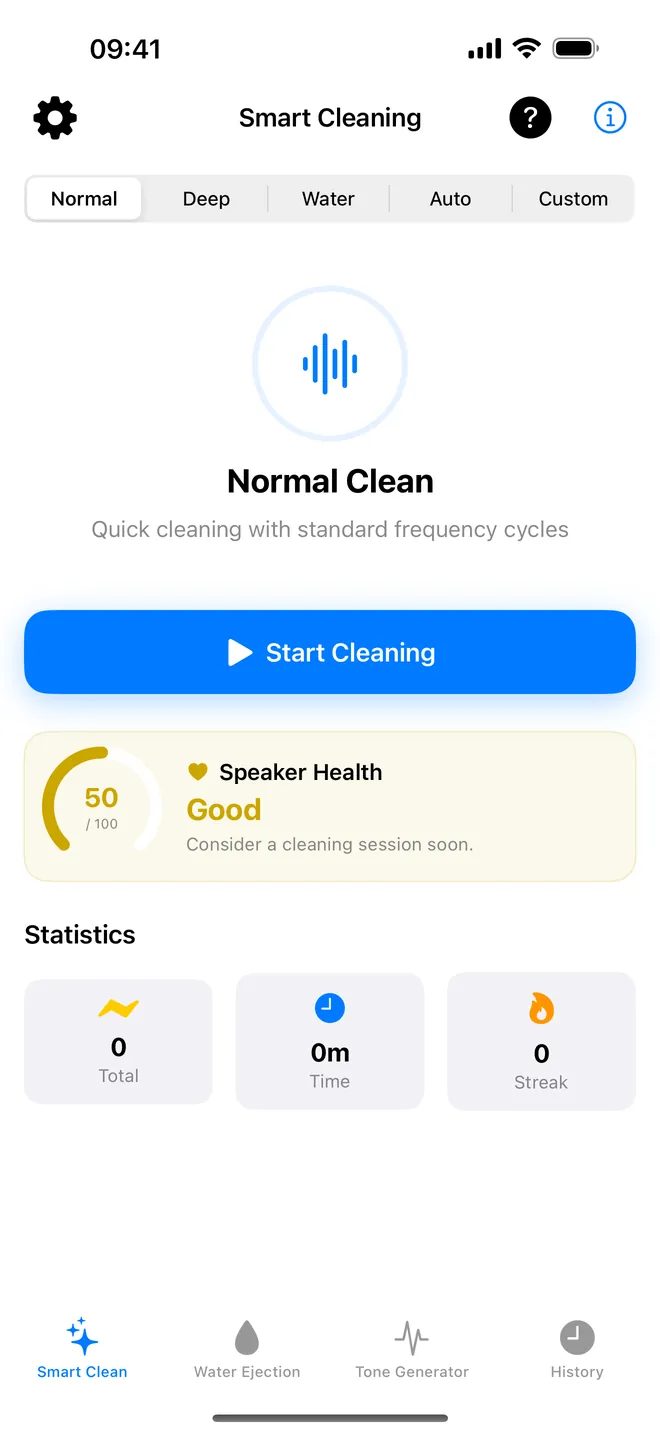
Pick a cleaning mode
Normal and Water, plus Deep and Auto · Pro
Water
One tap for water
A low tone to shake droplets from the grille
Tone generator
Dial in any tone
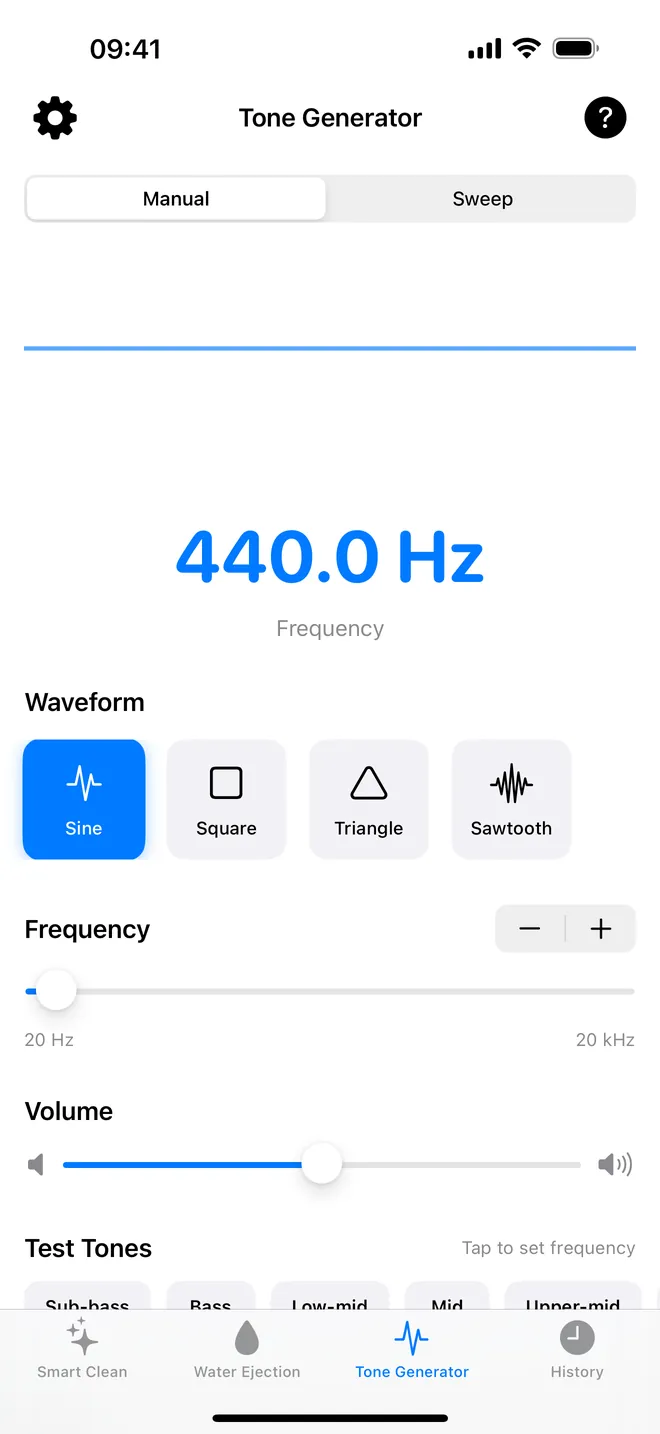
20 Hz to 20 kHz, four waveforms, test presets
What can you do with it?
Push water out of the speaker
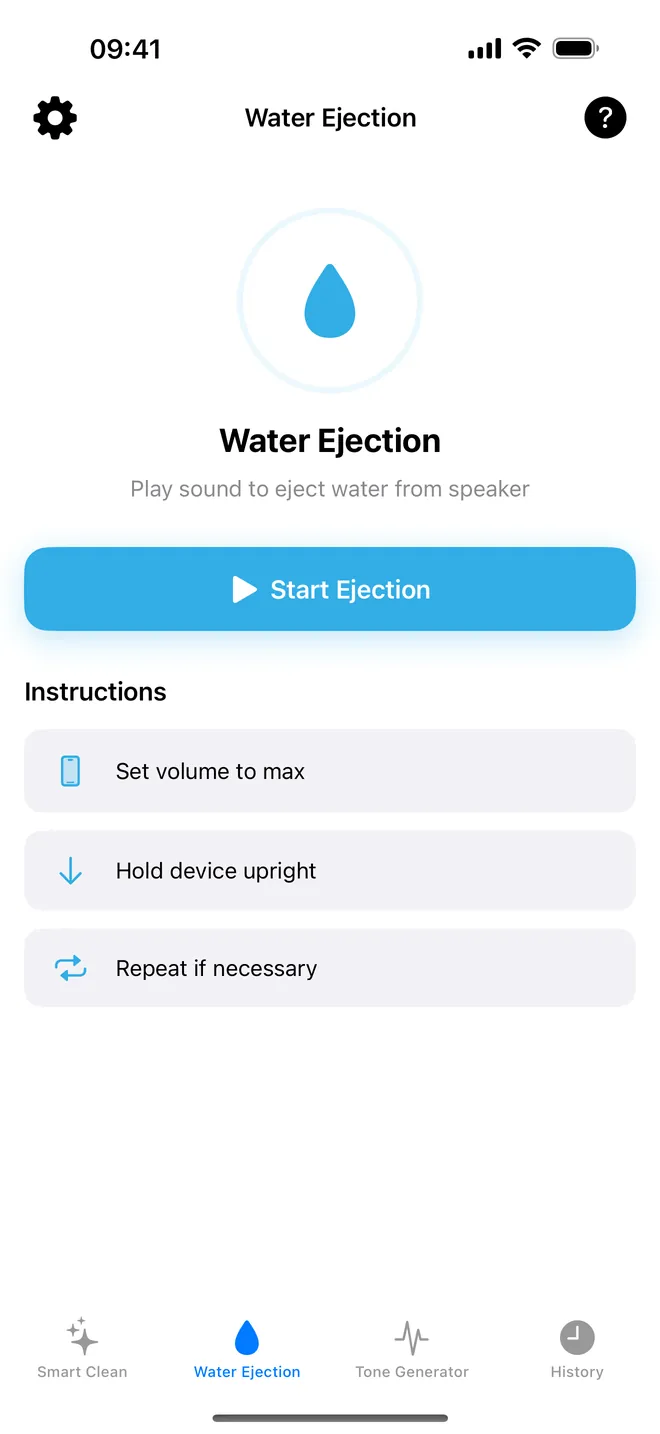
The Water Ejection tab plays a pure sine tone at full level for 30 seconds by default. It starts at 165 Hz, glides up to 200 Hz, the phone buzzes in your hand the whole time, and a countdown shows how long is left. It stops on its own and logs itself to History.
Run a cleaning program
Smart Clean has three ready-made programs instead of one tone. Normal alternates 165 Hz and 220 Hz for 30 seconds. Water steps through 80, 165, 200, 165 and 80 Hz for 40 seconds. Deep climbs from 50 Hz all the way to 500 Hz over 50 seconds. Normal covers most cases; Deep needs Pro.
Test a speaker with tones
The Tone Generator tab plays any frequency from 20 Hz to 20 kHz in four waveforms, with Test Tones shortcuts from Sub-bass (20 Hz) up to Air (16 kHz). Frequency Sweep glides from one frequency to another over 1 to 60 seconds — useful for hunting the exact note that sets something rattling.
Start it without menus
There's also an Eject Water action in the Shortcuts app, Spotlight and Siri (Siri only answers to English). It jumps straight to the Water Ejection tab and starts without another tap — the one time that matters, since your hands are usually wet when you need it.
Quick start
- Turn the volume all the way up with the side buttons first. The app can't touch system volume, which is why the screen itself says Set volume to max.
- Open Water Ejection and tap Start Ejection.
- Keep the app open and follow Hold device upright so water actually has somewhere to go.
- Wait for the countdown, then play something and listen. Still muffled? Let the phone rest a few minutes and follow Repeat if necessary — twice is usually enough.
Free version and Pro
Download is free. Free users get unlimited Normal and Water programs, the full manual tone generator, history, reminders, and 2 runs of Water Ejection total — not per day, total. After that, a short ad buys one more run, or Pro removes the limit for good.
Pro is a one-time purchase, not a subscription. No more ads, unlimited water ejections, plus Deep, Auto Mode, Custom and the automatic Frequency Sweep switched on.
Privacy, offline use and permissions
No account to make. Every tone is generated right on the device, so cleaning and test tones both work with the phone in airplane mode. Only ads and the Pro purchase touch the network at all. Sessions and settings stay put on the device; nothing syncs anywhere.
- Microphone: only for Auto Mode's 3-second listening check, and nothing from it is recorded or saved anywhere.
- Notifications: optional cleaning reminders, nothing else.
- Tracking: free version only, to personalize ads. Decline it and ads still show, just not aimed at you.
Limits and who it is not for
Sound only moves water and dry dust sitting right in the speaker opening. It won't dry the inside of the phone, the charging port or the microphones, and it can't fix a speaker that's actually damaged. It also only plays while the app is open on screen, and the output is mono, so you can't aim it at one speaker alone.
A couple of features promise more than they deliver. Auto Mode is really judging your room's noise, not the speaker. Speaker Health is a cleaning-habit score, not a measurement. And the Custom program, as of this writing, ignores whatever you set in Custom Mode Settings and just plays one 165 Hz step for 5 seconds.
How-to guides for iSpeaker Cleaner
Questions people ask about iSpeaker Cleaner
Does it really get water out of the speaker?
Is iSpeaker Cleaner free?
Does it work on iPad?
Does it need internet or an account?
Can it play the tone with the app closed?
Free and Pro
Free
- Smart Clean tab: Normal mode and Water mode, unlimited
- Water Ejection tab: 2 ejections in total (a lifetime count stored on the device, it does not reset daily); after that, one extra ejection per rewarded video watched
- Tone Generator tab: Manual Tone (20 Hz-20 kHz slider and stepper, 4 waveforms, volume, 7 Test Tones presets), unlimited
- History tab (sessions, statistics, achievements), Speaker Health card, cleaning reminders, Settings
- 'Eject Water' Siri/Shortcuts action (it opens the Water Ejection tab and starts an ejection, subject to the same free limit)
- Sound level meter in the Tone Generator tab: a relative level in dBFS from the microphone (not calibrated); asks for Microphone access
- Siri / Shortcuts phrase 'Eject water with iSpeaker Cleaner' in 33 languages (it opens the Water Ejection tab)
Pro
- no ads of any kind
- unlimited Water Ejection (no 2-use limit)
- Deep, Auto Mode and Custom modes in Smart Clean
- the automatic Frequency Sweep in the Tone Generator
Pro is optional. Everything in the free list works without it.
What's new in 1.4.0
The description now says what a tone can and cannot do: it pushes water out of the speaker grille the way Apple Watch does, it shakes loose dust free, and it will not pull out packed-in lint or rescue a phone that got properly soaked. Better to read that here than to find it out afterwards.
Privacy and support
iSpeaker Cleaner does not require an account. Read the privacy policy and the terms for this app, or write to us if something is wrong.
Made by a small independent developer. Questions? Write to us from the support page.