FareMeter, a GPS taxi meter app for iPhone
Taximeter, Earnings & Receipts
Your iPhone becomes the meter: it measures the ride with GPS, prices it live with the rates you enter, and saves each trip as a receipt and a line in your trip log. It suits taxi, private hire and minicab drivers, plus rideshare drivers who want their own record of every fare, separate from whatever the platform shows them.

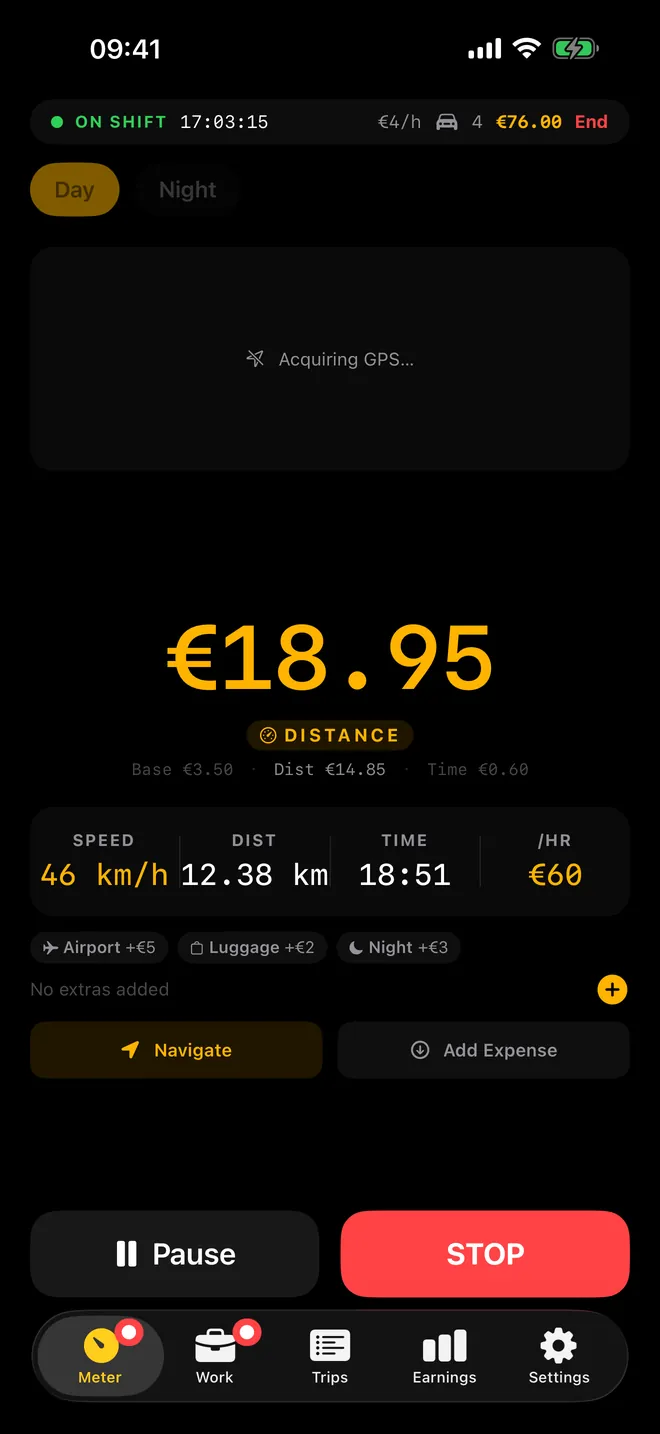
Live fare
Every kilometre, metered live
Distance, time and extras on one big counter
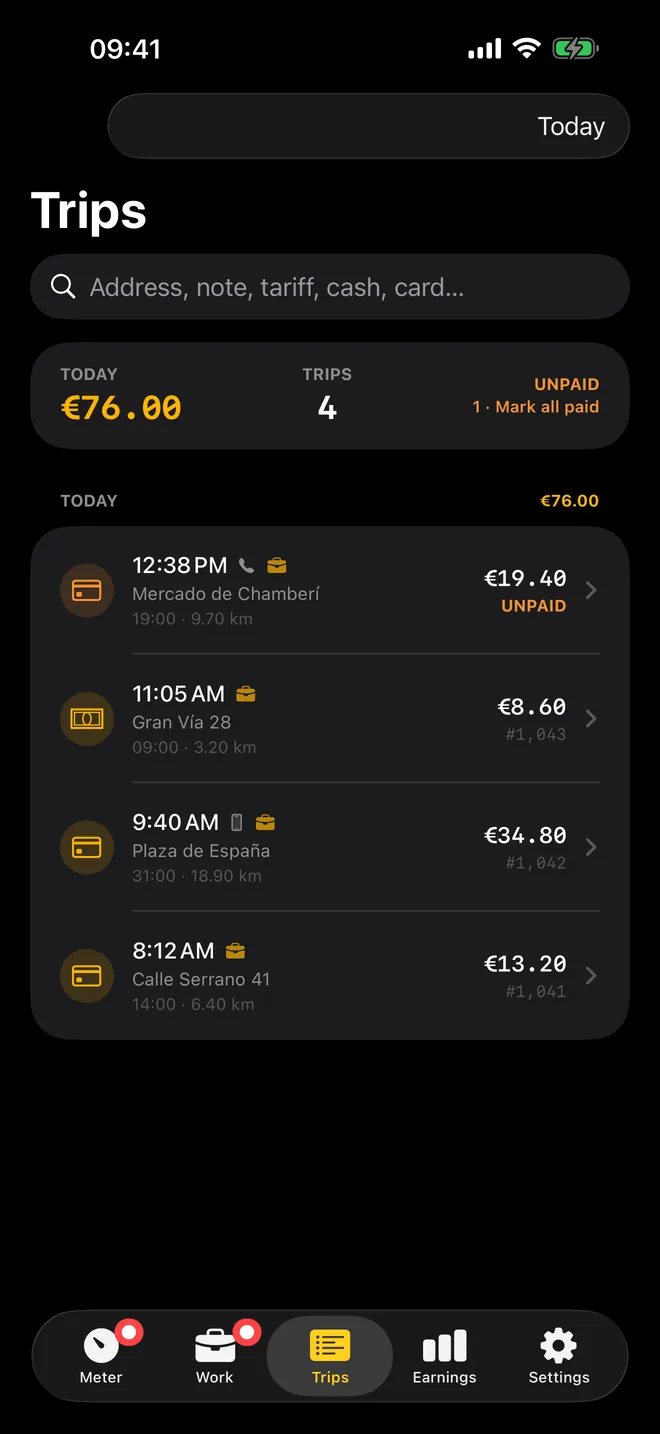
Trips
Every ride, on record
Search by address, note, tariff or payment
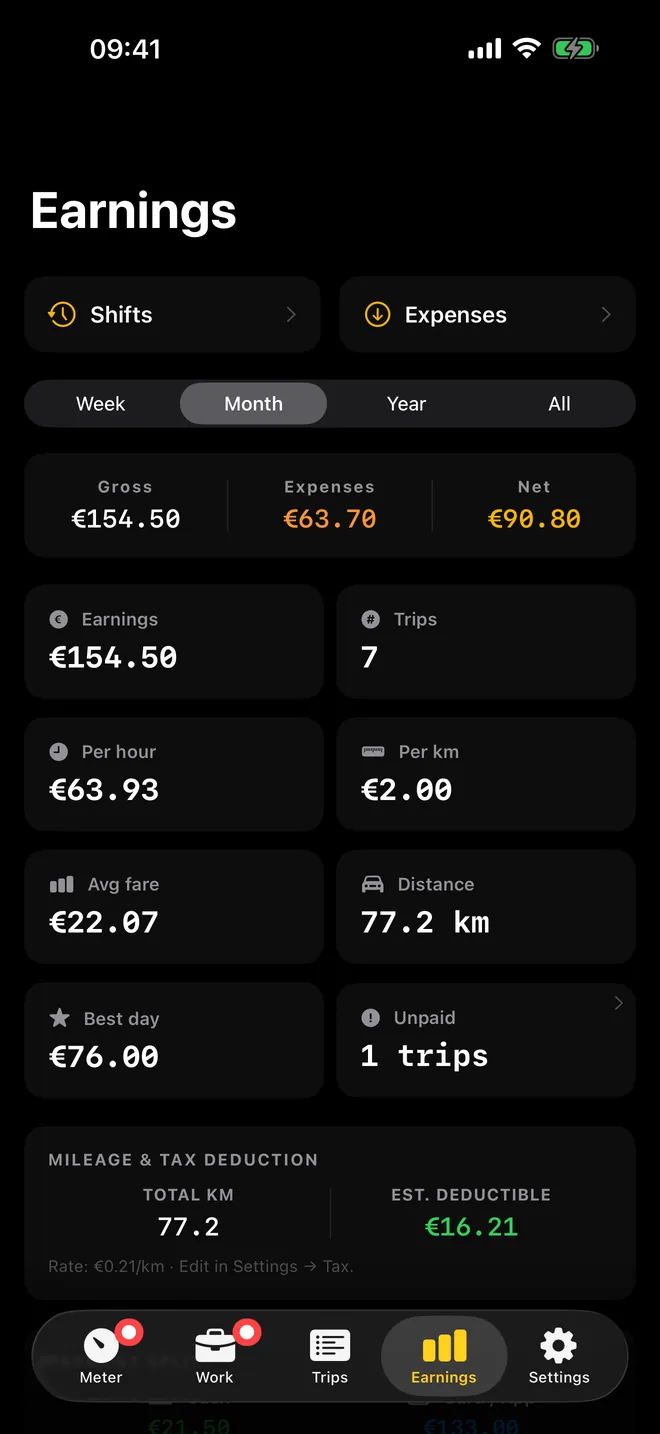
Earnings · Pro
Know what you really earned
Gross, expenses and net by week, month or year
What you can do with it
Run the meter
- Tap START on the Meter tab and the fare climbs as you drive, from distance while moving and time while stopped in traffic, like a cab meter.
- Pause freezes the fare, Resume picks it up again, and STOP ends the ride so you can save it.
- Add surcharges during the ride: Airport, Luggage, Night, Booking, Waiting, Pet, or any extra you name yourself, such as a toll.
- The running fare also shows on the Lock Screen and in the Dynamic Island, so you do not need the app open while navigating.
Set your own rates
- Each tariff has a Base fare, a price per km or per mile, a Per minute price and an optional Minimum fare.
- Pick how it charges: Speed threshold (classic), Distance only, Time only or Both simultaneously.
- Give a tariff a Schedule and switch on Apply automatically, and it takes over by itself, for example at night from 22:00 to 06:00 or on weekends.
Keep the paperwork
- Every saved trip gets a Receipt screen with the fare breakdown, which you can share as text or by email.
- With Pro: PDF receipts with your business details and a QR code, shifts with net earnings after expenses, and CSV export of trips and expenses.
- The Earnings tab adds up your saved trips by Week, Month, Year or All.
Quick start
- Allow location access when asked. The meter cannot measure a ride without it.
- Open Settings, check the two starter tariffs under Tariffs (a day rate and a night rate) and change the numbers to your local rates, or tap Add Tariff.
- Go to the Meter tab and tap START when the passenger is in the car.
- Add extras as they come up, then tap STOP and confirm with Stop & review.
- Choose how the passenger paid and tap SAVE. The trip is now in the Trips tab.
Free, and what Pro adds
The download is free, and nothing about the actual meter is held back: the full meter, every tariff and charging option, extras, the fare calculator, bookings and text receipts all work with ads on, up to 10 saved trips. Past that, a rewarded ad buys you one more save.
Pro drops the ads and the 10-trip cap, and brings shifts and expenses, PDF receipts with a QR code and printing, CSV export, the Apple Watch app and the Home Screen widgets. It comes as a monthly or yearly subscription or a one-time lifetime purchase; if you drive regularly, the lifetime option pays for itself faster than you would think.
Privacy, offline use and permissions
- No account and no sign-in. Trips, shifts and expenses are stored on your iPhone and, if you are signed in to iCloud, backed up and synced through your own iCloud account.
- The meter works without a data connection because GPS does not need one. Maps, address search in the fare calculator, purchases and ads do need a connection.
- Location "while using" measures the ride. Location "always" lets the meter keep counting with the screen locked or another app in front; it is only used while a trip is running or paused.
- Tracking permission is asked only to show more relevant ads in the free version.
Limits, said plainly
- GPS stays on for the whole ride, which costs battery, so plug into the car charger for a full shift.
- No CarPlay screen yet.
- The Apple Watch app is a separate meter with its own GPS and its own default tariff, and it has no idea what is running on your iPhone.
- iPhone only. No iPad, Mac or Android version.
How-to guides for FareMeter
Questions people ask about FareMeter
Is FareMeter free?
Does the meter need mobile data?
Can I use it as the legal meter in my licensed taxi?
What happens if iOS closes the app during a ride?
Does it work on CarPlay?
Free and Pro
Free
- GPS meter, tariffs, extras, receipts, CSV/PDF export and analytics all work in the free tier, just capped by the 10-trip limit
- ads shown throughout
Pro
- unlimited saved trips (removes the 10-trip cap)
- no ads
- shifts & net earnings tracking
- expense tracking
- branded receipts with QR code
- iCloud sync & backup
- CSV & PDF export
- Apple Watch app and widgets
Pro is optional. Everything in the free list works without it.
What's new in 1.4.0
The meter now speaks 33 languages: trip screen, payment sheet, widgets and the Apple Watch app are fully translated. Your Pro unlock now sticks even with no signal, the free trial is only shown when it actually applies to you, and every screen keeps its high-contrast dark look. Plus smoother full-screen ad handling. • Sitting at a light no longer adds distance to the fare. GPS drift is filtered out; waiting time still counts, as it should. • A trip survives a locked screen. It is saved while you drive and comes back if iOS closes the app mid-fare. • Currencies without decimals (¥, ₩, ₫) close on an amount you can actually be paid; the three-decimal dinars too. • The ad no longer lands on top of the total at the end of a trip.
Privacy and support
FareMeter works offline and does not require an account. Read the privacy policy and the terms for this app, or write to us if something is wrong.
Made by a small independent developer. Questions? Write to us from the support page.