
Spirit Box, a ghost-hunting toolkit for iPhone and iPad
Ghost Detector & Hunting Tools
Spirit Box is a ghost-hunting app for iPhone and iPad: spirit-box style sessions with random words, letters and numbers, an Ouija board, a magnetometer reading, a ghost box with recording and an investigation journal. It is made for amateur ghost hunters, curious beginners and paranormal content creators, and it does not pretend otherwise: every output is generated at random on your phone.

 Android: Spirit Box: Ghost ITC
Session modes
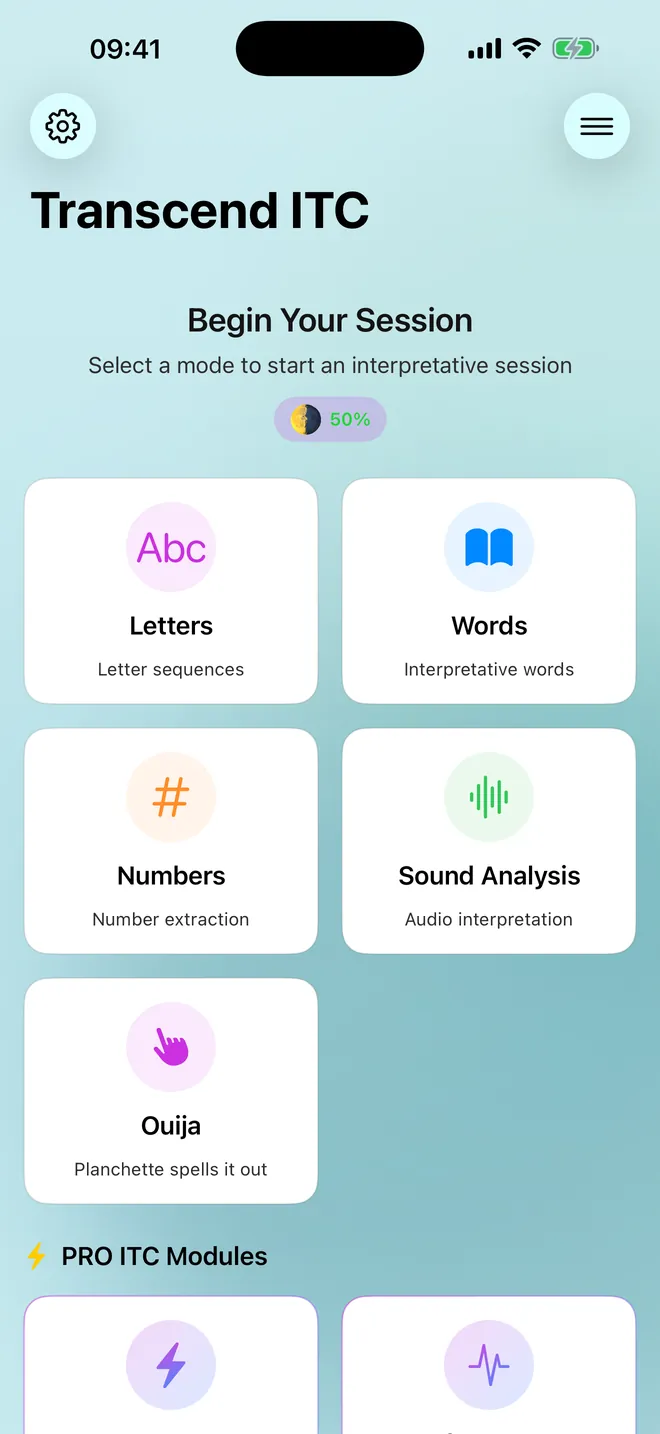
Pick a mode, then go
Letters, words, numbers, sound analysis and more
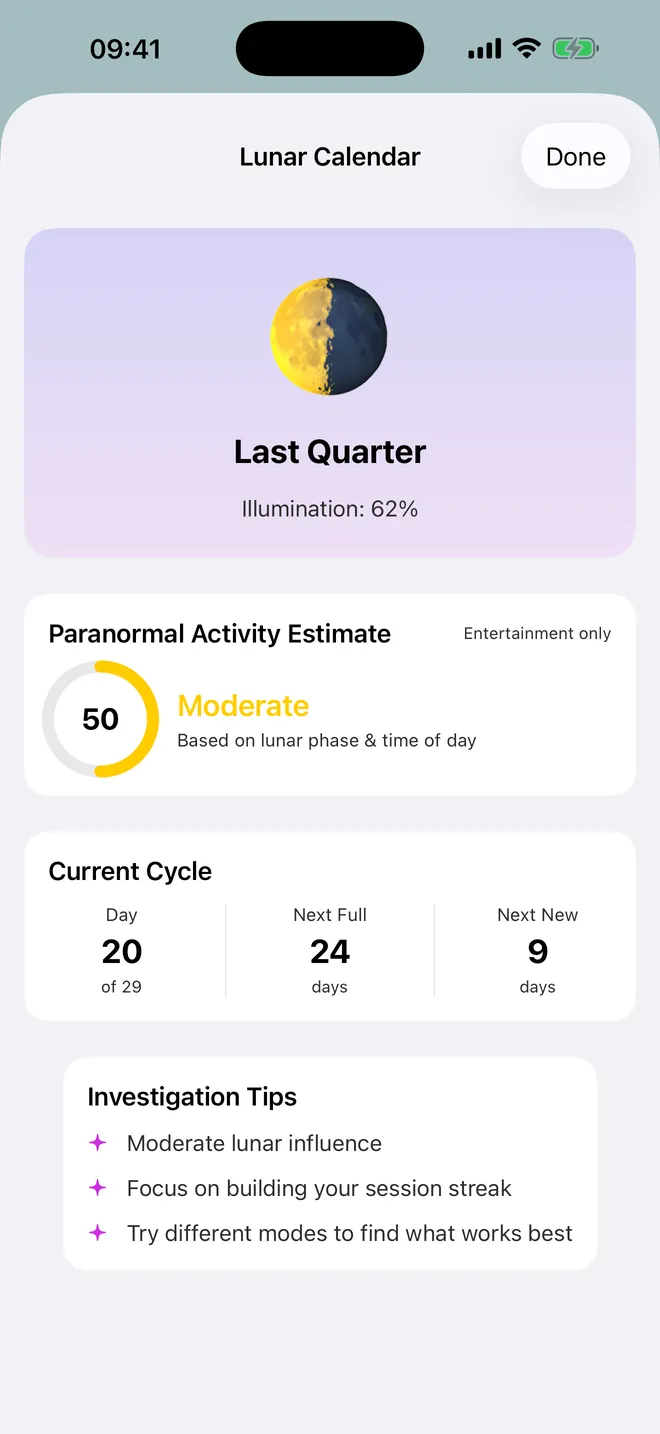
Lunar calendar
Know the moon tonight
Phase, illumination and days to the next full moon
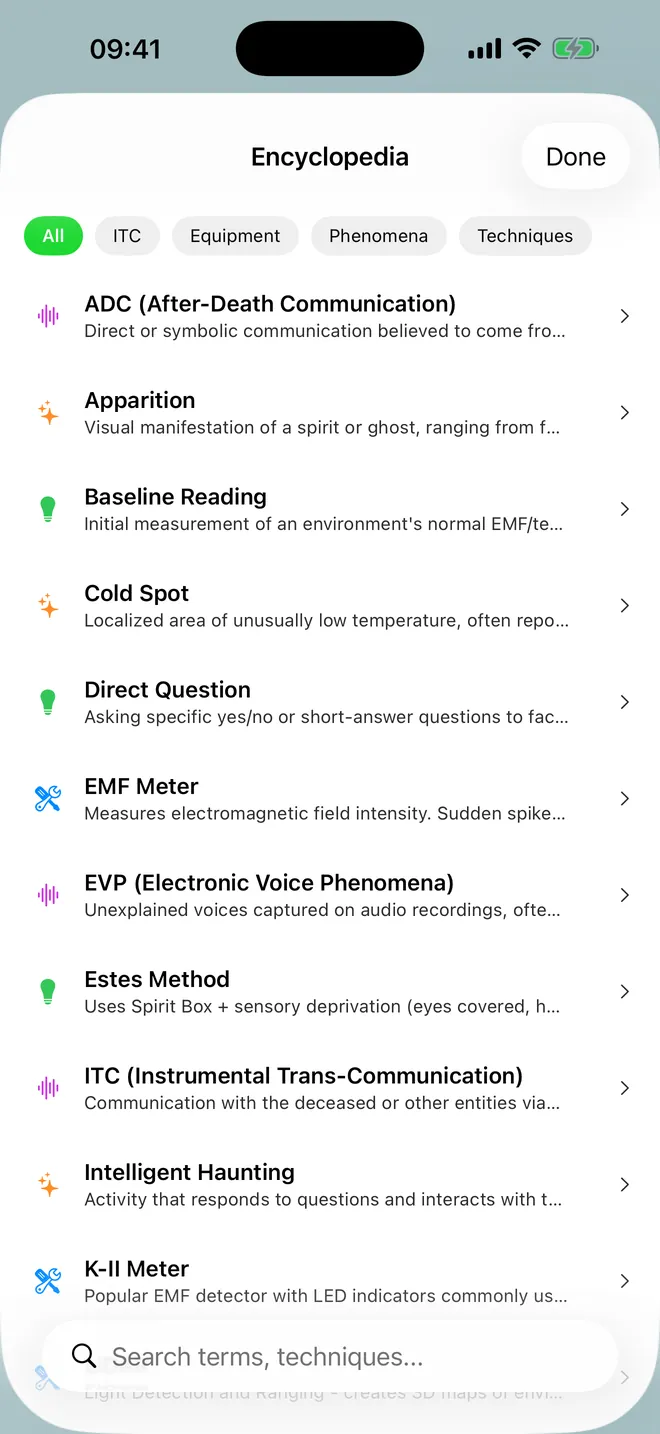
Encyclopedia
Every term, explained
ITC, equipment, phenomena and techniques
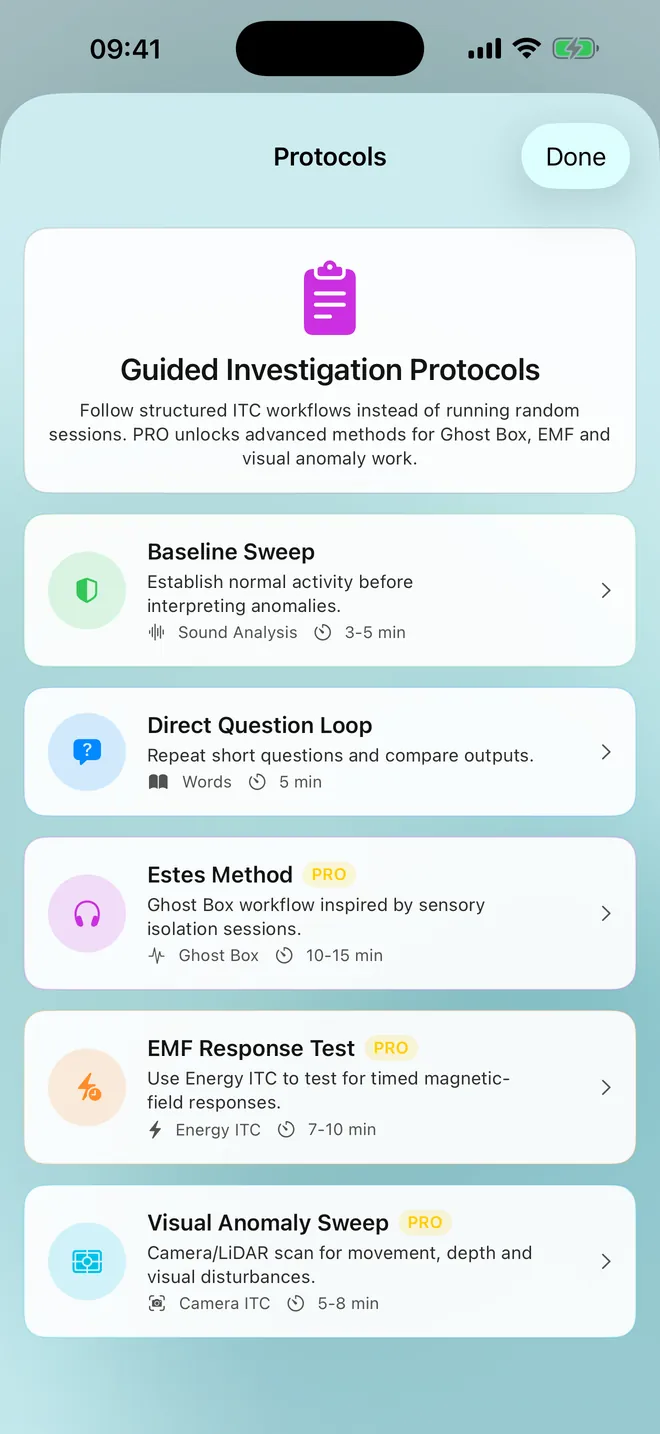
Protocols
Follow a guided session
Baseline Sweep and Direct Question Loop, step by step
What can you do with it?
The tools are grouped by job. Free covers the classic spirit box session. PRO adds sensors, audio and camera tools for when a quick session turns into a longer investigation.
- Word sessions: Words speaks common words in your phone's language, Letters spells random letter strings, Numbers ITC pulls digit runs from π, e, φ or √2, and Sound Analysis produces a word when the microphone hears a loud peak.
- Ouija board: a drawn board where the planchette spells a random 3 to 7 letter word, letter by letter, and then says it aloud.
- Sensors (PRO): Energy ITC shows the phone's magnetometer reading in µT and can turn readings into text or spoken words; Camera ITC adds visual filters and an activity score; LiDAR Scan draws a depth overlay on devices with a LiDAR Scanner.
- Audio (PRO): Ghost Box plays synthesized sound fragments from 9 banks and records what the microphone hears to an audio file, with bookmarks.
- Records: Session History, an Investigation Journal, Guided Protocols, a Lunar Calendar, Insights and Achievements.
Quick start: your first session
- Open the app. Under Begin Your Session, tap the Words card.
- Tap Start Session. A word appears and is spoken every 7 to 18 seconds on the free plan.
- Ask your questions out loud between outputs. Tap an output to hear it again, or Skip to get the next one now.
- Tap End Session. The Session Complete screen lists every output with its time.
- Use Share as Image or Copy Outputs to Clipboard to keep the result, then Done.
Free vs. PRO
Free is free to download, with ads. You get Letters, Words, Numbers ITC, Sound Analysis and Ouija: 3 sessions a day, up to 3 minutes each, the latest 5 sessions kept in history, 3 journal entries and the two basic protocols. A rewarded ad can add a bonus session, buy you 2 extra minutes, or let you try a PRO module once.
PRO is a weekly, monthly or yearly subscription, or a one-time Lifetime purchase — the purchase screen shows your country's actual prices rather than a guess. It drops the ads and opens up sessions with no daily cap, up to 20 minutes, faster automatic outputs, Energy ITC, Ghost Box, Camera ITC, LiDAR Scan, the Evidence Report, PDF export, full history, unlimited journal entries and three more protocols. Most of what makes a session interesting is already in the free modes, so it is worth trying those for a week before paying for any of this.
Privacy, offline use and permissions
No account, no sign-up. Sessions, history, journal and recordings stay on the device, with no iCloud sync — deleting the app deletes that history for good, so export or share anything worth keeping first. Videos saved to Photos are the exception; those survive. Every session itself works offline; only ads, purchases and the links in Settings reach out.
- Microphone: the sound level in Sound Analysis and Camera ITC, and Ghost Box recordings. Sound Analysis keeps no audio.
- Camera: Camera ITC and LiDAR Scan.
- Screen recording: a system prompt appears when Camera ITC records its filtered view to save as a video.
- Photos (add only): to save videos and share images; the app does not read your photos.
- Notifications: local reminders such as a streak reminder and a full-moon alert.
- Tracking: asked once, for personalized ads in the free version; PRO removes ads entirely.
Limits, and who it is not for
The app makes no claim to contact anyone. Settings says plainly that results come from randomization algorithms, and the Ouija Board screen is labelled entertainment only. Sensors can change when or how often an output appears; they never pick which word it is. The magnetometer is not a calibrated EMF meter, and the Thermal and Night Vision camera looks are colour filters, nothing more.
So no, it will not give you proof of anything, and it is not a lab instrument. What it does well is a structured, repeatable spirit box session with a log you can actually share afterwards.
How-to guides for Spirit Box
Questions people ask about Spirit Box
Is the Spirit Box app free?
Does it work on iPad?
Where do the words come from?
Do I need to create an account?
Is there an Android or Apple Watch version?
Free and Pro
Free
- Letters, Words, Numbers, Sound Analysis and Spirit Board session modes
- sessions up to 3 minutes (one +2 minute extension per session by watching an ad)
- Session Complete summary with outputs, 'Share as Image', 'Share to Stories', 'Copy Outputs to Clipboard'
- Guided Protocols 'Baseline Sweep' and 'Direct Question Loop'
- Lunar Calendar (phase, illumination, days to next full/new moon, 'Paranormal Activity Estimate')
- basic Insights, Achievements, streaks, Daily Challenge, Encyclopedia, Tips & Tricks, Activity Calendar
- EMF Detector (live magnetometer reading in µT, baseline, spike alerts, 60-second graph, log to Journal; since 1.8.1; not a session)
Pro
- no ads
- unlimited sessions per day
- sessions up to 20 minutes
- faster automatic output in Letters, Words, Numbers and Spirit Board (shorter random wait between outputs)
- Energy ITC module (magnetometer reading with Text / Speech word output)
- Ghost Box module (9 procedural sound banks, effects, audio recording with bookmarks)
- Camera ITC (filters Night Vision, Thermal, Spirit, Static; screen video recording saved to Photos) and LiDAR Scan on LiDAR devices
- Evidence Report on the Session Complete screen (score, tier, findings, Signal Timeline)
Pro is optional. Everything in the free list works without it.
What's new in 1.6.0
You can now see what you are paying and when. Settings shows the date and the amount of your next charge, right above a Manage Subscription button that opens Apple's own sheet without leaving the app. Before, the only button a subscriber could find threw you out to Safari, and the good one was buried among the legal links. Also in this update: • The purchase screen lost the period next to the price, and its buy button stayed in English. Fixed. • The PRO badge was mistranslated in several languages. • Six screens that could not be opened at all now open. • Ads no longer appear behind a sheet that was always in front of them. • Broken placeholders in the translated texts are gone. • The exported PDF pointed at a dead domain.
Privacy and support
Spirit Box does not require an account. Read the privacy policy and the terms for this app, or write to us if something is wrong.
Made by a small independent developer. Questions? Write to us from the support page.