
Tally Counter, the tap counter for tasbeeh, rows, people and stock
Clicker, tasbeeh, row counter
Tally Counter started as a tasbeeh counter for after prayer, and grew to cover knitting rows, delivery counts and lap counts too. It is a manual tap counter for iPhone, iPad and Apple Watch, built for anyone who still counts by hand.

Tap counter
One big button, one count
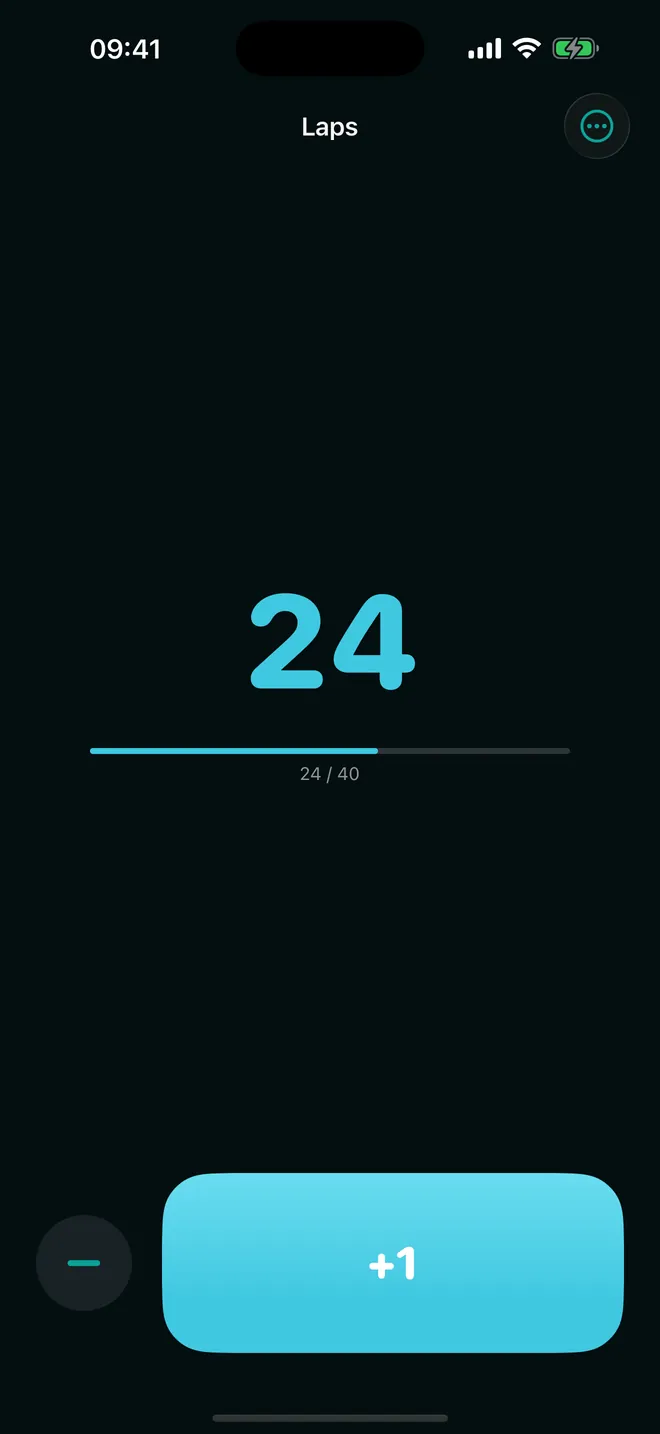
Set a goal and watch the progress bar fill
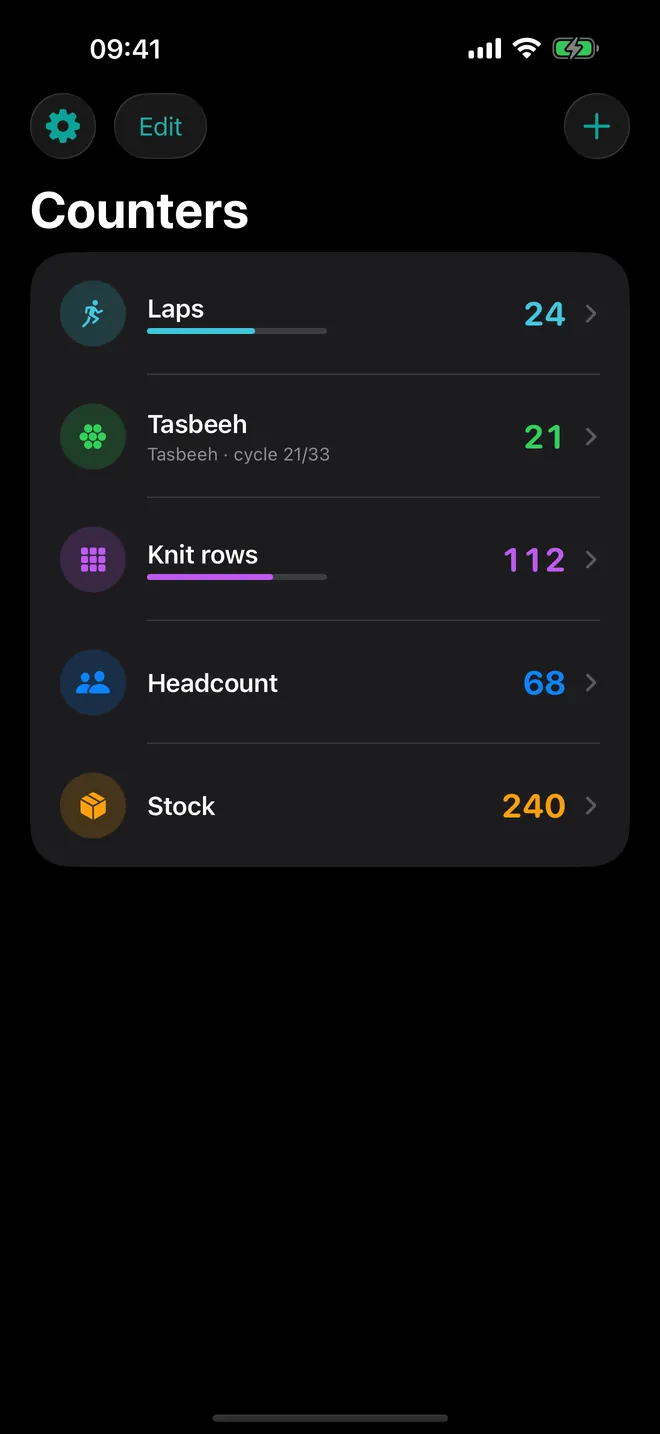
Counters
Keep every count apart
Laps, rows, stock: each with its own goal
Tasbeeh
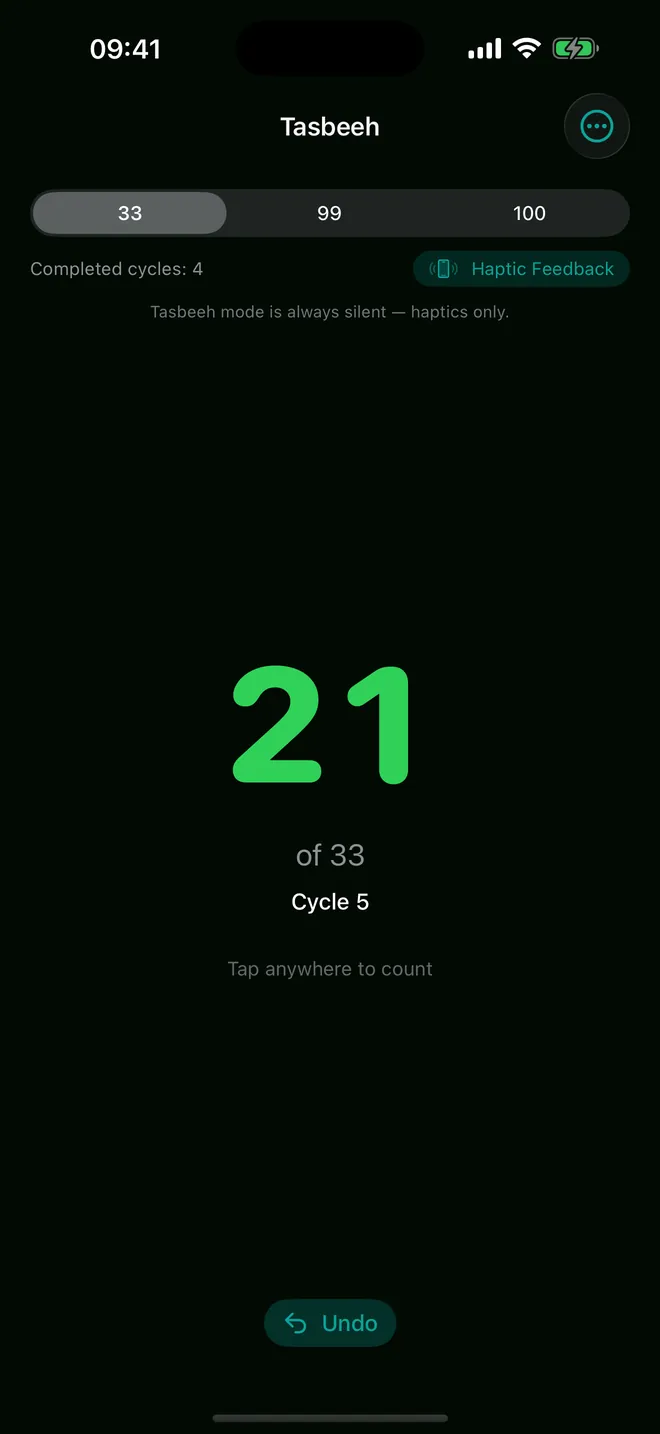
Silent cycles of 33, 99 or 100
Haptics mark each cycle, no sound needed
History
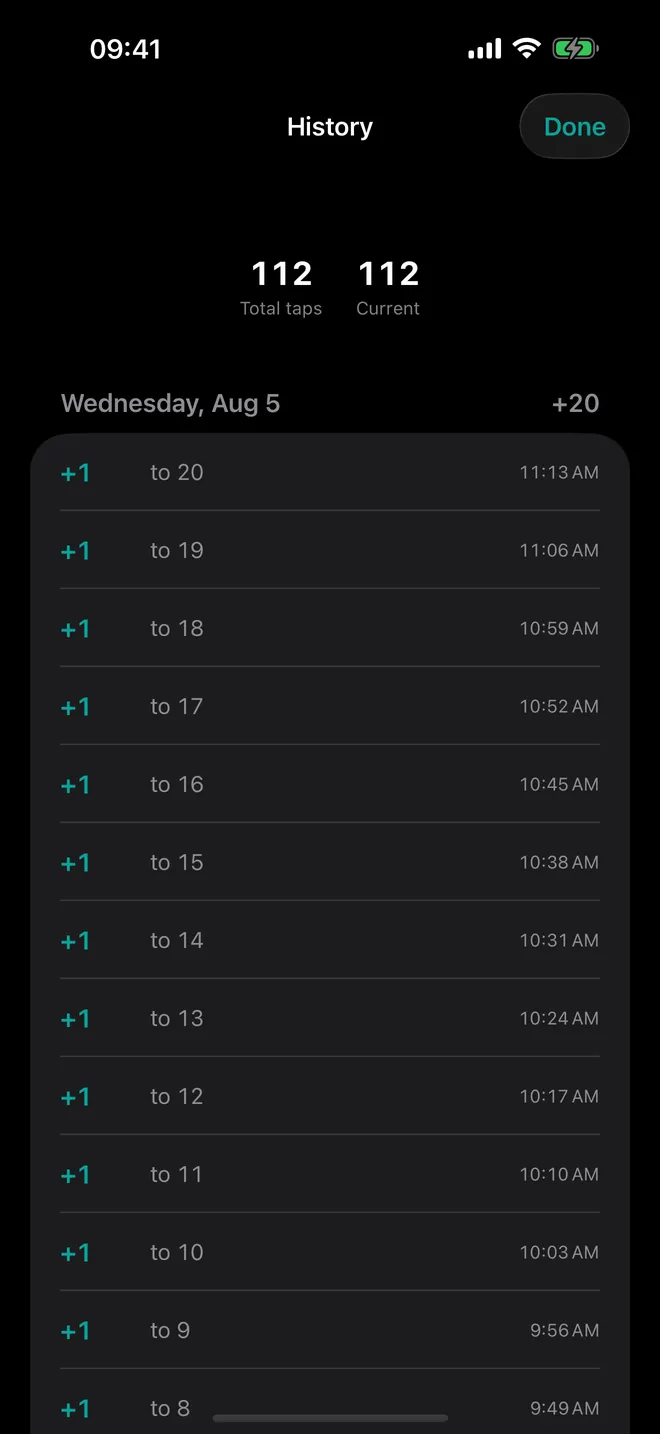
Every tap, on record
Grouped by day, with the time of each count
What can you count with it?
Two kinds of counter share one list. A standard counter is a big number, one large button that adds your step size (1 to 100), and a round Decrease button that steps back and stops at 0. A tasbeeh counter is different: almost the whole screen becomes one tap zone, and it counts in cycles of 33, 99 or 100 instead of climbing forever.
- Dhikr: Tasbeeh after prayer (33·33·34) creates Subhanallah, Alhamdulillah and Allahu Akbar in one tap, 100 beads in total. More dhikr adds Astaghfirullah or Salawat at 100.
- Goals: turn on Set a goal and a progress bar fills until the app vibrates and shows Goal reached!.
- Exact values: long-press the big button for +5, +10 or Enter Amount… to type the right number.
- History: every tap is logged with its time, grouped by day, with Total taps and Current at the top.
- Blind counting: Count with volume buttons lets either volume button count while a counter is open.
- Apple Watch: tap the screen or turn the Digital Crown on counters you made on the iPhone.
Quick start
- Open the app and tap + at the top of Counters.
- Choose New Counter, New Tasbeeh Counter or one of the dhikr presets.
- Give it a Name, pick an Icon and a Color, then tap Save.
- Tap the counter in the list and start tapping.
- Use the ... menu at the top right for Edit and History.
What is free and what does Pro add?
The free plan goes further than most: 3 counters of any kind, tasbeeh mode, the presets, history, volume-button counting and the Apple Watch app, no catch. Hit the limit and Watch Ad for +1 Counter buys one more slot until you close the app.
Skip Lifetime unless you're sure you'll keep using it past a year or two; the weekly and monthly options cost less if you drop off. Pro adds unlimited counters, the Home Screen widget, 8 more colours on top of the 4 free ones, and removes ads.
Ads, privacy and offline use
No ad interrupts a counting screen, ever. Outside of that: a banner on the counters list, sometimes a full-screen ad after you delete or reset a counter, and sometimes one when you come back to the app from the background.
Counts and history stay in a database on your device. There is no account, and counting, history and the watch link work without internet; only ads and purchases go online. The one permission is tracking, asked on the Before you start page for personalised ads. Say no and the app works the same with non-personalised ads.
What it does not do
- It never counts by itself: no camera, step or rep detection. Every count is a tap, a button press or a crown turn.
- No export, sharing or iCloud sync. Only your paired Apple Watch mirrors the iPhone.
- Tasbeeh cycles are 33, 99 or 100 (34 comes only with the after-prayer preset). Standard counts cannot go negative.
- No Lock Screen widget, no watch complication, no Mac or Android version. The Home Screen widget shows a number; you cannot count from it.
How-to guides for Tally Counter
Questions people ask about Tally Counter
Is Tally Counter free?
Does it make a sound when I count?
Will my counts disappear if I reset?
Does it need an internet connection?
Which devices does it run on?
Free and Pro
Free
- Up to 3 counters (standard or tasbeeh, any mix)
- Standard counters: big tap button, Decrease button, step size 1-100, long-press +5 / +10 / Enter Amount…, goal with progress bar, sound and vibration
- Tasbeeh counters: 33/99/100 cycles, the 33·33·34 after-prayer preset, Astaghfirullah and Salawat presets at 100, completed-cycle count, cycle goal, Undo, silent haptics
- Count with volume buttons (Settings toggle)
- History per counter grouped by day
- Apple Watch app
- 4 colours: Blue, Green, Orange, Gray; all 12 icons
- Reset (keeps history), delete, reorder counters
Pro
- Unlimited counters
- The Home Screen widget (small and medium) and its setup screen
- 8 extra counter colours (Red, Yellow, Mint, Teal, Indigo, Purple, Pink, Brown)
- No ads (banner, interstitial, app-open)
Pro is optional. Everything in the free list works without it.
What's new in 2.0.2
• The ad banner now sits below the counter list instead of covering its last row • The privacy questions on first launch now appear in the proper order • The Apple Watch app is now fully translated • Small fixes and polish
Privacy and support
Tally Counter does not require an account. Read the privacy policy and the terms for this app, or write to us if something is wrong.
Made by a small independent developer. Questions? Write to us from the support page.