Device Monitor: test your iPhone's hardware and see its specs
Sensor Tests & Health Check
Device Monitor is a free iPhone and iPad toolbox: it tells you what the device is (model, chip, RAM, storage) and lets you check the screen, speaker, microphone and sensors by eye and ear. Good for buying or selling a used phone, for a hunch that something is off, or just for a level and a compass.

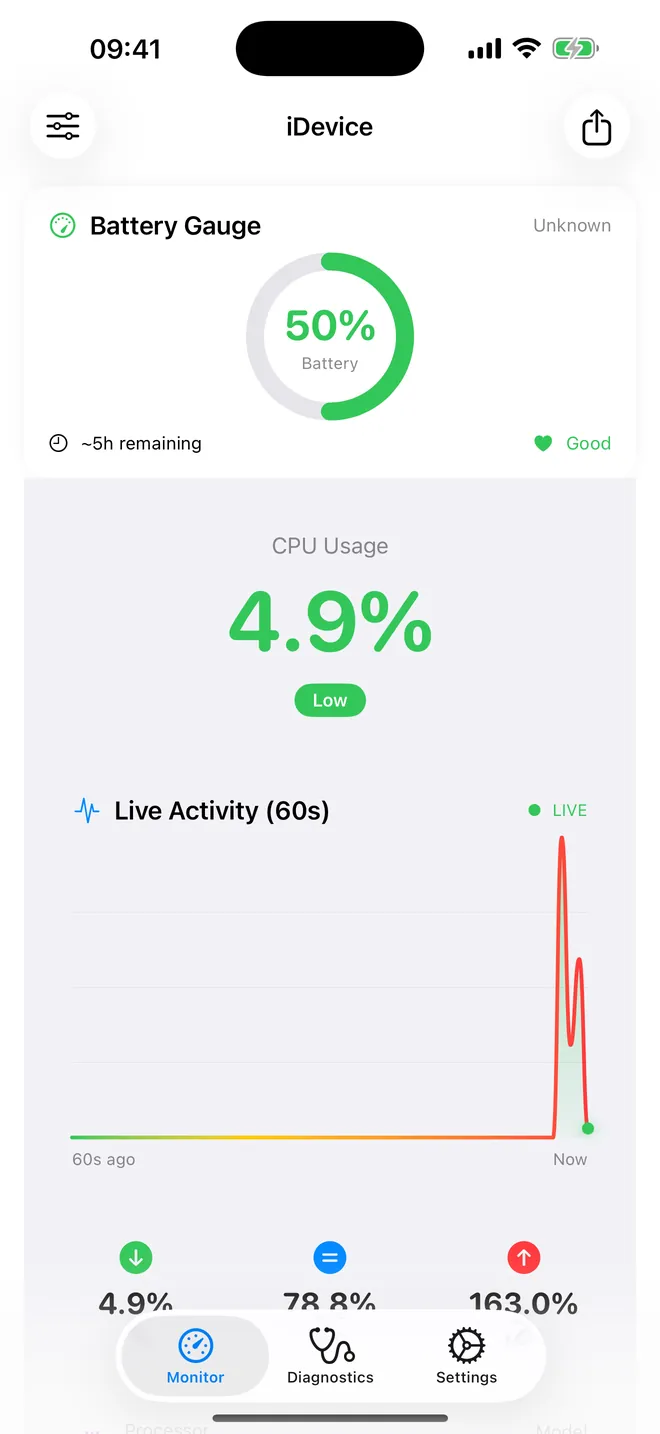
Live monitor
Battery, CPU and RAM, live
Plus storage and connectivity on one screen
Diagnostics
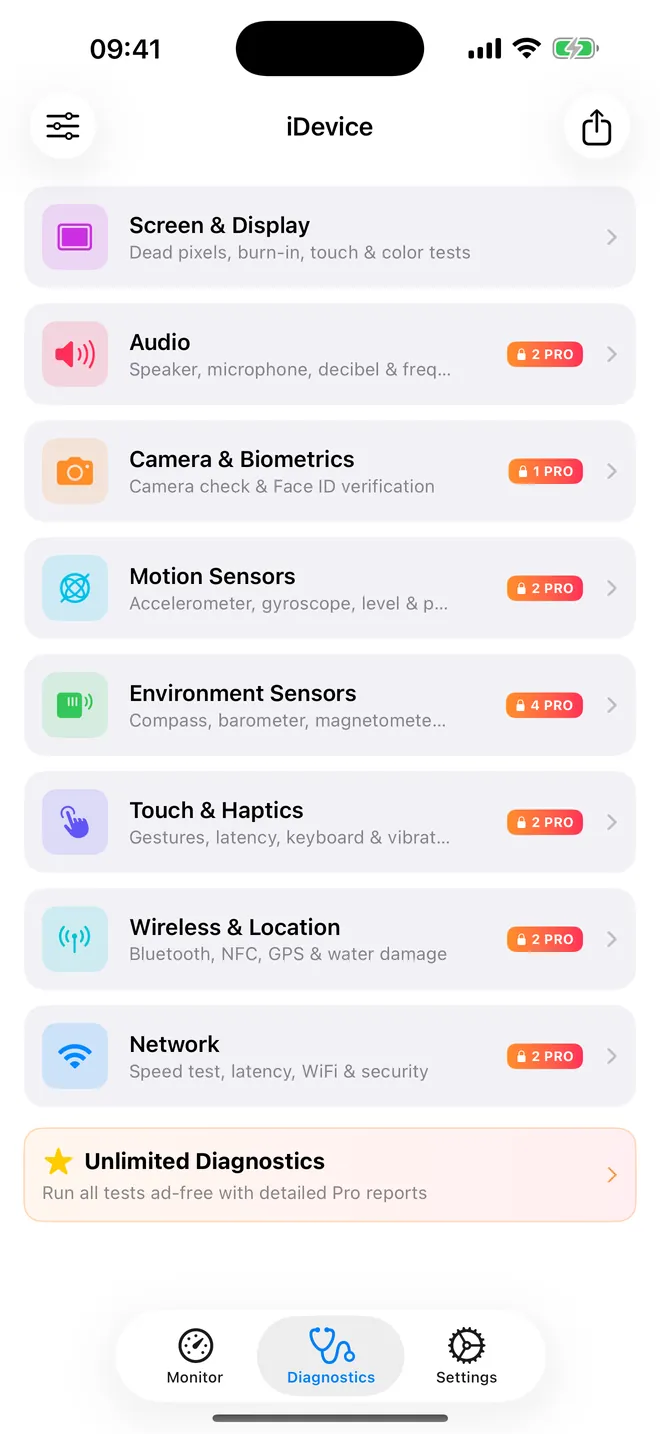
Test every sensor yourself
Dead pixels, speaker, microphone, compass and GPS
Your dashboard
Your cards, your order
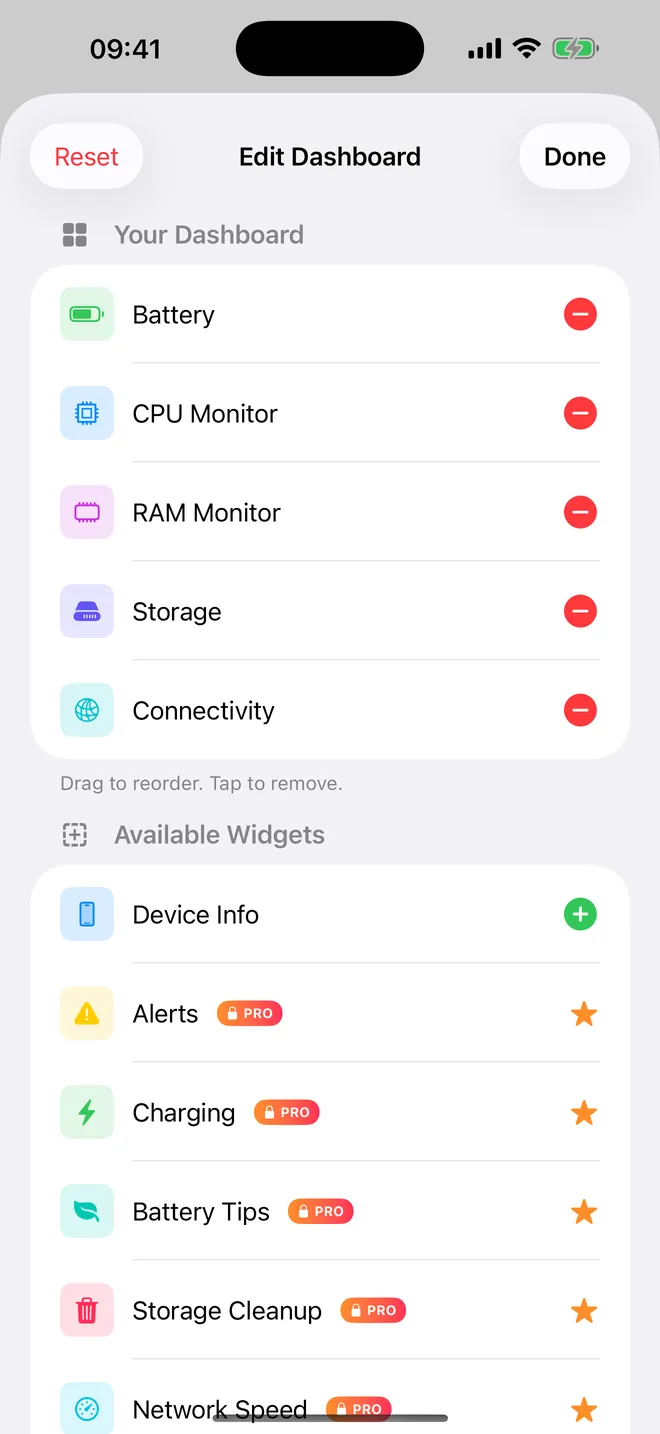
Add, remove and drag the cards you want
What can you check with Device Monitor?
Three tabs, and you only need to remember two of them. Monitor is a dashboard of cards you pick yourself; Diagnostics groups the actual hardware tests by part of the phone; Settings is where the app's own preferences and Pro management live, and you will rarely open it.
- Specs and live readings: the Device Info card lists Model, Processor, CPU Cores, RAM, Total Storage, Thermal State and Uptime. Other cards show battery charge, memory in use (RAM Live), storage used and free, and whether you are on WiFi or cellular.
- Screen: under Screen & Display, the Dead Pixel Test fills the screen with five solid colours so a dead or stuck pixel has nowhere to hide.
- Sound: under Audio, the Speaker Test plays tones from 250 to 8000 Hz and the Microphone Test shows a live input level.
- Motion and environment: Bubble Level, Accelerometer, Digital Compass, Barometer & Altitude, Light Meter and Proximity Sensor Test.
- Touch, radio and location: Gesture Test, Keyboard Test, Bluetooth Scanner, GPS Accuracy Test and a Latency Test that times 10 requests to a server you pick.
- Export: Export PDF builds a one-page report of the device, screen and camera specs to keep or send on.
Quick start
- Install the app (it shows up as iDevice on the Home Screen) and get the privacy prompts out of the way.
- On Monitor, tap the slider icon top left to open Edit Dashboard. Under Available Widgets, tap Device Info, then Done.
- Open Diagnostics and pick a section - Screen & Display or Audio are the two most people try first.
- Run a test and do what it asks: look at the screen, listen to the tone, speak, cover the top of the phone.
- Want a record of it? Tap the share icon top right and choose Export PDF.
Free, and what Pro adds
Download is free, and so is everything most people actually came for, with ads attached: dead pixels, speaker, microphone, camera hardware list, level, accelerometer, compass, barometer, light meter, proximity, gestures, keyboard, Bluetooth, GPS, latency, device info and PDF export. The Home Screen and Lock Screen widgets don't cost anything either.
Pro is a subscription, and what it buys you is no ads plus a handful of extra tools: the Decibel Meter, Gyroscope, Pedometer, Magnetometer, Metal Detector, the Face ID / Touch ID test, a charging analyzer, CSV and JSON export, and a PDF without the trial watermark.
Privacy, offline use and permissions
No account, nothing to sign in to. Device info, the dashboard and the sensor tests all run without a connection. The internet only comes into it for ads in the free version, App Store purchases, and the Latency Test. Card order and colour theme stay on the device; close a test screen and its result is gone.
Permissions show up one at a time, only when the test that needs them opens: microphone for the mic test, front camera for the light meter, location for true north and the GPS test, Bluetooth for the scanner. The light meter never takes a photo and the mic test keeps no recording.
What it cannot do
Some of this is closed off to every App Store app, not just this one — worth knowing before you pay for Pro. Device Monitor cannot read battery health or charge cycles (that's Settings > Battery), cannot see the whole phone's CPU load or other apps' memory, and cannot detect water damage. It doesn't find dead pixels on its own either - that part is still you, looking. The Clear RAM button will not make the phone faster, and a couple of dashboard cards, the network speed and WiFi analyzer figures, are simulated rather than measured. None of it is a measuring instrument: the level, compass and decibel numbers are fine for everyday checks, not for construction, navigation or a legal noise reading.
How-to guides for Device Monitor
Questions people ask about Device Monitor
Does Device Monitor work on iPad?
Do I need to create an account?
Can it tell me my battery health?
Is the dead pixel check automatic?
Does it have widgets?
Free and Pro
Free
- Monitor tab dashboard with the free cards: 'Device Info', 'Battery' (Battery Gauge), 'CPU Monitor', 'RAM Monitor' (RAM Live, read-only), 'Storage' (used / free), 'Connectivity'
- 'Used-phone check' (Diagnostics tab): ten tests listed with Pass/Fail buttons you set by hand after trying each one (Screen, Speaker, Microphone, Camera, Touch, Proximity sensor, Compass, Level & motion, GPS, Bluetooth), a verdict summary and a shareable PDF report with device model, iOS version, date and your marks (no watermark; the report is what you marked, the app does not grade the hardware)
- Screen & Display: 'Dead Pixel Test' (red, green, blue, white, black full-screen colours)
- Audio: 'Speaker Test' (tones 250-8000 Hz) and 'Microphone Test' (input level)
- Camera & Biometrics: 'Camera Test' (reports which camera hardware is present)
- Motion Sensors: 'Accelerometer' and 'Bubble Level'
- Environment Sensors: 'Digital Compass', 'Barometer & Altitude', 'Light Meter', 'Proximity Sensor Test'
- Touch & Haptics: 'Gesture Test' (swipe, pinch, long press) and 'Keyboard Test' (typing speed and accuracy)
Pro
- no ads (banners and interstitials)
- unblurs the Pro diagnostics: 'Decibel Meter', Face ID/Touch ID test ('Biometric Authentication'), 'Gyroscope', 'Pedometer', 'Magnetometer', 'Altitude Tracker', 'Metal Detector', 'Thermal Monitor', 'Touch Latency', 'Haptic Engine Test', 'NFC Capabilities' (availability check only)
- the other three display tests: Burn-in Test, Touch Response, Color Gradient
- the 'Charging' dashboard card (Charging Analyzer)
- 'Export CSV' and 'Export JSON' in the share menu; PDF export without the watermark
- CPU Monitor 'Extended History (5 min)' graph; Charging Analyzer 'Charging Stats' (sessions, average time); Bluetooth list beyond 10 devices; Decibel Meter keeps more than 300 samples; Thermal Monitor graph beyond 10 points
Pro is optional. Everything in the free list works without it.
What's new in 1.4.0
The App Store page carried a second, duplicate set of terms and privacy links pointing at a personal file host, and called this app "the ultimate tool" — neither belonged there. Both gone, and the description now answers the questions people actually ask: what the sensors can really measure, what the metal detector is reading, and how accurate the decibel number is. In the app, the last broken placeholders in the translated texts are fixed.
Privacy and support
Device Monitor does not require an account. Read the privacy policy and the terms for this app, or write to us if something is wrong.
Made by a small independent developer. Questions? Write to us from the support page.