Passport Photo AI: take and size passport photos on your iPhone
Visa, DV Lottery & ID Maker
A passport photo can be taken against a plain wall at home instead of at a photo booth. Passport Photo AI turns a photo like that into a passport, visa, national ID, residence permit or Green Card picture at the exact size one country asks for, and every step runs on your iPhone or iPad.

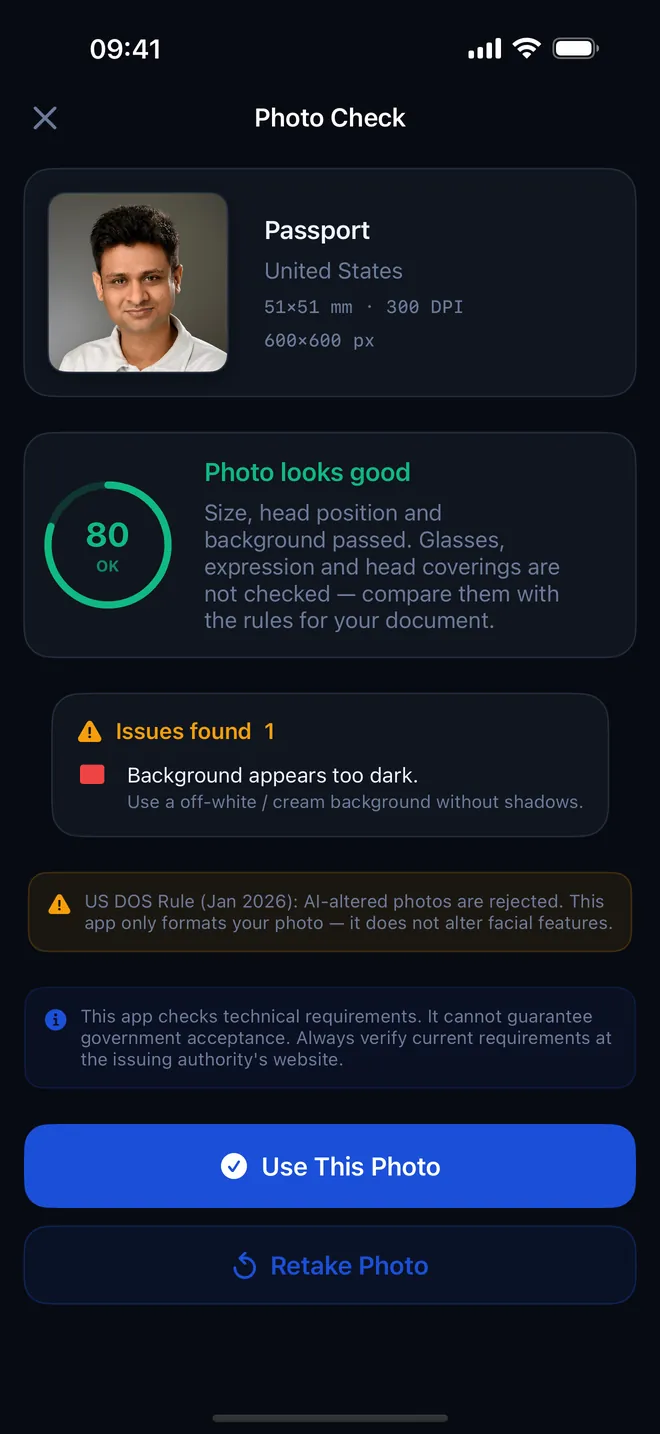
Photo check
Is the photo ready?
Face position, background and lighting, checked on device
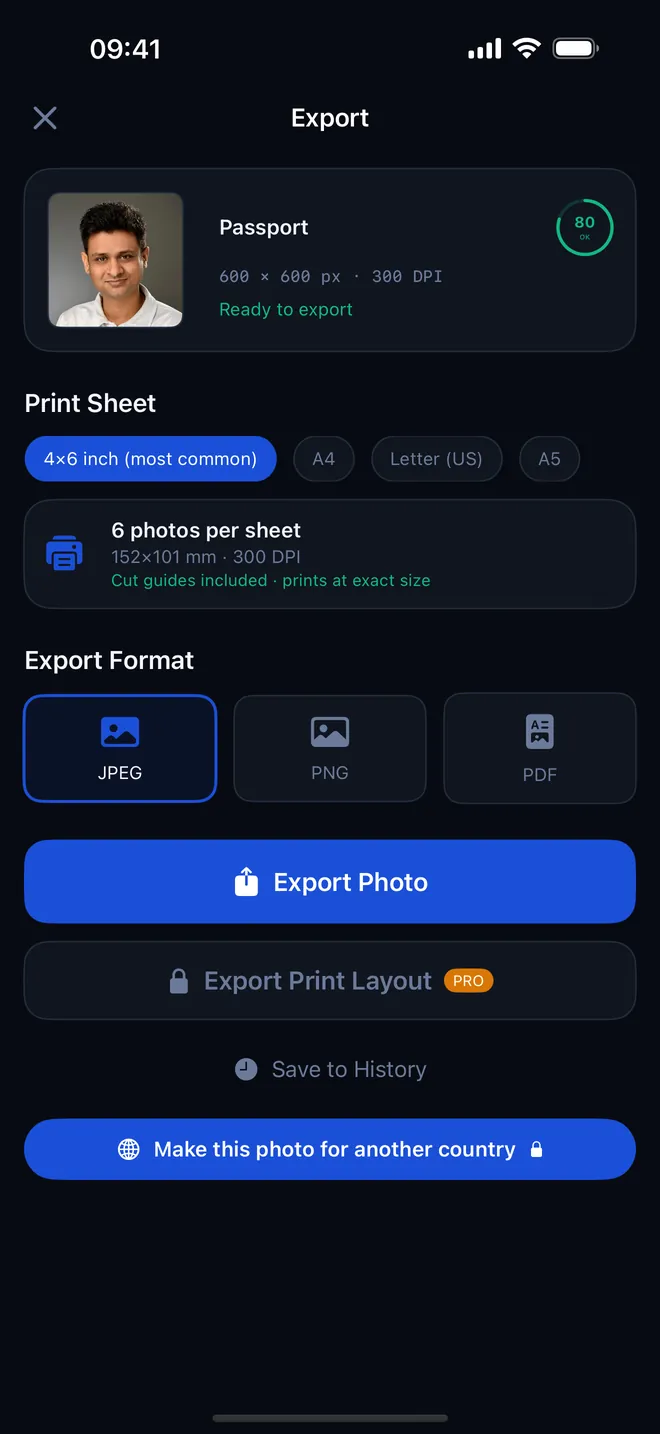
Export
JPEG, PNG or PDF
Print sheets with cut guides · Pro
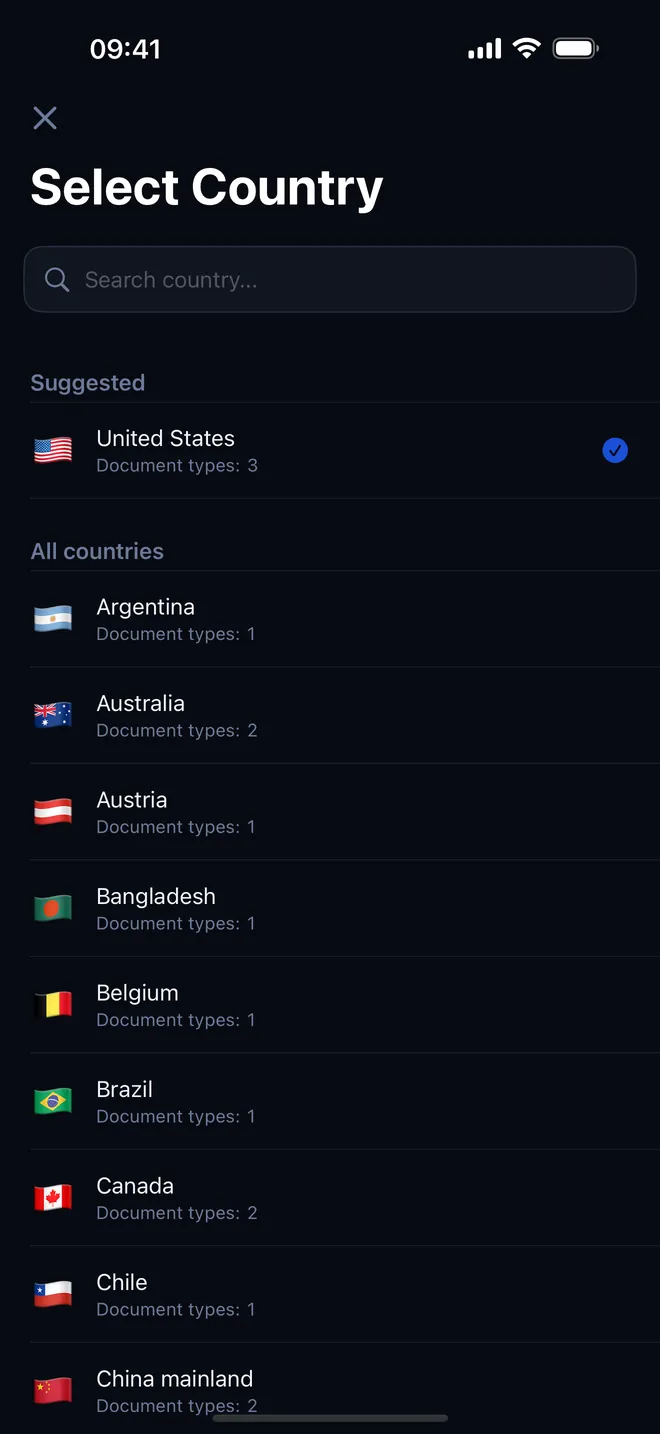
Countries
Pick a country, get its spec
More than 50 countries and document types
What can you do with it?
- Pick a country and a document. The database holds 63 document specs for 55 countries, each with its own size, allowed head height, resolution and background color.
- Take the photo with the front camera and the face oval, or bring in a photo someone else took of you with Import.
- Get an automatic Photo Check: head size, face position, tilt, turn, lighting, background brightness and resolution, scored from 0 to 100 with a fix for every issue.
- Let the app crop and scale the photo to the exact pixel size, for example 600 × 600 px for a 2 × 2 inch US photo or 413 × 531 px for a 35 × 45 mm photo.
- Replace a busy background with the plain color the document asks for (not for US passport, US visa or Green Card photos, where the app leaves the background as you shot it).
- Export one photo as JPEG, PNG or PDF with the DPI written into the file, or tile copies on a print sheet with cut guides (Pro).
Quick start
- Tap Create New Photo on the Home screen.
- Choose your country under Select Country, then the document type, such as Passport or Visa.
- Stand facing the camera with a plain wall behind you, fit your face in the oval and tap Take Photo. Or switch to Import to use an existing photo.
- Read the score and the Issues found list on the Photo Check screen. Tap Retake Photo if something critical shows up.
- Tap Use This Photo, choose a format under Export Format and tap Export Photo.
What is free and what Pro adds
Free covers the whole core job: every country and document, the camera and import, the AI check, the crop, background replacement where it applies, and exporting single photos as JPEG, PNG or PDF with no limit, for as many countries as you need. The free version shows a banner on Home and an occasional full-screen ad after exports.
The optional Pro upgrade adds print sheets (several copies on one page with cut guides), print-ready PDF sheets at 300 DPI, converting a saved photo for another country, and removes all ads. If you only need one photo, skip Pro; the print sheet is the one part of it worth paying for once you need several copies. You can also get one print sheet free by watching an ad.
Privacy, offline use and permissions
Face detection, background replacement, cropping and the check all run on the device with Apple's Vision and Core Image frameworks. There is no account and no upload of your photo; saved photos stay in the app's own storage. The network is only used for ads and purchases.
- Camera: to take the photo with the live face guide.
- Photos (add only): to save the finished photo to your library when you choose to.
- Tracking: only to personalize ads in the free version. If you decline, ads are non-personalized; Pro shows no ads.
Limits: what it cannot do
The check measures geometry, light and background — nothing else. It does not judge glasses, expression, smiling, closed eyes or head coverings, so compare those against your document's rules yourself: the app will not flag glasses even when a document bans them. It works with one face per photo, and some countries only have a passport spec, not every document type.
How-to guides for Biometric Passport Photo AI
Questions people ask about Biometric Passport Photo AI
Which documents can I make photos for?
Does it work without an internet connection?
Does the app change my face?
Is it on iPad?
Can I print the photo at home?
Free and Pro
Free
- choose from all 50+ countries/documents
- camera capture or import from library
- AI face/background/lighting check
- crop to the exact spec
- export a single photo as JPEG, PNG or PDF, no limit
- save to History
Pro
- print sheets (several photos on one page with cut guides)
- print-ready PDF sheets at 300 DPI
- reformatting an already-taken photo for a different country ('Convert')
- no ads
Pro is optional. Everything in the free list works without it.
What's new in 1.1.0
Small internal improvements. If the app is doing its job, a rating takes ten seconds and helps other people find it.
Privacy and support
Biometric Passport Photo AI works offline and does not require an account. Read the privacy policy and the terms for this app, or write to us if something is wrong.
Made by a small independent developer. Questions? Write to us from the support page.