Step As: add the steps your iPhone missed to Apple Health
Pedometer & Step Tracker
Step As is for the walks your phone missed: a push with the stroller, a treadmill run with the phone on the console. You pick a step count and it writes straight into Apple Health. Around that one job it keeps a daily step goal ring, a day streak and 12 badges.

 Android: Step As ME
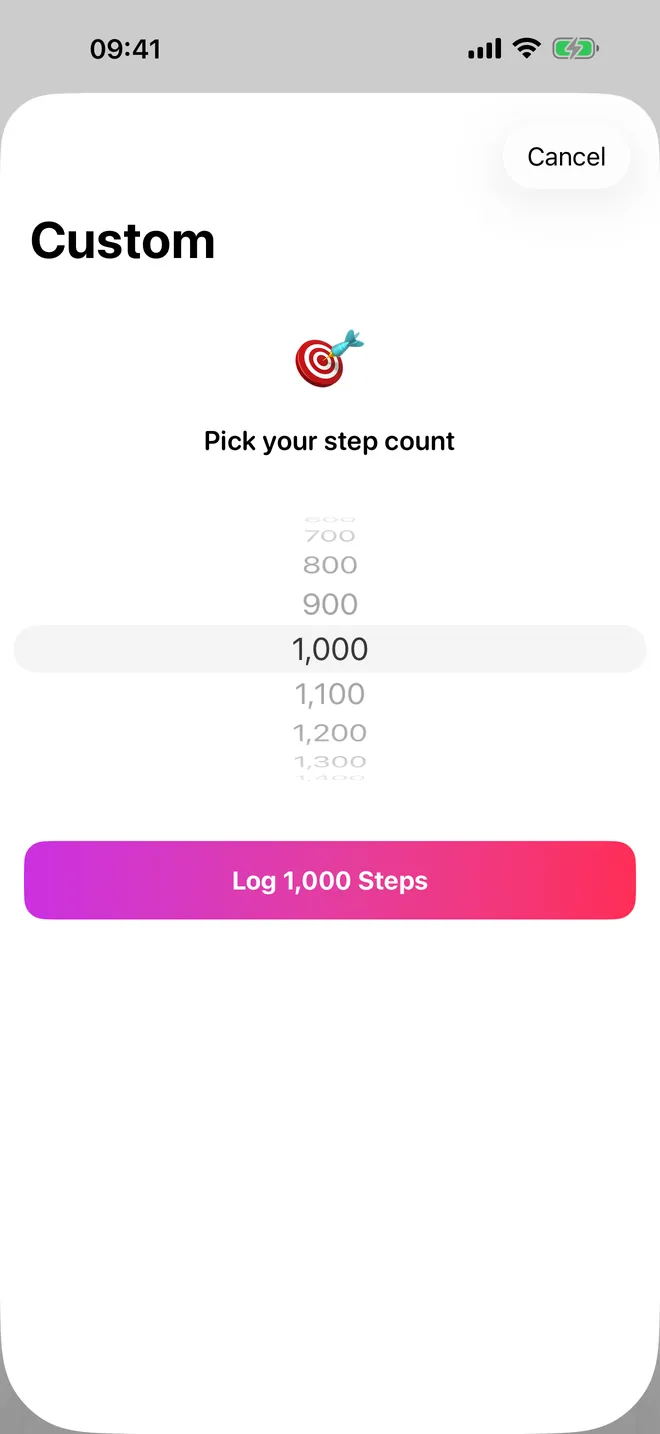
Custom amount
Pick any step count
From 100 to 20,000, saved to Health
History
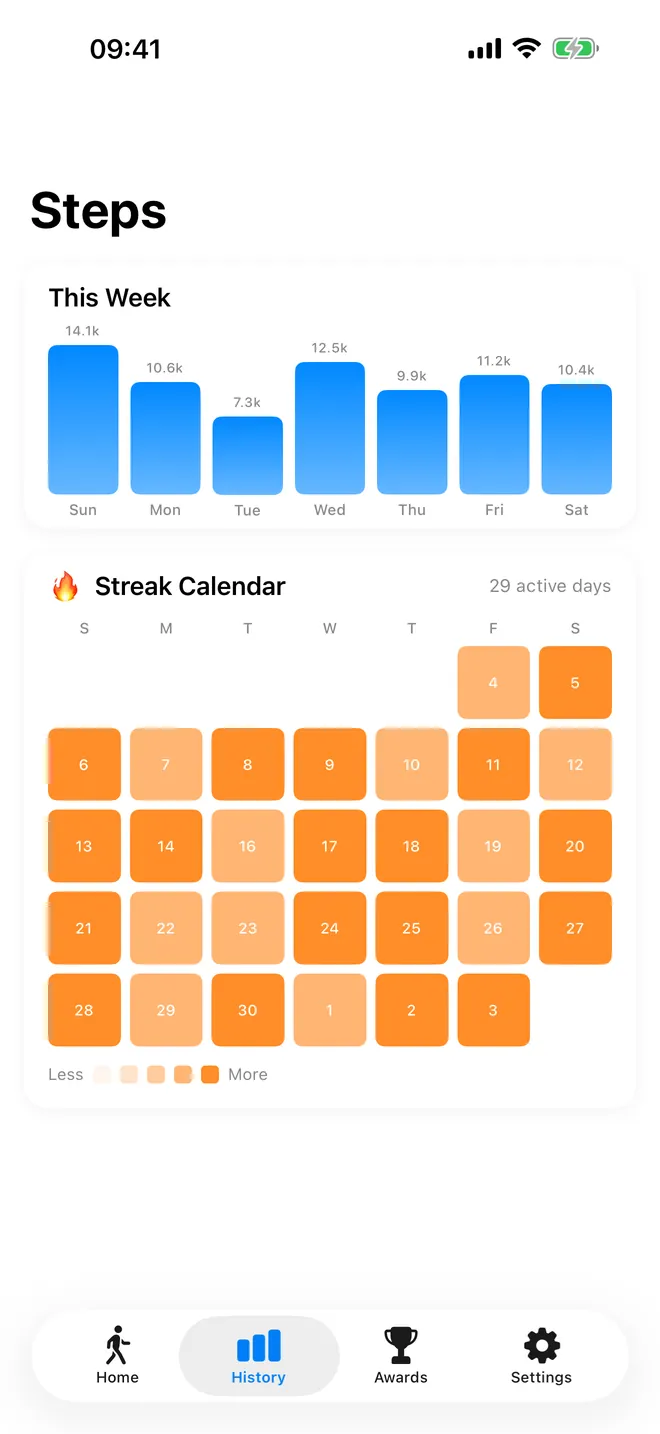
Your week, day by day
Weekly chart and a streak calendar
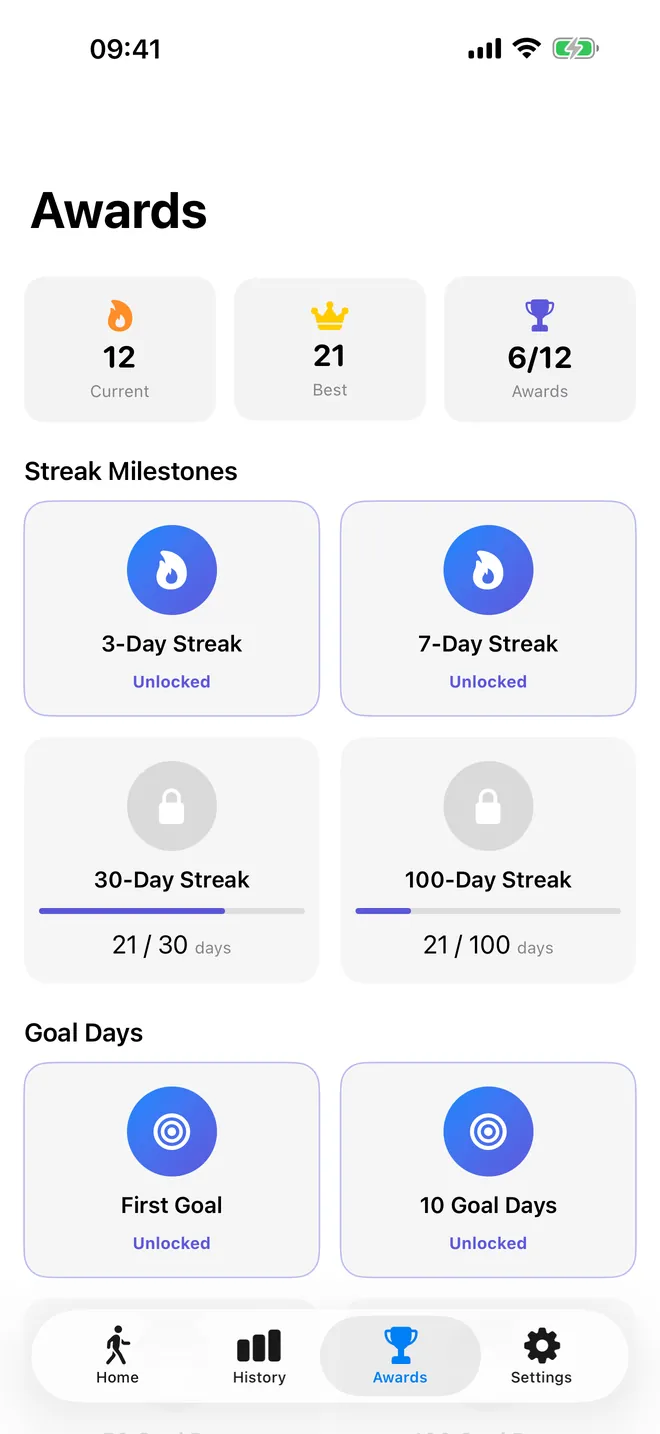
Awards
Streaks and badges
Twelve awards to unlock as you walk
What can you do with Step As?
The app does one job and a few things around it. It does not count steps on its own and uses no motion sensor. You say how many steps you walked, and it writes them to Apple Health for you.
- Log steps in one go: the Quick Log buttons write 500, 1,000, 2,500 or 5,000 steps; Custom Amount lets you pick any count from 100 upward in steps of 100, up to a set maximum per entry.
- Watch a daily goal: the ring on Home fills with today's step total from Apple Health (every source, not only this app) and turns green when you reach the goal.
- Keep a streak: every day you reach your goal extends the streak, and the Awards tab holds 12 badges for streaks, goal days and steps logged.
- Look back: the History tab shows a This Week bar chart and a 30-day Streak Calendar.
- Get a nudge: the Daily Streak Reminder sends one notification every evening at 20:00.
Quick start
- Install Step As and go through the four intro pages. On Sync Your Streak to Health, tap Continue and allow Steps and Walking + Running Distance in the Health sheet.
- On Home, tap a Quick Log button, or tap Custom Amount to choose an exact number on the wheel.
- Free version: the Limit Reached alert appears. Tap Watch Ad and let the short video finish.
- The steps are in Apple Health: you feel a haptic tap, a check mark shows on the ring and today's total goes up.
- Set your own daily goal in Settings under Goals & Streaks (1,000 to 50,000, default 10,000).
Is Step As free?
Yes. Every screen and feature is free: logging, the custom amount, the ring, the streak, the badges and both history views. The free version shows ads, and each log asks for one short video first. There is no daily cap: the alert is called Limit Reached, but it shows on every free log and only asks for one video.
The optional PRO, a monthly subscription or a one-time Lifetime purchase, removes all ads and the video, so a log takes one tap. PRO adds no other features. Lifetime is worth considering over Monthly for a feature this small — one charge beats a recurring subscription.
Privacy, offline use and permissions
There is no account and no server of ours. Steps and distance are written to Apple Health on your device, and the app keeps only a few counters of its own, such as your goal and streak.
- Apple Health, write: to save each log as steps plus walking + running distance.
- Apple Health, read: only your step totals, to draw the ring, streak, chart and calendar.
- Notifications: asked only when you switch on Daily Streak Reminder.
- Tracking prompt: allowing it lets ads be personalised; denying it keeps ads, but non-personalised.
Logging works offline. If no video can load, the free log goes through anyway. Ads, buying and restoring PRO need a connection.
What it cannot do, and who it is not for
- It is not a pedometer. If you want an app that counts your steps, your iPhone already does that.
- Every log is placed on today and ends at the moment you tap. You cannot pick a past day or a time.
- It writes steps and distance only, never a workout, so it does not fill Apple Watch Activity rings.
- Distance is written as 1 metre per step, so 5,000 steps become 5 km in Health, which is usually more than you walked.
- There is no Apple Watch app and no widget, and several newer screens are still in English in every language. An Android version is on Google Play as a separate app, and its features may differ.
It is not for making up steps for challenges, rewards or insurance programs. It is for walks you really did while your phone was somewhere else.
How-to guides for Step As ME (Fit As 2)
Questions people ask about Step As ME (Fit As 2)
What is Step As for?
Does Step As need an account?
Which devices does it run on?
Can I undo a log?
What does PRO change?
Free and Pro
Free
- Quick Log buttons 500, 1,000, 2,500 and 5,000 steps, each after one short rewarded video
- Custom Amount: any count from 100 to 20,000 in steps of 100, also after one rewarded video
- No daily cap: the 'Limit Reached' alert appears on every free log and simply asks for one video per log; if no video is available the log goes through anyway
- Daily goal ring with today's total from Apple Health, day streak, Awards tab with 12 badges
- History tab: This Week chart and 30-day Streak Calendar
- Settings: daily goal, Daily Streak Reminder, Dark Mode, Manage Health Access
Pro
- No ads of any kind (banner, native, rewarded, interstitial, app-open)
- Logging with one tap, without the alert and the video
Pro is optional. Everything in the free list works without it.
What's new in 5.5.0
• Logging a long walk could write part of your steps into yesterday: with 300 minutes the start time fell before midnight • When Health refused a write, nothing was said at all — now you are told, and if the permission was denied there is a button to Settings • The purchase screen had no close button, only the grey handle • The price is now taken from the store instead of being glued to a currency symbol in code • Pro is no longer lost when you open the app with no connection • The tracking prompt was appearing behind the opening screen and after the consent form, where the system throws it away • 43 texts, including every achievement title, were in English in every language
Privacy and support
Step As ME (Fit As 2) does not require an account. Read the privacy policy and the terms for this app, or write to us if something is wrong.
Made by a small independent developer. Questions? Write to us from the support page.