PokeT-Walk: manually add steps and walks to Apple Health on iPhone
Add Steps to Health Manually
PokeT-Walk writes steps and walking distance you enter by hand into Apple Health. It is built for weeks a phone sat charging through a treadmill session or rode in a stroller basket the whole way; those walks never show up on their own, so the app puts them in afterward as a manually-logged entry.


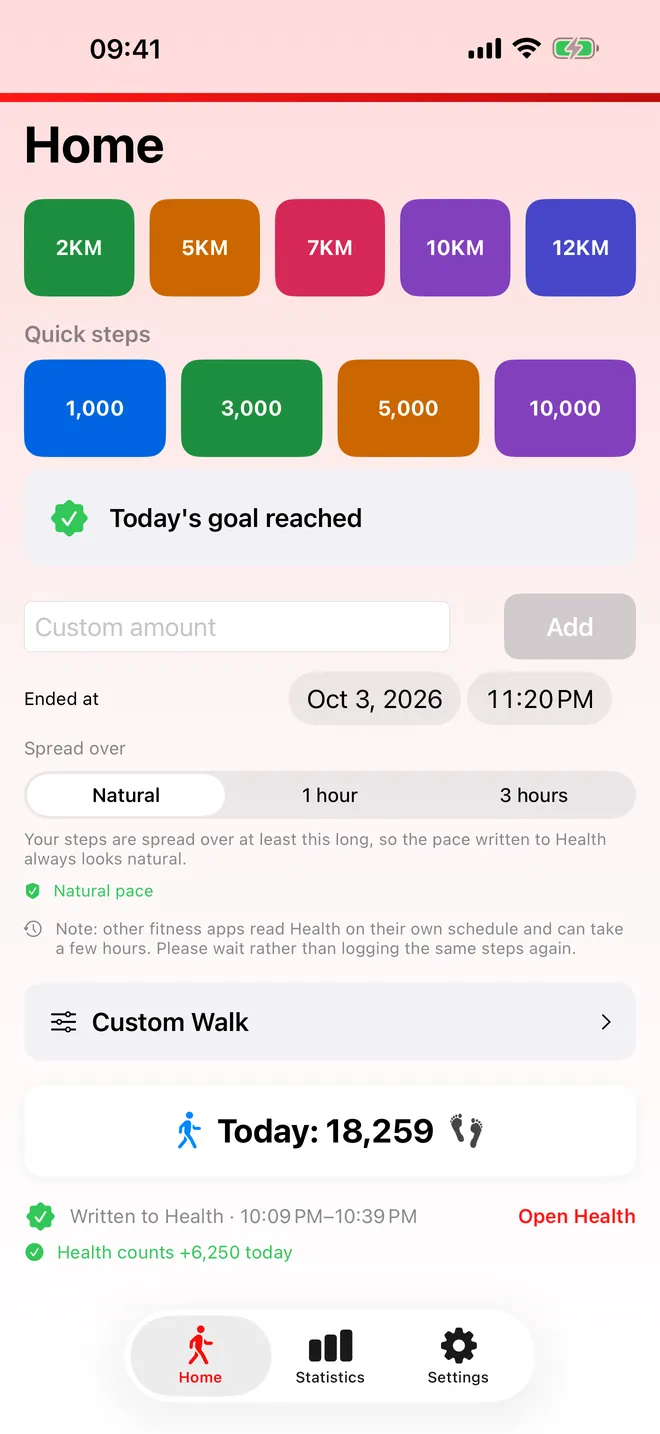
Quick logging
One tap, steps in Health
Pick a distance or a step count
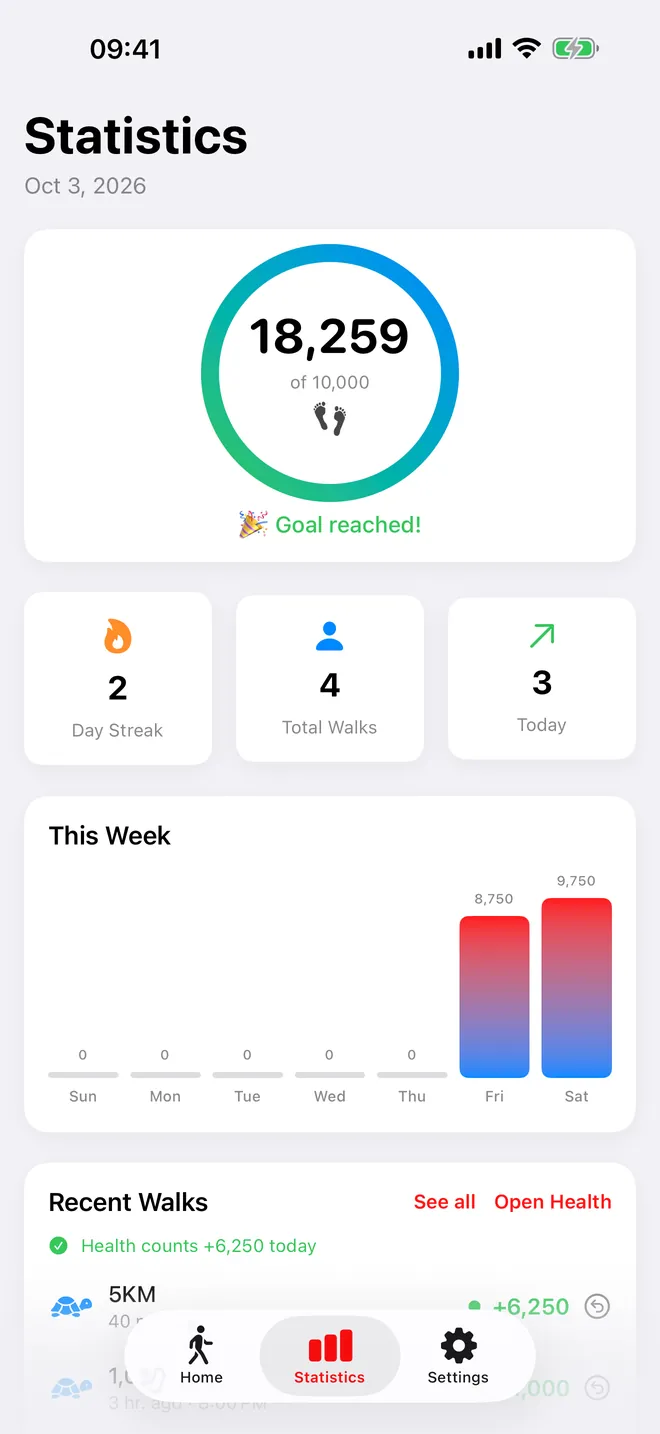
Statistics
Your goal, streak and week
Today's steps, walks logged and recent history
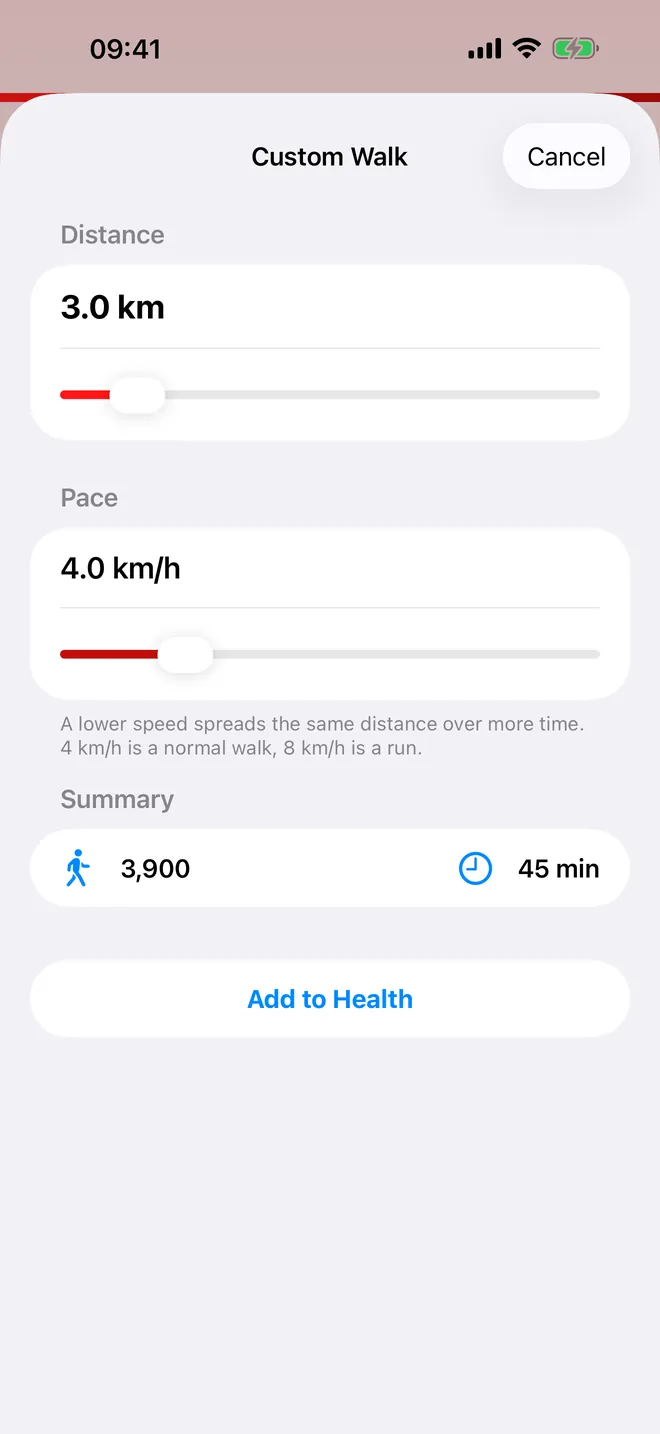
Custom walk · Pro
Design your own walk
Set distance and pace, see steps and time
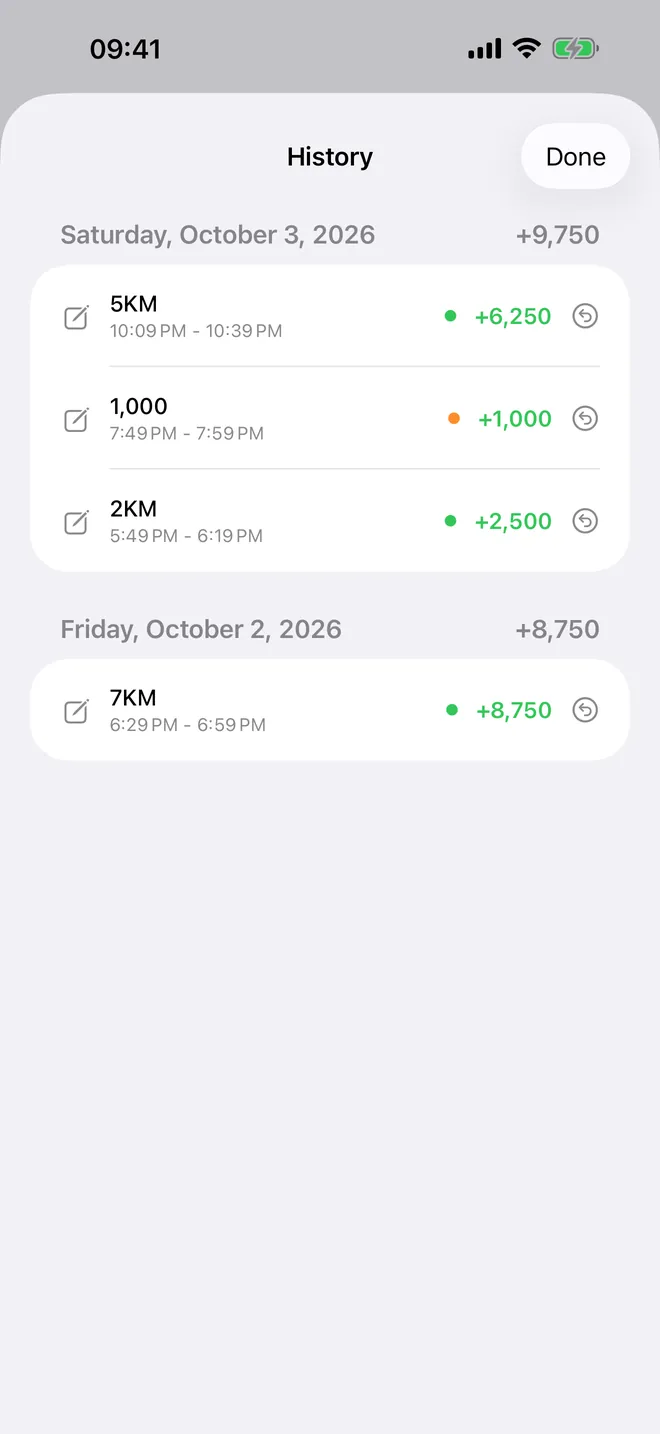
History
Every walk, edit or undo
Grouped by day with daily totals
What can you log with PokeT-Walk?
- A distance: the 2KM, 5KM and 7KM buttons (10KM and 12KM with PRO) write that distance, plus steps at 1,300 per km, as a walk at 4 km/h.
- A step count: the Quick steps presets 1,000, 3,000 and 5,000 (10,000 with PRO), or the number of steps you type into Custom amount and save with Add.
- A walk at your own speed (PRO): set Distance and Pace in Custom Walk, check the Summary, tap Add to Health.
- A walk from earlier: set Ended at up to 7 days back before you log.
With Natural Pace on, which is the default, a step count is not dropped on a single instant. It is cut into samples of about a minute each, averaging 110 steps a minute or less, and recorded as a manual step entry in Apple Health. A distance is written as one walk over the time it takes at 4 km/h.
The Statistics tab shows today's steps against your daily goal, a Day Streak, a This Week chart and Recent Walks. Entries the app wrote can be edited or undone from History.
How do you add your first walk?
- Open the app and allow Apple Health access when iOS asks. Steps must be on for anything to save; turn on Walking + Running Distance too so the distance is stored.
- On Home, set Ended at if the walk finished earlier. Leave it alone for a walk that just ended.
- Logging a step count? Pick how long it should cover under Spread over.
- Tap a distance button or a Quick steps preset, or type a number in Custom amount and tap Add.
- On the free version, tap Watch Ad and let the short ad play to the end.
- A line reading "Written to Health at" and a time confirms the save; Open Health jumps to the Health app.
Is PokeT-Walk free?
Yes. It is free to download, and logging is free and unlimited. Each free log comes after a short ad; close it early and the app says No steps added. If no ad can load, for example offline, the walk is logged anyway after a few seconds.
The optional PRO upgrade removes every ad, logs in one tap, and adds the 10KM and 12KM buttons, the 10,000 preset and Custom Walk. Options and prices are shown in the app. Statistics, History, the widgets and typing any number into Custom amount stay free. If you only log once or twice a week, the ad costs you ten seconds and PRO is not worth it; if you log daily, the one-tap version earns its price back fast.
Privacy, internet and permissions
There is no account and no sign-up. Steps and distance go into Apple Health on your device. The app's own log, goal, streak and settings stay on the device too. Nothing is sent to us.
- Health, write Steps and Walking + Running Distance: to save what you log.
- Health, read Steps: to show today's total on Home and in Statistics.
- Health, write Workouts: asked only if you turn on Also save as a walk.
- Tracking: only decides whether ads are personalised. Saying no changes nothing else.
Logging works offline; ads and purchases need internet.
What PokeT-Walk does not do
- It is not a pedometer. It does not detect steps with sensors or GPS; it writes what you tell it.
- It converts distance with a fixed rule, 1,300 steps per km walking and 1,000 per km from 7 km/h, not with your height or stride.
- It cannot make another app count the steps. Each app chooses which Health sources it reads and when it refreshes.
- It writes no calories and is not a way to close Apple Watch Activity rings. There is no Apple Watch app, no Mac app, no export and no miles input.
How-to guides for PokeT-Walk | Sync your Steps
Questions people ask about PokeT-Walk | Sync your Steps
Which devices does PokeT-Walk run on?
Do I have to watch an ad every time I log?
What does PRO add?
Can I log a walk from earlier in the week?
Will my fitness app see the steps?
Free and Pro
Free
- Quick steps presets 1,000 / 3,000 / 5,000 (after a short ad)
- Typing any step count from 1 to 200,000 in 'Custom amount' and tapping 'Add' (after a short ad) — this includes 10,000 or more
- 'Ended at' picker (date a walk up to 7 days back), 'Spread over' options, Natural Pace switch
- Statistics tab: today's steps vs daily goal, day streak, total walks, 'This Week' chart, 'Recent Walks', full 'History' with edit and undo
- Widgets, 'Also save as a walk' workout option, Help screen
- If an ad closes early nothing is logged ('No steps added'); if no ad is available the walk is logged anyway
Pro
- No ads of any kind (banner, native, rewarded, interstitial, app-open)
- Logging without watching an ad (one tap)
- 10KM and 12KM buttons
- 10,000 Quick steps preset button
- Custom Walk (any distance 0.5–25 km in 0.5 steps, any pace 2–12 km/h in 0.5 steps)
Pro is optional. Everything in the free list works without it.
What's new in 5.13.0
We owe you an apology. Over the last weeks many of you told us the same thing: you watched the ad or tapped Log, Health said "saved", and the day's total didn't move. That was our bug, not your settings. This version fixes it and, more importantly, stops guessing: • New: "Complete today's goal" — Home shows how many steps you're missing for your daily goal and logs exactly those in one tap. • After every log, PokeT-Walk reads Health back and tells you whether those steps really count ("Health counts +N today") — and when they don't, why. • Your ad is never wasted: if a log doesn't count, the next try needs no second ad. • The consent screen that could get stuck on "Continue"/"Consent" is fixed. • "Open Health" where it used to send you to the wrong Settings page; receipts show the real minutes written; Dark Mode now sticks; Restore Purchases no longer flips PRO on and off. If anything still fails, write to [email protected] or join the community (link in Settings). The developer reads and answers every message.
Privacy and support
PokeT-Walk | Sync your Steps does not require an account. Read the privacy policy and the terms for this app, or write to us if something is wrong.
Made by a small independent developer. Questions? Write to us from the support page.